
Developing custom software is one of the most effective ways to streamline operations, scale efficiently, and support unique business goals. But only if it’s done with the right strategy.
This guide walks through the full process, from defining what custom software really means to building a solution that delivers long-term value.
All about developing custom software
Developing custom software means building a tailored digital solution that directly fits the specific needs of your business. Unlike off-the-shelf software, which is designed for a general audience and packed with features you may never use, custom software is purpose-built to streamline operations, eliminate inefficiencies, and deliver unique functionality that supports your strategic goals.
Custom software is typically developed through a structured process that includes discovery, user research, UX design, development, and quality assurance. This process is so much more than writing code. It's about solving problems in a way that makes sense for your specific business model, data environment, and customer needs.
Be it internal use software or customer facing, custom software done right results in seamless integrations that scale as you grow, and provides a competitive edge by supporting your organization’s distinct strategies.
Why you should consider developing custom software
Not long ago, developing custom software was often dismissed as too expensive or time-consuming for small and mid-sized businesses. But that’s changed.
With the rise of AI-powered development tools and modern frameworks, teams can now build and iterate much faster. Development cycles are shorter, and the cost barrier that once made custom software feel inaccessible has largely disappeared.
This shift is especially important when you consider the true cost of relying on a tangled tech stack of SaaS tools that don’t quite fit. Subscription fees, manual workarounds, missed automation opportunities, and integration gaps all contribute to operational inefficiency and mounting expenses. When you add it up, the cost of maintaining your current setup may be comparable to building a custom solution that actually works the way you need it to.
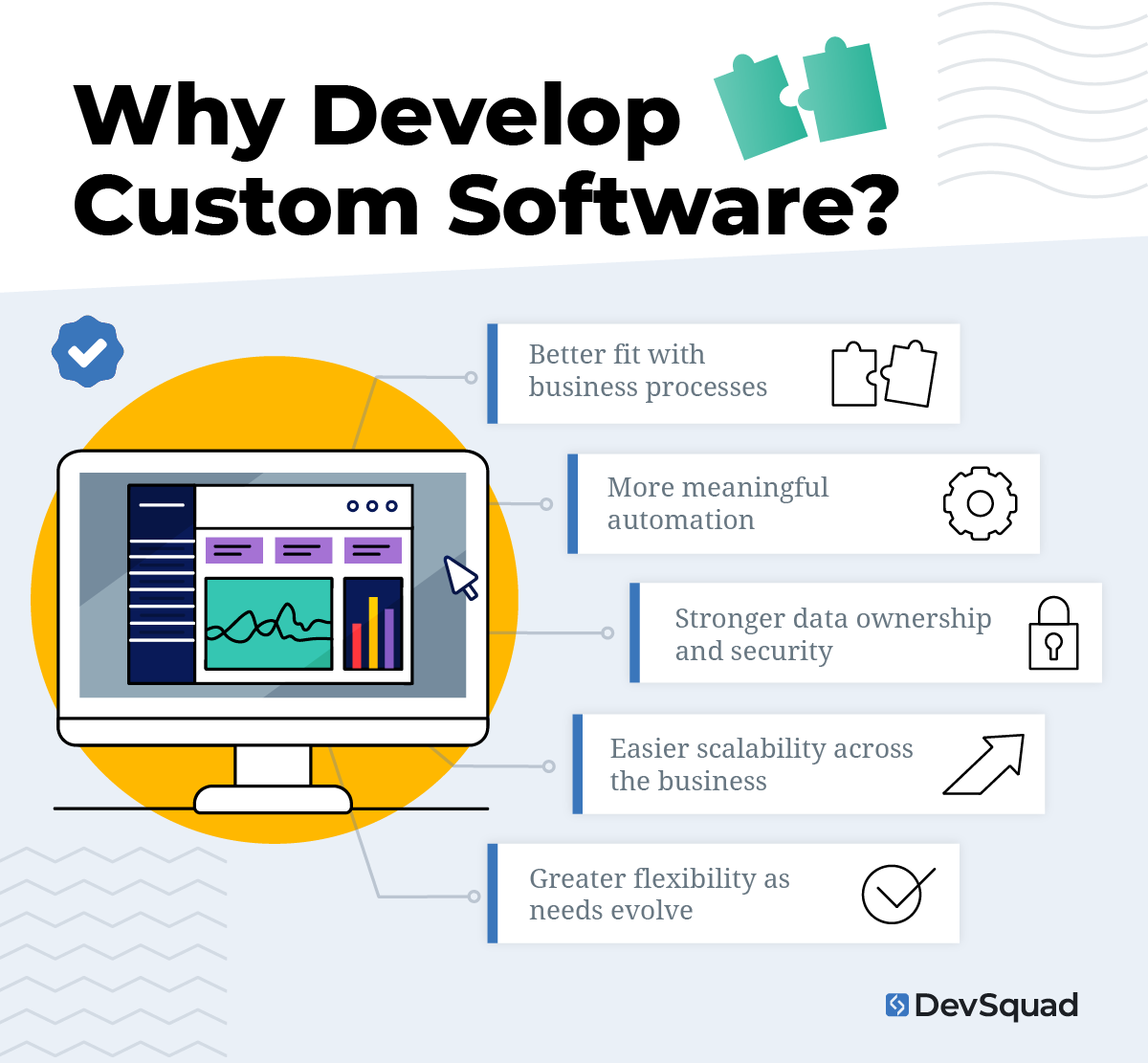
Custom software allows for:
A better fit with business processes
More meaningful automation
Stronger data ownership and security
Easier scalability across the business
Greater flexibility as needs evolve
It’s also worth noting that consumer expectations around user experience continue to rise. Generic tools often lag behind in UX and can’t keep pace with fast-moving teams or industries. A custom solution gives you the power to design around your users—from internal employees to customers and partners.
If you’re facing rising SaaS costs, legacy system limitations, or bottlenecks in your operations, now may be the right time to explore a custom-built alternative.
Comparison: custom software vs. off-the-shelf software
Organizations evaluating software solutions often find themselves weighing custom development against ready-made products. While both approaches have their place, their long-term impact on productivity, cost, and scalability can differ significantly. Below is a breakdown of how each option compares across key considerations:
Purpose and fit
The right software should reflect your business logic and support your unique workflows. A strong fit from day one avoids unnecessary workarounds and improves adoption.
Custom software: Built specifically for your processes, users, and data environment. Every feature supports your exact business goals.
Off-the-shelf software: Designed for general use cases and mass-market appeal. Customization is limited and often requires adapting your workflow to the tool.
Speed to implementation
Quick deployment can be tempting, but long-term alignment is where real efficiency comes from. Speed matters, but not at the cost of misfit functionality.
Custom software: Requires a defined planning and build phase but starts with clear alignment. Teams can prioritize only the essential features to launch quickly.
Off-the-shelf software: Can be installed or subscribed to immediately, making it useful for short-term needs or basic functions.
Cost
If you expect your business to be around for a while, upfront cost is just one part of the equation. True cost includes time, efficiency, scalability, and the price of future workarounds.
Custom software: Higher upfront investment but no recurring license fees. More cost-efficient over time when replacing multiple tools or reducing manual work.
Off-the-shelf software: Lower initial cost, but subscription fees, add-ons, and inefficiencies add up—especially as your team grows or your needs change.
Scalability and flexibility
Businesses don’t stay the same, and your software shouldn’t either. The ability to evolve your solution is critical to long-term ROI.
Custom software: Designed to grow and adapt with your business. Easily updated, extended, or reconfigured to support evolving requirements.
Off-the-shelf software: Feature set is fixed to the vendor’s roadmap. Scaling often requires purchasing higher-tier plans or additional products.
Integration
Your software should work with your ecosystem, not against it. Clean integration reduces friction, improves data flow, and saves time across teams.
Custom software: Developed with your full tech ecosystem in mind. Can integrate directly with internal systems, data sources, and workflows.
Off-the-shelf software: Offers prebuilt integrations for common platforms. Deeper or more specific integrations may require custom development anyway.
Support and maintenance
Software isn’t static. Issues come up, needs change, and improvements are ongoing. Ownership and control make a difference in how quickly you can adapt.
Custom software: You retain full ownership and control. Maintenance becomes part of your long-term tech strategy.
Off-the-shelf software: Support is dictated by the vendor. Fixes and updates are released on their schedule and may not align with your needs.
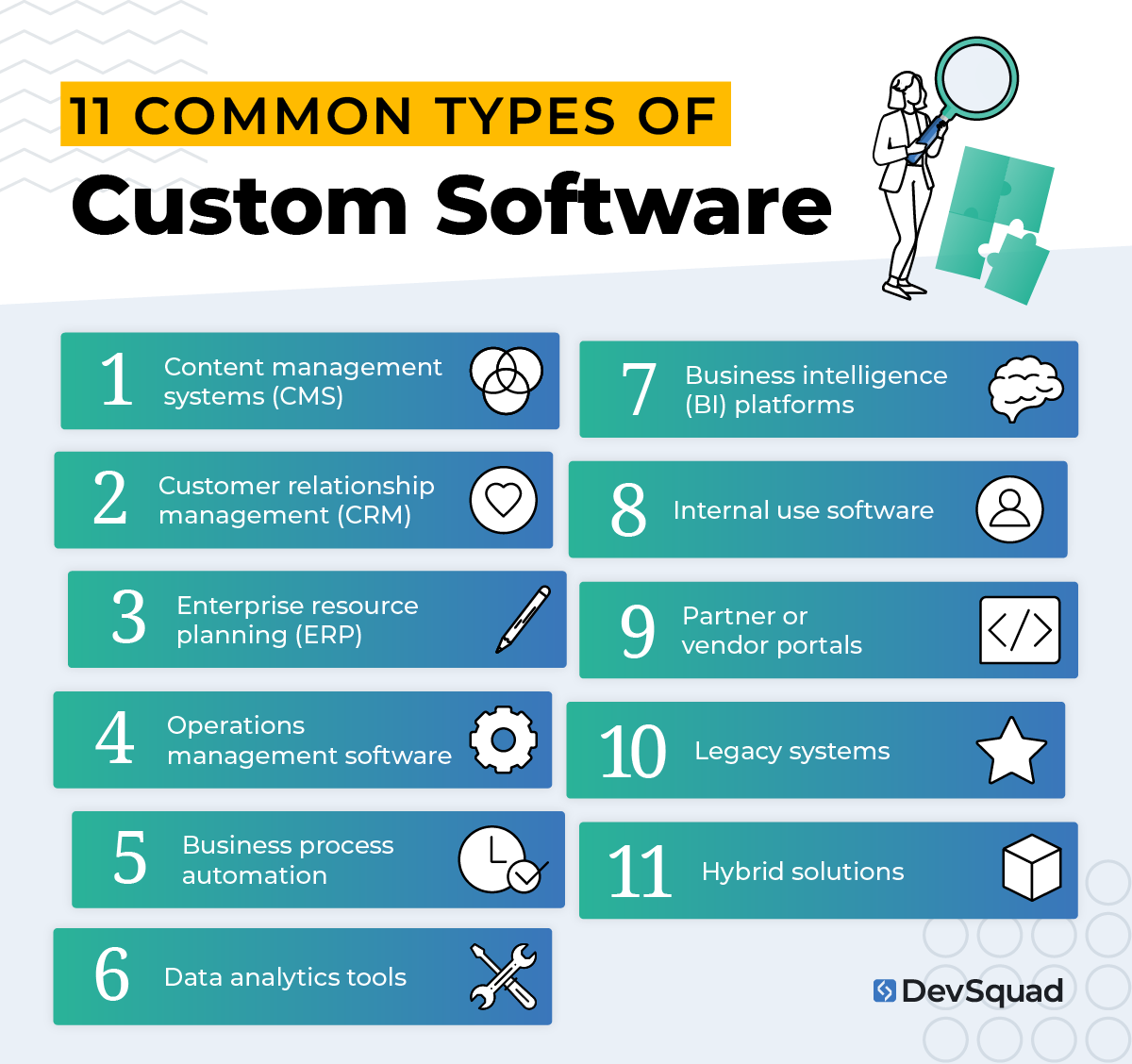
11 types of software to consider customizing
Custom software can bring significant value across a wide range of business functions. While many teams start by replacing one inefficient tool, others use custom development to unify systems, reduce reliance on workarounds, or enable growth that off-the-shelf tools cannot support. Below are eleven categories where a tailored solution often delivers the most impact.
1. Content management systems (CMS)
Managing content across teams, departments, or brands often becomes difficult with rigid platforms. A custom CMS allows for streamlined publishing workflows, user permissions that match your organizational structure, and integrations that support your marketing and compliance goals.
2. Customer relationship management (CRM)
Many CRM platforms are cluttered with features that do not apply to your sales process. A custom CRM gives teams exactly what they need. That could be tracking custom deal stages, aligning with a specific sales methodology, or surfacing relevant insights for each role.
3. Enterprise resource planning (ERP)
Prebuilt ERPs can be overly complex or lack the flexibility to support niche workflows. Custom ERP software enables better alignment across finance, inventory, HR, and operations. This makes it easier to access the right data and streamline cross-functional processes.
4. Operations management software
Day-to-day operations are often managed through disconnected tools or manual processes. Custom-built logistics and operations software allows businesses to optimize task management, dispatching, inventory tracking, scheduling, and more within a single system tailored to real-world needs.
5. Business process automation
Manual workflows take time, introduce errors, and limit scalability. When tailored to your business logic, custom business process automation software can significantly improve accuracy, compliance, and throughput.
6. Data analytics tools
Out-of-the-box analytics platforms often fall short when it comes to unique KPIs or data environments. A custom analytics tool allows you to define the exact metrics that matter, create tailored dashboards, and connect directly to your data sources for faster, more actionable insights.
7. Business intelligence (BI) platforms
Strategic planning requires more than just reporting. Custom BI platforms can incorporate forecasting, data modeling, and scenario planning based on your business structure and growth strategy. This leads to better decision-making and long-term alignment.
8. Internal use software
Internal software development—such as onboarding portals, employee dashboards, or training systems—are more effective when they reflect real workflows and company culture. Custom internal tools can reduce ramp-up time, boost productivity, and improve visibility for leadership.
9. Partner or vendor portals
Working with vendors, franchisees, or channel partners requires secure access, consistent workflows, and easy communication. A tailored portal provides the exact structure and functionality needed to support those relationships at scale.
10. Legacy systems
Older systems can slow down teams and introduce security or compliance risks. Through code refactoring, system integration, digital transformations, or full rebuilds, custom modernization efforts help businesses maintain core functionality while moving toward a more scalable and maintainable tech stack.
11. Hybrid solutions
Not every challenge requires building from scratch. In many cases, a custom solution can be layered on top of existing platforms or serve as the connective tissue between multiple systems. These hybrid builds are often the most practical path forward, offering flexibility without full replacement.
13 best platforms for developing custom software
When building custom software, the tech stack you choose will have a major impact on development speed, scalability, and long-term maintainability. The best platforms support clean architecture, smooth integrations, and developer-friendly tooling, so teams can focus on solving real business problems, not just technical ones.
Below are proven platforms to consider across backend, frontend, cloud infrastructure, and databases.
Backend frameworks
The backend serves as the foundation of your application. These frameworks provide structure, handle data flow, and support essential features like routing, security, and API creation.
Laravel: A well-documented PHP framework that helps developers build quickly without sacrificing code quality. Its modular design, built-in authentication, and elegant syntax make it a top choice for many custom projects.
Node.js: Enables server-side development using JavaScript, offering event-driven, non-blocking performance. It's especially effective for real-time features like live chat, notifications, or collaboration tools.
Django: A Python-based framework focused on speed, security, and best practices. Often chosen for internal tools, dashboards, and data-heavy applications.
Spring Boot: A mature Java framework used to build scalable, enterprise-level applications. Well-suited for complex environments where modularity and long-term stability matter.
Frontend frameworks
The frontend is where users interact with your application. Modern frameworks make it easier to build responsive, dynamic, and intuitive experiences across devices.
Vue.js: Lightweight and flexible, Vue is a solid option for building fast interfaces or modernizing the frontend of an older system in stages.
React: A widely adopted JavaScript library used to build high-performance user interfaces. Ideal for apps that rely on interactivity, state management, or component reuse.
Angular: A complete frontend framework with strong defaults, ideal for larger teams that want more structure out of the box.
Cloud platforms
Cloud services provide the infrastructure to deploy, scale, and secure your application. These platforms support continuous deployment, flexible hosting, and integration with modern development pipelines.
AWS (Amazon Web Services): Offers the most comprehensive set of tools, from compute to database to AI services. Excellent choice for flexible, scalable applications across industries.
Microsoft Azure: Integrates seamlessly with existing Microsoft systems. Often selected by organizations in healthcare, finance, or other compliance-driven industries.
Google Cloud Platform (GCP): Known for powerful AI and analytics capabilities. A good fit for data-intensive applications and teams working in containerized environments.
Databases
Choosing the right database supports performance, data structure, and future flexibility. The right solution depends on how your application uses and stores data.
PostgreSQL: A robust relational database with strong support for transactions and advanced queries. Works well for systems with structured data and complex reporting needs.
MongoDB: A flexible NoSQL option that handles unstructured or semi-structured data. Useful when your data model needs to evolve quickly.
Firebase: A cloud-hosted, real-time database. Often used in applications that require instant updates across users, like messaging, activity feeds, or collaborative tools.
5 steps for developing custom software
Developing custom software requires planning, forethought and execution. These steps will guide you on how to develop custom software.
1. Discovery and technical planning
Every successful project starts with clarity. The product discovery phase includes stakeholder interviews, user research, system audits (for modernizations), and competitive analysis. This is where product strategy and feasibility align.
At this stage, teams define:
The problem to solve
Core functionality and workflows
Technical constraints and goals
Integration needs
Compliance or security concerns
The result is a high-level product direction backed by business goals.
2. User stories and prototyping
With clarity around scope, the team translates features into user stories—short, structured explanations of what a user needs to accomplish. UX designers begin wireframing and building interactive prototypes that reflect real user flows.
Prototypes allow stakeholders and end users to:
Visualize the product early
Validate assumptions
Give feedback before development begins
This step prevents rework and accelerates alignment.
3. Roadmapping
Once the concept is validated, the team creates a roadmap to prioritize development. The goal is to build a functional, testable version of the product quickly—while identifying what can be phased in later.
This roadmap typically includes:
MVP (minimum viable product) scope
Technical architecture decisions
Sprint planning and release cadence
Risk and dependency mapping
Strategic roadmapping keeps development focused and reduces feature creep.
4. Build and launch
Using agile sprints, the team begins developing the first version of the product. This includes backend development, frontend implementation, database setup, and initial integrations.
Quality assurance runs in parallel, with developers and QA engineers testing features throughout each sprint. By launching early and iterating quickly, teams can gather feedback and course-correct before large-scale deployment.
If the build replaces legacy systems, a migration or transition plan may run in tandem to support business continuity.
5. Ongoing development and validation
After the initial launch, dual-track agile allows for continuous improvement. While one team works on building new features, another focuses on ongoing discovery, user validation, and performance optimization.
This phase often includes:
Additional feature rollouts
Analytics and user feedback loops
UI/UX refinements
Maintenance and security updates
Instead of viewing development as a one-time project, this model supports long-term product evolution.
Custom software development best practices
A solid development process is only part of the equation. The best outcomes come from aligning technical execution with smart habits, proactive communication, and a deep understanding of user needs. Below are key best practices to follow at every stage of custom software development.
1. Prioritize user outcomes over feature sets
Avoid building features just because they sound impressive. Focus on solving real user problems and delivering clear outcomes. Keep discovery active throughout the project to validate what users actually need—not just what stakeholders assume.
2. Start with a lean scope
Build the minimum viable product (MVP) first. Launching with only the most essential features accelerates time to feedback, reduces complexity, and sets the stage for more focused iteration.
3. Keep product strategy visible
Business goals, user personas, and success metrics should remain accessible throughout the project. When strategy is visible, development decisions stay aligned and teams are less likely to drift off course.
4. Define and track outcome-based metrics
Software is only valuable if it drives meaningful results. Establish key metrics tied to product goals, such as user adoption, workflow efficiency, or cost savings. Measure these consistently after launch and use them to guide roadmap decisions and future development priorities.
5. Write user stories that are specific and actionable
A good user story includes a clear goal, relevant context, and acceptance criteria. These stories reduce ambiguity and speed up delivery by giving developers exactly what they need to build and test the right outcome.
6. Use dual-track agile for smarter iteration
Dual-track agile separates discovery from delivery. One track focuses on exploring and validating ideas, while the other handles sprint execution. This keeps the backlog focused and reduces the chance of wasting time on features that do not add value.
7. Invest in prototyping early
A clickable prototype can prevent weeks of rework. Use interactive wireframes and design mockups to align on layout, functionality, and user flow before writing a single line of code.
8. Choose frameworks and tools that support maintainability
It’s not just about speed, it’s about how easily future developers can update, scale, or refactor your codebase. Prioritize modern, well-supported tools and follow clean architecture principles.
9. Design for integration
Most custom software lives within a larger ecosystem. Build with APIs, authentication systems, and third-party services in mind from the start. This simplifies data sharing, improves automation, and future-proofs the product.
10. Automate testing and deployment
Use automated tests, CI/CD pipelines, and monitoring tools to catch issues early and support frequent, reliable deployments. This keeps the project moving without compromising quality.
11. Maintain clear, consistent documentation
Document key decisions, system architecture, API contracts, and onboarding steps for future developers. Good documentation reduces team dependency and accelerates long-term growth.
12. Involve stakeholders regularly
Project success depends on tight feedback loops. Hold regular demos, sprint reviews, or stakeholder check-ins to surface issues early and keep everyone aligned on progress.
13. Plan for handoff or ongoing iteration
Whether you're keeping development in-house or working with a long-term partner, define what comes next. Build a roadmap that includes future features, refactoring plans, and system maintenance responsibilities.
Don’t go at it alone
Even with a clear roadmap, custom software development presents unknowns. From deciding what to build to balancing performance, scalability, and usability—it’s a heavy lift for internal teams, especially without dedicated product resources.
That’s where the right development partner makes all the difference.
A true partner brings more than code. They bring product strategy, technical leadership, design execution, and sprint-by-sprint clarity. And when the time comes, they support the full transition of your product to an in-house team—providing documentation, training, and advisory support to protect long-term success.
“DevSquad was able to bring fresh ideas when we needed them to, and push back when we needed them to. They’re great at sprint planning and supporting every aspect of the development process.”
— Jon Larson, IT Director of the US Ski & Snowboard Team
That is what DevSquad brings to the table. We build and manage high-performing product teams that move fast, think strategically, and stay aligned with your goals. Whether you want ongoing partnership or a clear path to internal ownership, we’re here to get your custom software off on the right foot.
Ready for your own custom software solutions? Learn more about our custom software development process.

Dayana Mayfield is a SaaS copywriter and content marketer specializing in SaaS marketing, positioning, and go-to-market strategy. She has consulted for over 195 SaaS companies, focusing on both traffic and conversions. She has been featured in Entrepreneur, Forbes, and Business Insider. Outside of work, Dayana writes SciFi novels and spends her evenings surviving auditions, rehearsals, and tech week as a proud theater mom.