
Picture this: your company runs a modern CRM, an analytics stack, and an AI-powered reporting tool. None of them connect to anything, because the ERP at the center of your operations was built in 2005 and has no API.
The sales team exports a CSV every Monday to update the CRM. Finance reconciles two systems every month-end. The AI dashboard can't surface real-time data because it feeds from a nightly batch job that's been breaking intermittently for six months.
This is like an operational tax that compounds during every manual transfer, every reconciliation cycle, every decision delayed because the data isn't accessible.
62% of organizations still rely on legacy software, according to a 2025 survey of 504 U.S. IT professionals. And 60-80% of enterprise IT budgets go to maintaining existing systems, leaving as little as 20% for innovation (Gartner). Most of that maintenance spend isn't improving anything — it's keeping the lights on.
The integration problems we diagnose most often aren't failures of technology. The tools are capable of connecting. The problem is that nobody built the bridge. Discovery is where we find out how many bridges are missing — and whether any of them need to be replaced rather than rebuilt.
This guide covers what legacy integration is, when to integrate vs. replace, the three primary integration approaches, the seven benefits, the five challenges, and the five-step process for getting it done.
What is a legacy system integration?
A legacy system integration is the process of connecting older legacy software and on-site systems with modern cloud-based apps and digital technologies.
The purpose of the integration is to interconnect legacy and modern systems without permanently migrating your data to a new system. This allows you to drive digital innovation without the risks of data migration.
A successful legacy system integration allows teams to access and utilize critical business data in real time across platforms. This is especially valuable in industries that rely on legacy ERP systems or custom-built internal tools that still serve essential functions.
Whether you're using integration middleware, building a custom API for legacy systems, or layering on a data access layer, the goal is the same: connect old software with the tools your business actually needs today. Done right, legacy software integration extends the life of your core systems while enabling growth, flexibility, and better customer experiences.
Why is legacy system integration so important?
When systems can't talk to each other, the cost appears in three places. In reconciliation time: the hours your team spends manually transferring data between disconnected platforms each week. In decision delays: when the most current data lives in a system no modern reporting tool can reach, so reports are always a step behind. And in stalled AI initiatives: when the intelligence layer can't access the data it needs to be useful, the AI investment sits idle.
Many enterprise companies use legacy software to manage internal operations, financial data, or customer records. While these platforms may still be functional, they weren't built to connect with modern tools. Without integration, teams are left to work in silos, manually transfer data, and delay innovation.
Integrating legacy systems allows businesses to unlock the value of their existing infrastructure by connecting old software with modern applications and cloud services. It enables better decision-making, improves internal workflows, and supports new customer-facing experiences without the massive cost and risk of a full system rebuild.
Plus, using API for legacy systems or integration middleware gives teams the flexibility to evolve their tech stack over time. Instead of a disruptive overhaul, you can create custom database software that layers on new functionality and connects with other platforms as your needs grow.
Most mid-market companies dramatically underestimate how many data bridges are missing until discovery surfaces them. The first week of a legacy integration audit typically reveals three to five manual data transfer processes that no one thinks to mention in the initial scoping conversation — because they've been part of the routine for so long they feel invisible.
The integration approach you choose depends primarily on what the legacy system can expose without being rebuilt, how many systems need to connect, and how much business logic in the old system needs to be preserved. These are the three patterns DevSquad uses most often, and the business context that makes each one the right answer.
Service layers: when you need a translation layer between old and new
A service layer is added on top of your existing system and it transforms the data from the legacy application before delivering it to the new one. This legacy data integration process works in reverse as well, so that data from the new system is transformed in a way that the existing one will accept. This is one of the most common strategies for integrating with old systems.
Service layers are the right answer when two conditions are true: the legacy system still handles business logic correctly, and the team has a solid understanding of how the system processes data. The translation layer handles format and delivery. Tt doesn't need to understand the business rules underneath.
Where this approach gets complicated is when the legacy system is a black box. If the behavior isn't predictable, the outputs aren't consistent, and the team has to reverse-engineer what the system does in edge cases, you're building a translation layer on top of uncertainty. That compounds every time something breaks.
Service layers work best when the legacy system has reasonably well-defined outputs and a team that understands how it processes data. The risk is building a service layer on top of a system that nobody fully understands, then inheriting that confusion in the integration layer. Discovery needs to surface the edge cases before the service layer is scoped.
"My favorite projects have been the complex integrations. Software can easily become a large interconnection between several different systems, and doing it in an elegant way is perhaps the most rewarding challenge we face. The elegance comes from understanding the system deeply before designing how to connect it." - Nelson Pereira, Technical Product Manager, DevSquad
Data access layers: when the problem is data architecture, not connectivity
A data access layer (DAL) is not a new service layer, but rather a new database. You can replicate the data in an old system but give it a new data architecture, so it's easier to transfer and utilize that data in the modern systems you're integrating with.
The data access layer approach solves a different problem than a service layer. It restructures how data is stored so that modern tools can read it. This makes sense when the legacy system's data architecture is the constraint, not its connectivity.
What gets underestimated here is data quality. Businesses often scope a DAL as a "just copy the data to a new structure" exercise, then discover during implementation that the quality in the legacy system is far worse than assumed. Duplicate records, inconsistent field names, and undocumented business rules usually surface in the first week of data mapping.
Data access layers are more disruptive than they initially appear. Discovery before scoping is the only way to prevent data quality issues from becoming launch blockers.
APIs: when you need a connection layer that can grow with the business
An application program interface (API) is an excellent solution because it allows you to more easily integrate with additional services in the future. Integrating APIs with legacy systems makes aspects of your legacy system readable and available to new services and they provide a ton of flexibility. If you plan on integrating your legacy system with several different services in the coming years, than building a custom API is most likely your best bet.
APIs are the right long-term answer for most mid-market integration projects. A well-built API wrapper turns a legacy system from a closed silo into a platform. I mean one that can connect to the CRM today, the analytics stack next quarter, and the AI reporting tool after that, without rebuilding the connection each time. Every new integration becomes faster because the foundation is already there.
The requirement that gets underestimated is predictability. You can't build a reliable API wrapper around a system whose behavior isn't consistent. If the legacy system processes certain transactions differently depending on undocumented conditions, the API will expose those inconsistencies to every connected tool. The first step of any API integration project should be a thorough audit of what the legacy system actually does, not what the documentation says it does. That audit is not a delay. It is the work that makes the integration reliable.
"My favorite project is one I'm working on right now: replacing several SaaS tools we were using with a single, unified internal tool built around our own well-defined processes. Instead of adapting to the tools, the tools adapt to us. That's the freedom a properly integrated, custom-built system gives you." - Rafael Lunardelli, CTO at DevSquad
7 benefits of undertaking legacy system integrations
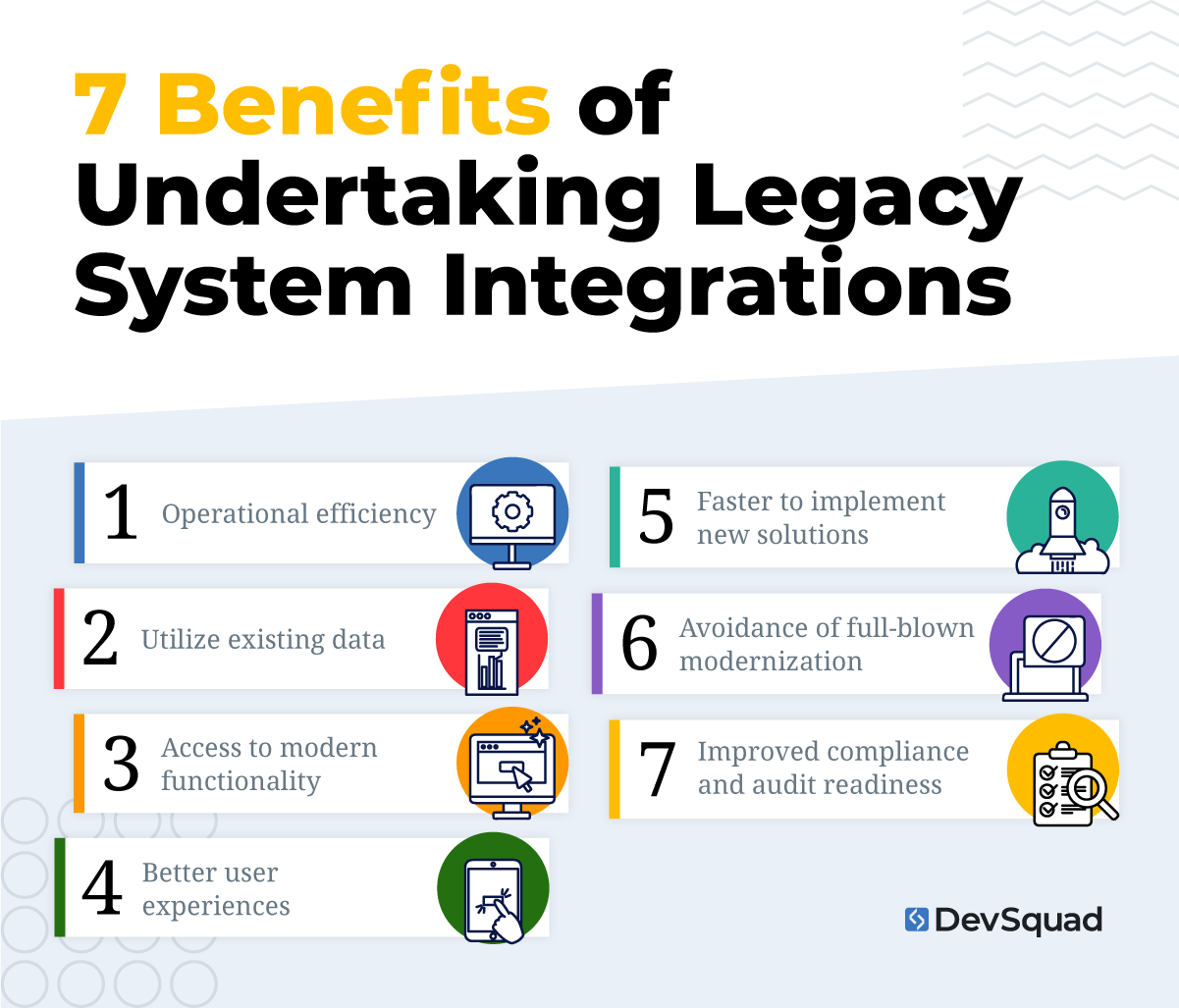
These are the top reasons why companies integrate new applications and services with their legacy systems:
1. Operational efficiency
The top reason to integrate with a legacy application is to improve operational efficiency. Without that integration, employees might need to manually transfer data, which not only wastes valuable time but also slows down other business processes and introduces data errors.
2. Utilize existing data
97% of reports in legacy BI systems get completely forgotten and never used again. When you integrate with existing systems instead of ignoring them, you have a chance of utilizing existing reports, intelligence, customer data, and more.
3. Access to modern functionality
Many companies looking to hook up new services to their legacy system are doing so because they’re interested in the new functionality that the service provides. They might be looking for modern BI dashboards that are easy to share with different departments, improved people management tools, or anything else.
4. Better user experiences
To create modern user experiences, you often need to connect SaaS applications with your legacy system. For example, a local retailer with hundreds of products might need to integrate their old inventory management system with an ecommerce solution like BigCommerce to take their business online.
5. Faster to implement new solutions
Integrating your system can allow you to implement new technologies faster than if you were to modernize your entire application. And hopefully, you’ll build an API for your legacy application so that any new solutions can be implemented even faster.
6. Avoidance of full-blown modernization
When you integrate with your legacy system, you can avoid modernizing the entire system. You can rely on third-party tools for new functionality, better efficiency, and improved user experiences—all without having to rebuild your core business system from scratch.
7. Improved compliance and audit readiness
Many legacy systems weren’t built with today’s data privacy regulations or security frameworks in mind. Integrating legacy software with modern platforms makes it easier to implement access controls, log user activity, and generate the kinds of audit trails required by compliance standards like General Data Protection Regulation (GDPR), Health Insurance Portability and Accountability Act (HIPAA), or Service Organization Control (SOC). By layering modern functionality on top of older systems, organizations can meet regulatory requirements without a complete system overhaul.
5 key challenges of integrating legacy systems
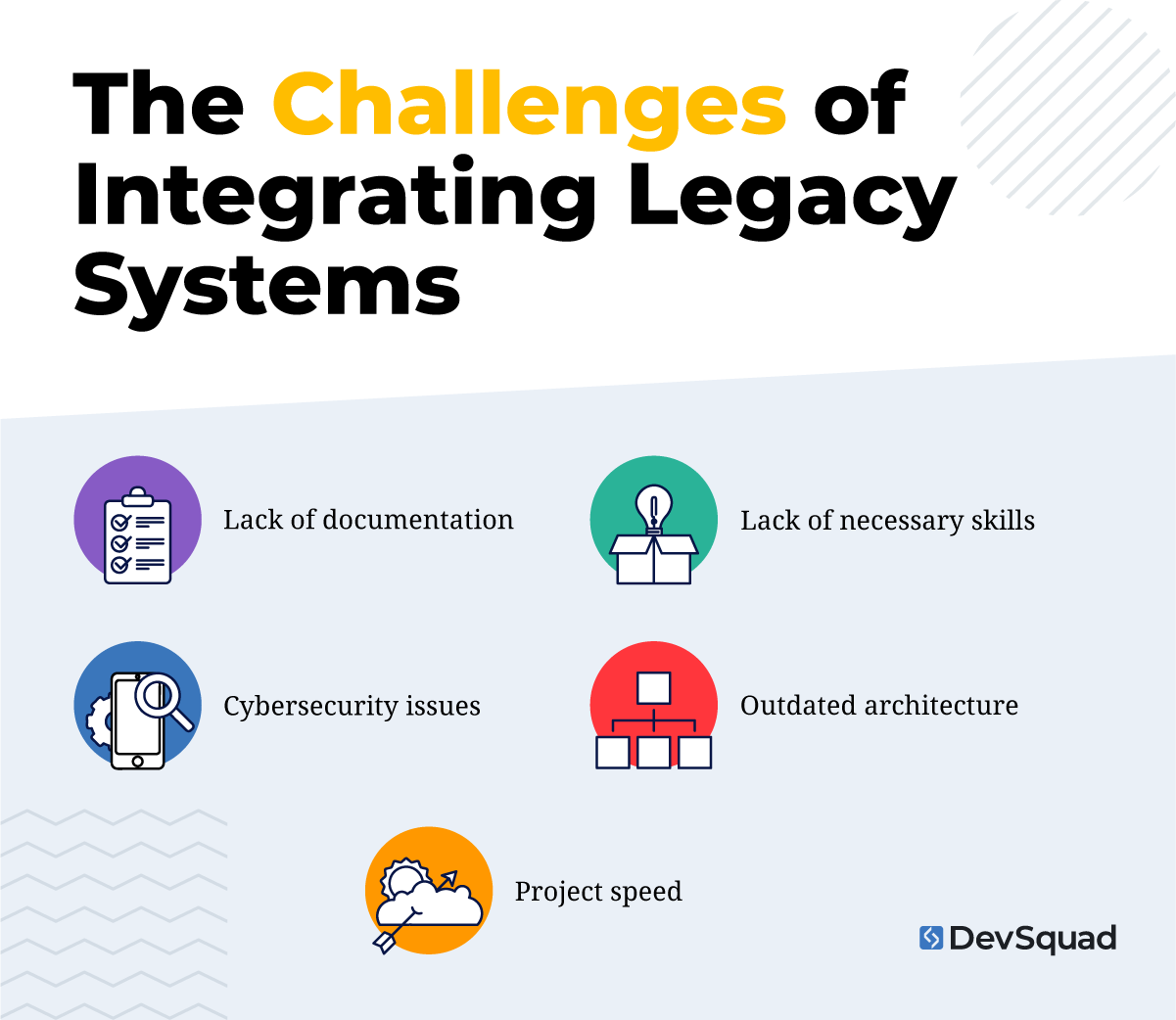
Although there are plenty of benefits to an integration project, there are also plenty of landmines. The following issues could all arise—meaning that rebuilding the system with modern frameworks might be the better option.
1. Lack of necessary skills
Your internal team might lack the necessary skills to integrate with your legacy system. Or, the time that it would take to do could be higher than modernizing the system and then connecting additional products and services.
If this is the case, make sure to bring on a partner that will train your internal team on the updated architecture and integration process at handoff.
2. Lack of documentation
How long ago was your legacy system developed? Does your team still have access to detailed documentation? Has all knowledge been retained and passed down?
For long standing businesses, documentation can often fall to the wayside. This is especially true when you’ve got the same team members managing and maintaining your system for many years. Small changes and ingrained routines may not be logged properly, and lacking the necessary documentation could spell disaster for your integration project.
3. Outdated architecture
While many development teams believe monolithic architectures are always doomed, the reality is that it’s just not that simple. Sometimes monolithic architectures are better than micro-services, because they don’t generate unnecessary complexity.
Your data and system architecture would be considered outdated if it’s challenging for developers to maintain and update, and if it’s resulting in clunky code and time-consuming code reviews.
If this sounds familiar, your outdated architecture will make the integration project even more complicated.
4. Cybersecurity issues
When connecting to different systems, you introduce vulnerabilities. You might not have the right cybersecurity resources to uncover, test, and prevent any new vulnerabilities being introduced.
Without thorough testing and monitoring, it’s easy to open up backdoors for data breaches or compliance violations. If you can’t include rigorous threat modeling, penetration testing, and layered defenses to protect sensitive data then integration may be off the table.
5. Project speed
All of these factors can contribute to a slow project speed. If it’s taking so long to integrate your legacy system, you might find that you’re better off modernizing it.
Take the time to come up with a plan and a timeline. Review it with your team and see if it is feasible to meet. If not, then you might want to consider a consultation to get a sense of your modernization options.
Knowing when it’s time to deal with your legacy system
Not every legacy system needs to be replaced or integrated right away, but ignoring the warning signs can create long-term problems. Delaying action leads to rising maintenance costs, slower teams, and missed growth opportunities. So how do you know when it’s time to address your legacy software?
Start by evaluating how your current system supports (or blocks) your business goals. If your team is constantly creating workarounds, or if launching new features takes months, it’s likely time to act. Inflexible legacy software often prevents companies from responding quickly to market changes or customer needs.
Here are common signs that it's time to integrate or replace your legacy system:
Your team is stuck with manual processes and can't automate routine tasks
Data silos are hurting decision-making, slowing down reporting and insights
The software can’t connect with new tools via modern APIs or middleware
Security vulnerabilities are piling up, and patches are either unavailable or risky
You’re spending more on maintenance than innovation
The system can’t support business growth like adding users, products, or integrations causes instability
You’re dependent on outdated tech that few developers understand or want to work with
Security, performance, and business agility all suffer when legacy systems are left untouched for too long. Taking action—whether through legacy software integration or full modernization—can eliminate hidden costs and unlock real strategic value.
Also consider the cost of inaction. Many organizations spend more each year just to keep legacy systems running. When those costs start to rival or exceed the cost of integration middleware, APIs, or even replacement options, it’s time to reassess.
The other reality is that the cost of developing custom software has dramatically decreased. This is due to AI assisted development. That AI assistance helps developers accelerate the process, making everything from custom software for small businesses to custom ERP solutions attainable.
Finally, ask whether your current system can support your growth. If you're planning to adopt cloud platforms, add new products, or expand into new markets, enterprise system integration may be essential. Connecting old software with modern services enables scalability—without a complete rebuild.
Integration vs. full modernization: how DevSquad decides
Deciding between integrating or rebuilding your legacy system requires some internal investigations into how outdated your existing legacy system is.
Cost of maintenance versus cost of change
How much are you spending to keep your existing system? Banks and insurance companies spend 75% of their budgets maintaining legacy systems. Comparing the cost of rebuilding against the portion of your budget dedicated to maintenance may be all the insight you need. So be sure to ask yourself if it’s worth it to keep paying the costs of legacy system maintenance.
Business roadmap and technology constraints
What are the plans you have for your company in the coming years? To what extent is your existing legacy system blocking those plans? If the extent is small or clearly defined then integration may be the right solution. If not, you might be better off completely modernizing your software to save money and speed up future innovation.
Documentation
How detailed is the documentation of your legacy system? When asked a question by an employee, do you refer them to a manual or a person? Solid documentation is an absolute must! If you don’t have it, then you need it and rebuilding is probably the most secure way of obtaining it.
Cybersecurity
Do you have the resources to uncover, test, and prevent any new vulnerabilities introduced with an integration? If you’re not sure then an ERP legacy system integration may not be the best route, but maybe a CRM legacy application integration is a little less concerning. Be aware of the sensitivity of your data and capabilities of your cybersecurity when deciding between integration and rebuild.
The decision between Integration or modernization (and then integration) can have major impacts on your budget and business risk mitigation. Make sure you take the decision process seriously and thoroughly vet your options.
5 steps for integrating legacy systems
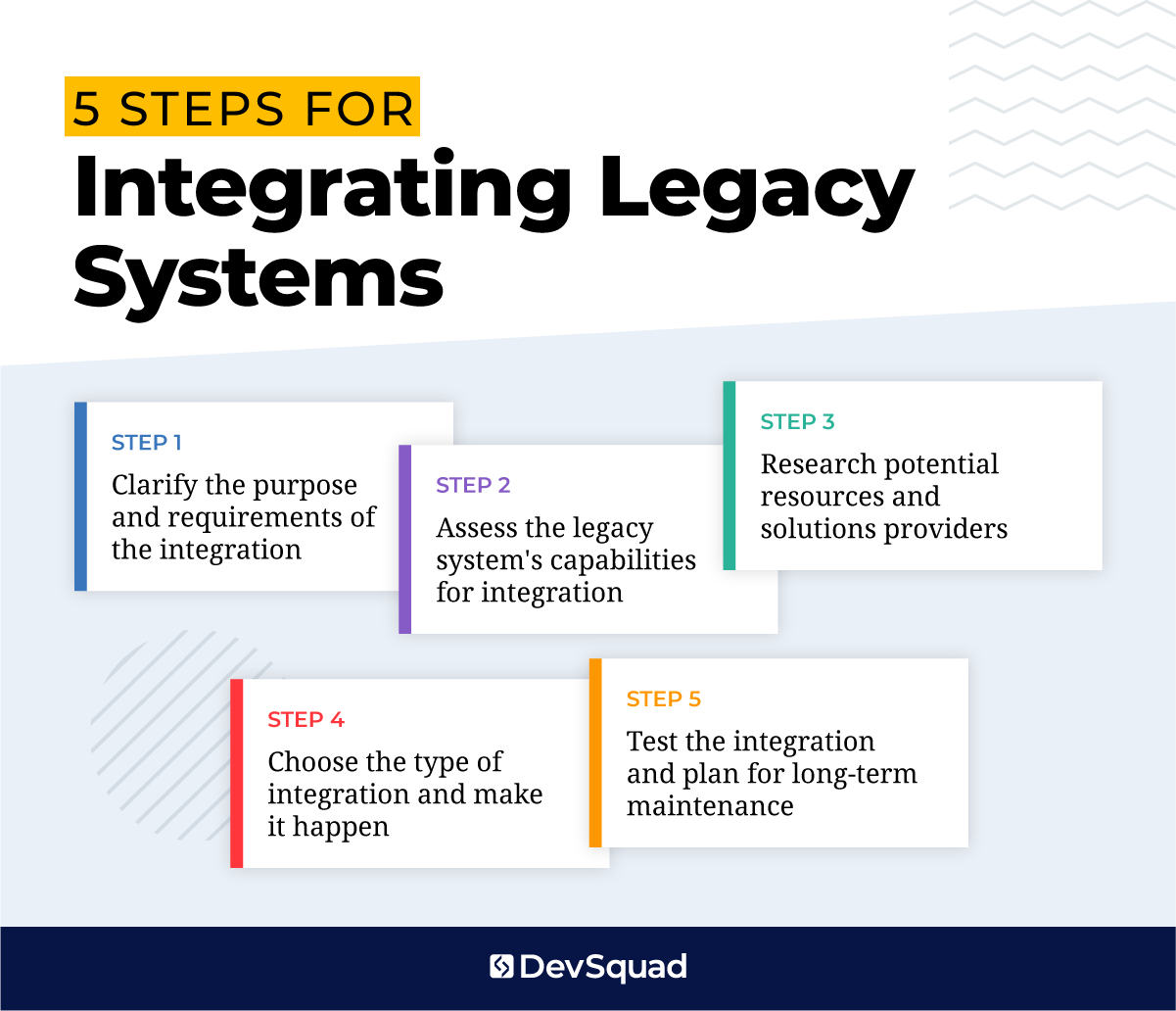
Here’s the steps on how to integrate legacy systems:
Step 1. Clarify the purpose and requirements of the integration
Clarity of objectives is paramount to the success of most endeavors, and is especially true with integrating legacy systems. This makes the first step of integration the discussion and documentation of what you want to accomplish.
Some things to consider in those discussions include:
Does the integration need to transfer data in two ways?
What database calls are the most essential?
How does the data need to be transformed?
It is also imperative to include representatives from all the teams who interact with the system in the discussions. This will ensure you gain the full scope of objectives and requirements for the legacy integration.
Lastly, be sure to gain internal agreement before moving forward.
Step 2. Assess the legacy system’s capabilities for integration
The next step in the integration process is to examine your legacy system. You’ll want to perform a thorough review of its data architecture, code, and UX.
The objective of this review is to determine what’s possible. Once you know the possibilities of your existing legacy system you can accurately compare what you’ve got to what you’ve decided you need.
From this evaluation you might estimate that you can build a custom API in under a month. You might also discover that the integration would be such a challenge that you have to modernize the system before you integrate it with the new services your company wants to implement.
Either way, a thorough assessment will provide you the necessary insight to make the best decisions for your business. And, don’t forget to utilize lessons learned from legacy system examples to help in your assessment process.
Step 3. Research potential resources and solutions providers
Before diving into the integration (or modernization) take a moment to do some research and find out if any of the heavy lifting has already been done for you. For example, Shopify’s API and SDK could make it easier for you to bring a retail business into the ecommerce world.
Or, you might find that an integration platform-as-a-service (IPaaS) will be more cost-effective than custom integrations with several different SaaS services.
“What’s needed is an enterprise integration strategy. Importantly, it has to be agile, flexible, and cost efficient. The CIOs that we’re meeting are starting to recognize the need for an integration platform-as-a-service to bring all of these services together to work as a coordinated whole. An IPaaS ensures that you can integrate new SaaS services with the business while avoiding the point-to-point integration nightmare that so often slows the journey to cloud.” – Ben Scowen, Business Lead, Capgemini
When doing your research on resources and solution providers be sure to consider your internal resources and expertise. This will allow you to weigh the pros and cons of potential solutions against your own strengths and weaknesses.
Step 4. Choose the type of integration and make it happen
Now it’s time to make your decision. You know what you need, what you got, and what is available. With this information you can make an informed choice of the type of integration work that needs to be done—be it building a custom API, connecting a custom API with an IPaaS, building a data access layer, or some combination.
At this stage of the integration process make sure you assign a product manager if you haven’t already. Successful integrations involve many moving parts working in sync. Not having a dedicated project manager could result in all your preparation being for not when it comes to the actual integration.
Also, make sure everything is well documented.
Step 5. Test the integration and plan for long-term maintenance
The final step is to launch the integration and test it. This includes:
functional testing - does the integration work as intended?
performance testing - can the integration handle the anticipated workload?
penetration testing - are you protected from exploitations and vulnerabilities?
vulnerability scanning - are you aware of the weak points in your systems security?
Make sure you strategize how you will test for quality and security going forward. And don’t forget to document everything.
Also remember that technology will continue to change and adapt. So make sure continued long-term maintenance is planned for. A good strategy for this is to update your roadmap with your plans for additional updates or integrations.
Legacy system integration example: US Ski and Snowboard team
The US Ski and Snowboard team was experiencing many challenges due to their legacy system, which was challenging to integrate with. They wanted to create a better user experience for young athletes and their families when applying to participate in over 500 ski clubs across the country. The US Ski and Snowboard team also struggled to manage data of their existing Olympic and club athletes. They were also unable to launch an ecommerce store because of the integration challenges.
We built a custom API for their legacy system, and integrated it with a newly built user interface for applications and ecommerce store. This resolved integration issues immediately, while also paving the way for easier integrations in the future.
Frequently asked questions about legacy system integrations
Determining whether to rebuild or integrate a legacy system requires the evaluation of the current system, the goals of the business, the quality of the documentation, and the strength of your cybersecurity.
High maintenance costs can eat through your budget. Significant technology constraints can block the ability to meet business goals. Poor documentation places the dependence of the legacy system in the hands of those who maintain it and creates a significant business continuity risk. In these instances, a rebuild is probably the way to go.
Legacy systems fall into six categories: end of life; outdated architecture; lack of internal system knowledge; lack of internal system skills; scalability; and challenging to update and innovate.
End of life examples include the operating system Microsoft 7 and the programming language Haskell.
The best example of outdated architecture is the entire mortgage industry (whose legacy systems were built in the 70’s and 80’s).
Scalability and challenges to update and innovate are both seen in Blackberry’s legacy system—through the confinement of text messages to Blackberry devices, the delay of launching an app store, and their over-focus on enterprise and business use cases.
Legacy business operation and management systems that need to be integrated include mainframe systems, custom databases, ERP systems, custom-built apps, billing systems, obsolete communication systems, inventory management systems, HCM (or HR) systems, and old POS systems.
Additional legacy systems that need integration or replacement include document management systems, old CMS systems, outdated compliance and regulatory systems, old reporting and analytics systems, security systems, customer support systems, and disaster recovery systems.
Yes, legacy systems can be integrated with cloud-native applications using tools like APIs, middleware platforms, or custom connectors. This type of legacy software integration allows businesses to adopt modern cloud solutions without having to fully rebuild or migrate their core systems.
Integrating with cloud-native applications is a practical way to extend the capabilities of your existing infrastructure while gaining access to scalable cloud services. There are many proven strategies to connect old software with cloud-native tools securely and efficiently so make sure to talk with some experts to clear understanding of your options.
Both APIs and middleware are used to connect legacy systems with modern applications, but they serve different purposes.
An API for legacy systems acts as a direct interface, allowing one application to request and exchange specific data from the legacy system in a structured way.
Middleware, on the other hand, serves as a translation and communication layer between systems—it can handle more complex workflows, manage data transformations, and support multiple integrations at once. Middleware is often used when the legacy system has no native API or when you need to integrate with several external tools at once.
In many cases, companies use both together as part of a larger enterprise system integration strategy.
Timeline depends on approach and system condition. A straightforward API wrapper on a well-documented system can be scoped and delivered in 6-12 weeks. A service layer or data access layer project typically runs 3-6 months, including the discovery and audit phase. If discovery reveals that modernization is necessary before integration can proceed, plan for 6-12 months total. Projects that skip the audit phase almost always surface the same problems later, at higher cost.
Underestimating what discovery will reveal. Most integration projects that stall or go over budget do so because the legacy system was more complex, less documented, or less predictable than initial scoping assumed. Data quality issues, undocumented business rules, and edge-case behaviors consistently surface during implementation rather than discovery, because the audit wasn't thorough enough.
Legacy system integration connects old software to modern platforms so data can flow between them. AI integration requires that data flows in real time, at sufficient volume, and in clean enough structure for a model to reason over it. A nightly batch job that works for a reporting dashboard breaks an AI use case that depends on current data. Many mid-market companies discover their AI initiatives are blocked not by the AI tools, but by the legacy systems that can't feed them.
Work with experts in software modernization and integration
When integrating or modernizing your legacy system, you need to work with a fully managed team that puts product strategy first. A clear understanding of the challenges, objectives and outcomes is necessary for any integration or modernization project to be successful.
Remember, there is no one-size-fits all solution when dealing with legacy systems. So don’t be sold on any approach that doesn’t prioritize discovery.
Ready to tackle your legacy system? Learn more about DevSquad’s unique approach to legacy application modernization.

Dayana Mayfield is a SaaS copywriter and content marketer specializing in SaaS marketing, positioning, and go-to-market strategy. She has consulted for over 195 SaaS companies, focusing on both traffic and conversions. She has been featured in Entrepreneur, Forbes, and Business Insider. Outside of work, Dayana writes SciFi novels and spends her evenings surviving auditions, rehearsals, and tech week as a proud theater mom.