
Custom business software is having a moment, and it is not by accident.
AI-supported development has changed how software gets built. Teams move faster, prototypes come together sooner, and maintenance is no longer the burden it once was. This shift has rewritten the cost equation and expanded who can realistically invest in a custom business platform or system.
At the same time, growing companies are feeling the weight of SaaS sprawl. One tool for sales, another for operations, another for reporting, plus automation tools layered on top. Monthly subscriptions quietly stack up. Over time, those recurring costs plus the friction of disconnected business processes start to look very similar to the cost of building and maintaining custom business software designed around how the company actually works.
Not sure whether your business has actually outgrown off-the-shelf tools, or if you're better off keeping what you have? See our full custom vs. off-the-shelf software comparison for the same framework we use with clients.
As businesses scale, complexity is unavoidable. Workflows cross teams. Data lives in too many places. Manual steps creep into critical processes. This is often the point where a custom platform becomes less about customization and more about control, clarity, and long-term efficiency.
This guide breaks down what custom business software really is, where it delivers the most value, and how modern systems are discovered and built. The goal is simple: help you decide whether a custom solution fits where your business is headed, not just where it is today.
What is custom business software?
Custom business software is software built specifically for your organization’s needs, workflows, and goals. Unlike off-the-shelf tools, it is designed from the start to specifically work for you.
At its core, custom business software supports how your company operates day to day. That might include managing customers, internal teams, data, or financials. It often becomes the central platform or system your business relies on to run critical business processes.
Most businesses start with a mix of generic tools that solve very specific pain points. As they grow, those tools create friction. Teams duplicate work. Data lives in silos. Manual steps creep in. Custom business software replaces that patchwork with a single, purpose-built solution that fits how your business actually runs.
This type of software can take many forms:
A custom business platform used by employees, partners, or customers
Internal business management software that replaces spreadsheets and disconnected apps
Custom enterprise software that supports complex workflows across departments
Secure portals for customers, vendors, or internal teams
The key difference is ownership and flexibility. You control the roadmap, features, and integrations. The system evolves as your business evolves.
The difference between a custom business platform and business process automation?
These terms are often used interchangeably, but they are not the same thing.
Business process automation focuses on streamlining individual tasks or workflows. For example, automating invoice approvals or syncing data between tools. Automation is usually narrow in scope and often built on top of existing systems.
A custom business platform is broader. It is the system where those processes live. And most likely custom business automations exist within the broader business software system.
Think of automation as improving steps within a workflow. Think of a custom platform as owning the entire workflow end to end.
Many successful projects include both. A custom business platform provides the foundation. Business process automation improves efficiency inside that foundation.
Custom enterprise software vs custom software for small businesses
The underlying concept is the same, but the scale and complexity are different.
Custom enterprise software is typically built for larger organizations with multiple departments, complex permissions, and high data volumes. These systems often integrate with enterprise resource planning ERP, customer relationship management CRM, and legacy platforms. They require more governance, security, and long-term planning.
Custom software for small businesses is usually more focused. The goal is to replace manual work, reduce tool sprawl, and support growth without overbuilding. These systems are often lighter, faster to launch, and designed to evolve over time.
What matters most is not company size. It is clarity around business management needs and future growth. A small business with complex operations may need a more robust system than a larger company with simpler workflows.
In both cases, custom business software creates leverage. It removes bottlenecks, reduces operational drag, and gives you a platform that supports how your business actually works today and where it is headed next.
When built correctly, it becomes a competitive advantage instead of just another internal tool.
36 use cases for business management software
Custom business software is as wide ranging as the types of businesses that exist. But at its core, when you are considering a custom business platform, you are thinking about a solution that spans your entire ecosystem. And while your business ecosystem is unique to you, there are common use cases that extend beyond a single entity.
Below is a comprehensive set of use cases, grouped by core business functions, to show where a custom platform or system creates the most value.
Operations and internal business management
This category covers the internal systems that keep the business running. These tools often replace spreadsheets, shared inboxes, and disconnected apps with a single source of truth for business management.
Centralized operations dashboards that give leadership real-time visibility into teams, projects, and performance
Internal business management software that replaces manual tracking across departments
Custom workflow systems for approvals, handoffs, and task ownership
Role-based internal portals for employees to access tools, data, and documentation
Custom enterprise software that connects legacy systems into one operational view
Finance and accounting workflows
Financial processes are often where generic software creates the most friction. Custom systems help align financial workflows with how the business actually operates.
Billing and invoicing platforms tailored to complex pricing models
Revenue recognition systems built around real business rules
Expense tracking and approval systems aligned to internal policies
Financial reporting platforms that pull data from multiple systems
Audit-ready financial systems designed around compliance requirements
Sales, CRM, and revenue operations
Sales teams often outgrow standard CRM tools. Custom platforms support how deals are sourced, managed, and closed across the full revenue lifecycle.
Custom CRM platforms built around unique sales motions
Lead intake and qualification systems that match internal processes
Deal management systems with custom stages, rules, and reporting
Sales enablement portals for content, pricing, and approvals
Revenue operations platforms that align sales, marketing, and finance
Customer experience and external portals
When customer experience is a differentiator, businesses often need more control than packaged tools can offer. Custom portals support branded, role-specific experiences.
Customer portals for account management, support, and reporting
Partner portals for resellers, vendors, or affiliates
Self-service platforms that reduce support load while improving experience
Custom onboarding systems for new customers or partners
Secure portals with granular access control and permissions
Human resources and workforce management
HR and workforce workflows vary widely by company. Custom software supports internal processes without forcing teams to adapt to rigid tools.
Employee onboarding and offboarding systems
Internal HR platforms for policies, reviews, and documentation
Workforce scheduling and capacity planning systems
Performance management platforms aligned to company goals
Supply chain, inventory, and logistics
For businesses tied to physical goods, custom systems often outperform generic inventory tools by reflecting real-world complexity.
Inventory management systems built around actual fulfillment workflows
Supply chain visibility platforms that connect vendors and warehouses
Order tracking systems that integrate operations, finance, and customer data
Data, reporting, and decision support
Data is only useful if it is accessible and trusted. Custom platforms turn raw data into clear decision support.
Executive reporting dashboards that unify data across systems
Custom analytics platforms designed around business questions
Data aggregation systems that eliminate manual reporting
Compliance, governance, and risk management
When compliance is core to the business, custom enterprise software often becomes a necessity rather than a nice-to-have.
Compliance tracking systems aligned to industry regulations
Audit management platforms with built-in documentation workflows
Risk management systems that reflect internal controls
Automation and orchestration of business processes
Automation works best when built into the right foundation. Custom business automation software focuses on orchestrating entire business processes, not just isolated tasks.
End-to-end process automation across departments
Event-driven systems that trigger actions across platforms
Custom automation layers that sit on top of existing tools
Together, these use cases show why companies invest in custom business software. It is not about building software for the sake of it. It is about creating a platform or system that supports real business processes, scales with growth, and removes friction that generic tools cannot solve.
The custom business software system discovery process
Discovery is where custom business software succeeds or fails. For business systems, discovery is about understanding how the business actually operates, where friction exists, and which business processes matter most to outcomes.
A strong discovery process is structured, collaborative, and grounded in real workflows. It creates clarity before development begins and reduces risk as the system grows.
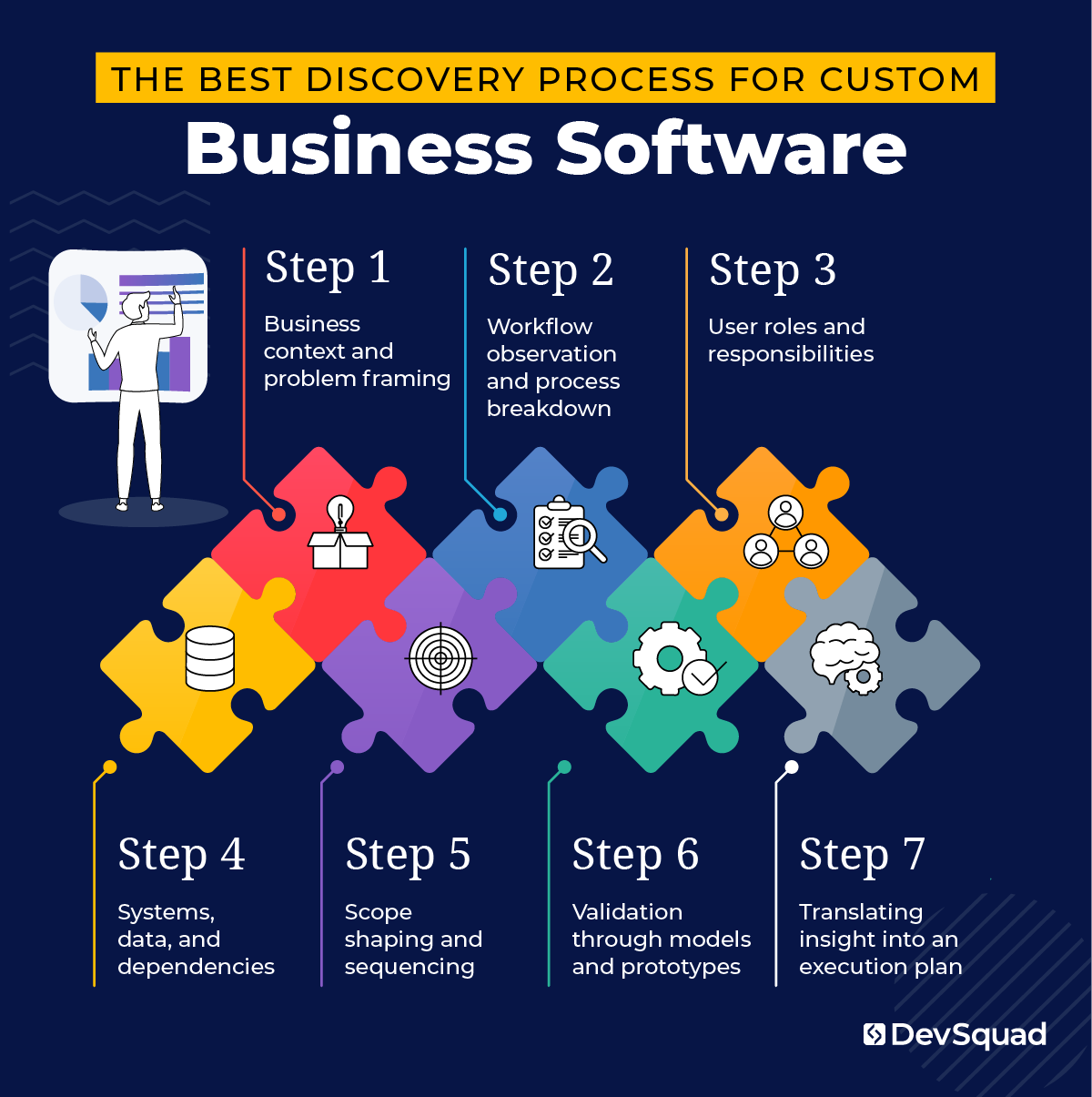
Step 1. Business context and problem framing
In the early phase of discovery, teams work to clarify the business context behind the software initiative. This involves examining where friction exists, which business processes are under strain, and how current systems affect day-to-day operations.
By grounding discussions in outcomes and constraints, teams gain a shared understanding of what success looks like beyond feature lists.
Step 2. Workflow observation and process breakdown
To gain clear insight into how the business operates, workflows are examined across teams and departments. This includes how work moves from one step to the next, where approvals occur, and how exceptions are handled.
Breaking down real workflows highlights inefficiencies, bottlenecks, duplication, and gaps that are not always visible at a high level. These insights guide where the system should focus first.
Step 3. User roles and responsibilities
As workflows are analyzed, attention turns to the people involved. This phase focuses on identifying user roles, responsibilities, and decision authority.
Understanding who interacts with the system and why informs access models, portal design, and how information should be presented to different audiences.
Step 4. Systems, data, and dependencies
In parallel, teams review the existing system landscape. This includes identifying where data originates, which systems need to integrate, and where manual work bridges technical gaps.
This step helps clarify system boundaries and reduces surprises during development.
Step 5. Scope shaping and sequencing
With a clear picture of workflows and users, priorities begin to take shape. Teams assess which processes deliver the most business value and which can be phased later.
This sequencing creates momentum while keeping the platform aligned to long-term business management needs.
Step 6. Validation through models and prototypes
To test assumptions early, lightweight models or prototypes are often used. These visuals allow stakeholders to react to real scenarios rather than abstract descriptions.
Feedback at this stage improves alignment and sharpens focus before development begins.
Step 7. Translating insight into an execution plan
The final phase turns discovery outputs into a clear execution plan. This includes defining system architecture, delivery phases, and ownership models that support future growth. Typically this execution plan comes in the form of a roadmap that clearly stipulates what you need now, what’s next, and what can wait for later.
For organizations that want support through this phase, DevSquad offers dedicated discovery and planning services built specifically for complex custom business software initiatives.
19 common features to consider for your custom business platform
The discovery process is where your final feature set should be defined. That work aligns the software to your goals, users, and business processes. Still, understanding the common features found in modern custom business software helps clarify what is possible and how your system may evolve over time.
The features below represent common building blocks across successful custom business platforms and custom enterprise software. Not every system needs all of them, but most platforms include a combination that supports growth, visibility, and operational clarity.
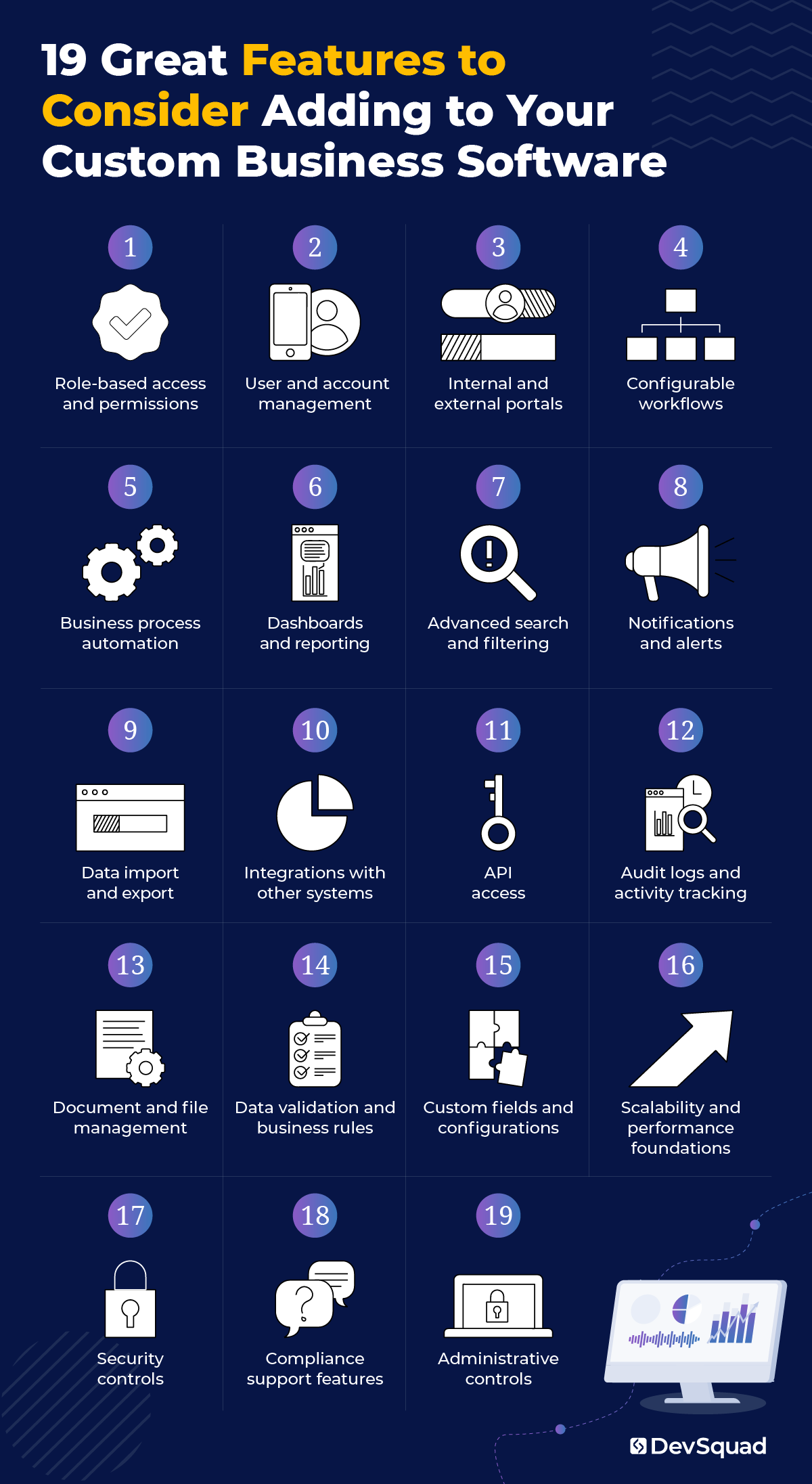
1. Role-based access and permissions
Most custom business software supports multiple user types with different responsibilities. Role-based access allows each user to see and interact with only what is relevant to their role. This improves usability, reduces risk, and keeps the platform aligned with how teams actually work.
2. User and account management
A centralized way to manage users, teams, and accounts is foundational to any long-term platform. This feature supports onboarding, offboarding, role changes, and internal ownership as the business grows.
3. Internal and external portals
Portals provide structured access to the system for different audiences. Internal portals support employees and operators. External portals support customers, partners, or vendors. Each portal can surface the right data, actions, and workflows without exposing the entire system.
4. Configurable workflows
Custom workflows allow business processes to follow real-world rules. This includes approvals, status changes, handoffs, and exceptions. Configurable workflows give teams flexibility without requiring constant development changes.
5. Business process automation
Automation reduces manual effort across repetitive tasks and multi-step processes. In custom business automation software, automation is often tied directly to workflows, events, and system triggers rather than isolated actions.
6. Dashboards and reporting
Dashboards turn operational data into clear visibility. Reporting features allow teams to track performance, monitor business management metrics, and make informed decisions without manual data assembly.
7. Advanced search and filtering
As systems grow, data volume increases. Strong search and filtering capabilities help users quickly find records, transactions, or activity across the platform without friction.
8. Notifications and alerts
Notifications keep users informed when action is required. Alerts can be triggered by workflow changes, thresholds, deadlines, or system events. This feature supports responsiveness without constant manual checking.
9. Data import and export
Most platforms need controlled ways to move data in and out of the system. Import and export tools support reporting, audits, migrations, and integrations with other business systems.
10. Integrations with other systems
Custom business software rarely exists in isolation. Integrations connect the platform to accounting tools, CRMs, ERPs, data warehouses, and other systems critical to daily operations.
11. API access
APIs allow the platform to exchange data programmatically with other systems. This feature supports long-term flexibility and future expansion as business needs change.
12. Audit logs and activity tracking
Audit logs record user actions and system changes. This feature supports accountability, compliance, and troubleshooting across complex business processes.
13. Document and file management
Many business workflows rely on documents. Built-in file management allows documents to be stored, accessed, and linked directly to records, workflows, or accounts within the system.
14. Data validation and business rules
Business rules help maintain data integrity across the platform. Validation prevents incomplete or incorrect data from moving through workflows or affecting reporting.
15. Custom fields and configurations
Custom fields allow teams to adapt the system as requirements change. This flexibility supports evolving business processes without restructuring the entire platform.
16. Scalability and performance foundations
As usage grows, the system must support higher data volumes and more users. Scalability-focused features support consistent performance as the platform becomes more central to operations.
17. Security controls
Security features protect sensitive business and user data. This includes access controls, data protection measures, and system-level safeguards aligned to organizational risk.
18. Compliance support features
For regulated industries, platforms often include compliance-related capabilities such as retention rules, approval records, and documentation tracking.
19. Administrative controls
Administrative tools allow internal owners to manage configurations, users, workflows, and system behavior without external support. This supports long-term ownership of the platform.
Top frameworks for developing custom business systems
Most custom business software is built using a combination of backend and frontend frameworks. The backend handles data, logic, and business processes. The frontend powers dashboards, portals, and user interactions. Together, they form the full platform.
The frameworks below are commonly used in modern custom business systems, with each serving a distinct role.
Laravel (backend framework)
Laravel is a common foundation for custom business platforms because it handles complex workflows, data relationships, and permissions cleanly. It is often used as the core system where business processes live and evolve over time.
Key benefits of using this framework:
Strong foundation for long-lived business systems
Well suited for complex workflows and rules
Built-in structure for authentication and access control
Flexible enough to support both small and enterprise platforms
ASP.NET Core (backend framework)
ASP.NET Core is often used in enterprise environments where performance, structure, and long-term stability are critical. It is a natural fit for organizations already operating within Microsoft ecosystems.
Key benefits of using this framework:
Designed for large, business-critical systems
Strong performance at scale
Aligns well with enterprise IT environments
Django (backend framework)
Django is commonly used for systems that are data-heavy or reporting-driven. It works well when structured data, validation, and consistency are priorities.
Key benefits of using this framework:
Excellent data modeling capabilities
Clear structure for rule-driven systems
Effective for analytics and reporting platforms
Node.js (backend framework)
Node.js is often used when systems rely on real-time updates or event-driven business processes. It is frequently part of integration-heavy platforms.
Key benefits of using this framework:
Handles real-time and asynchronous workflows
Works well for integration layers and system orchestration
Vue.js (frontend framework)
Vue.js is commonly used to build the user-facing side of custom business software. This includes dashboards, internal tools, and external portals that need to be fast, responsive, and easy to use.
Key benefits of using this framework:
Ideal for complex dashboards and portals
Creates responsive, interactive user experiences
Pairs well with backend business systems
In practice, most custom business platforms combine one backend framework with a frontend framework like Vue.js. The right combination depends on the system’s role in business management, the complexity of business processes, and how the platform is expected to grow.
5 leading agencies for custom business software development
Choosing the right development partner matters as much as choosing the right platform or system. Custom business software touches core business processes, business management workflows, and long-term operational strategy.
The agencies below are known for building complex business systems, with different strengths depending on company size, industry, and goals.
1. DevSquad
DevSquad builds custom business software through fully managed, dedicated squads designed to align with how businesses actually operate. Each engagement starts with deep discovery and planning, then moves into execution with a consistent team that includes product strategy, design, and development. DevSquad offers dedicated development without long-term contracts, giving companies flexibility as priorities change. They specialize in scalable platforms, internal systems, and portals built with Laravel and Vue.js. When projects reach maturity, DevSquad supports clean product handoff and training so internal teams can confidently own and extend the system.
2. Miles IT
Miles IT is a long-established custom software development firm with a strong presence in enterprise and regulated industries. They focus on building, supporting, and extending complex custom software systems, including back-office platforms, web portals, and data-centric systems. Their model emphasizes in-house teams, long-term client relationships, and system stability. Miles IT often works with organizations that need ongoing support for existing platforms alongside new development and modernization initiatives.
3. ScienceSoft
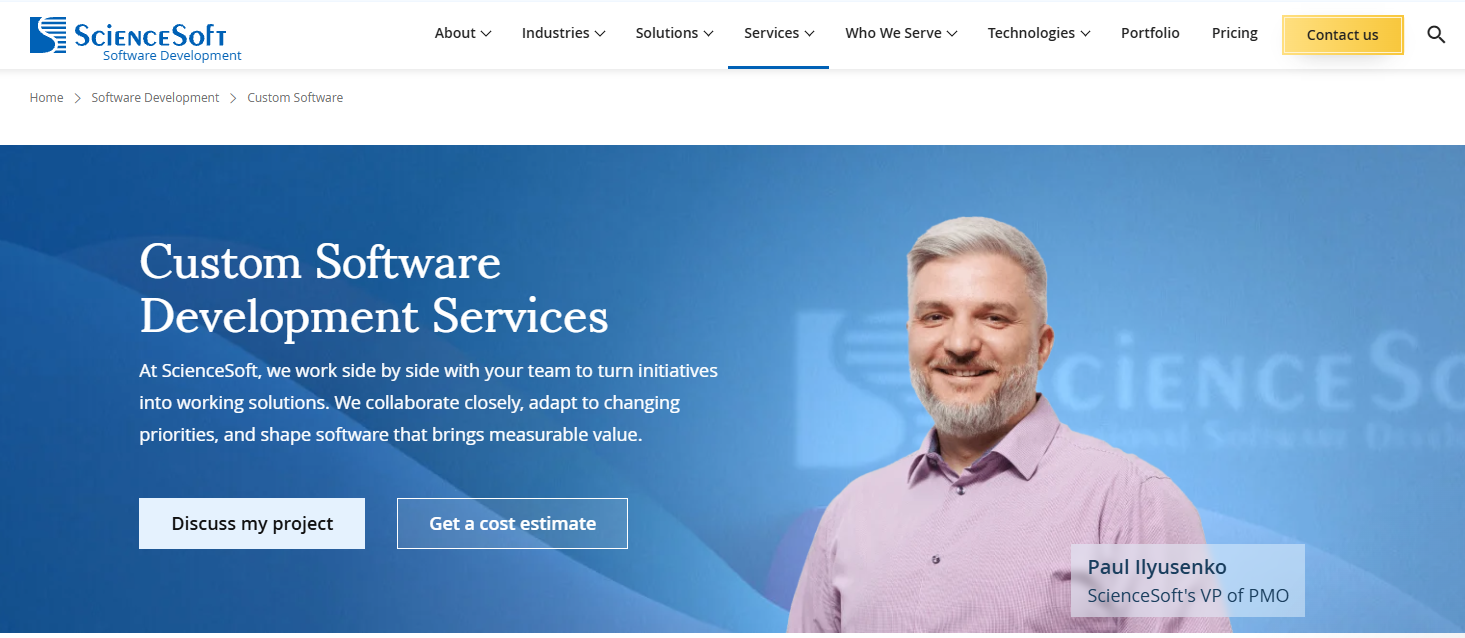
ScienceSoft is a large, global software engineering firm focused on complex, enterprise-grade custom software initiatives. They work across heavily regulated and data-intensive industries such as healthcare, finance, insurance, and logistics. ScienceSoft emphasizes structured delivery, formal project governance, and security-driven development, with experience supporting long-running platforms and large-scale digital transformation efforts. Their breadth of services and technical depth make them a fit for organizations with mature internal processes and highly defined requirements.
4. Cloudflight
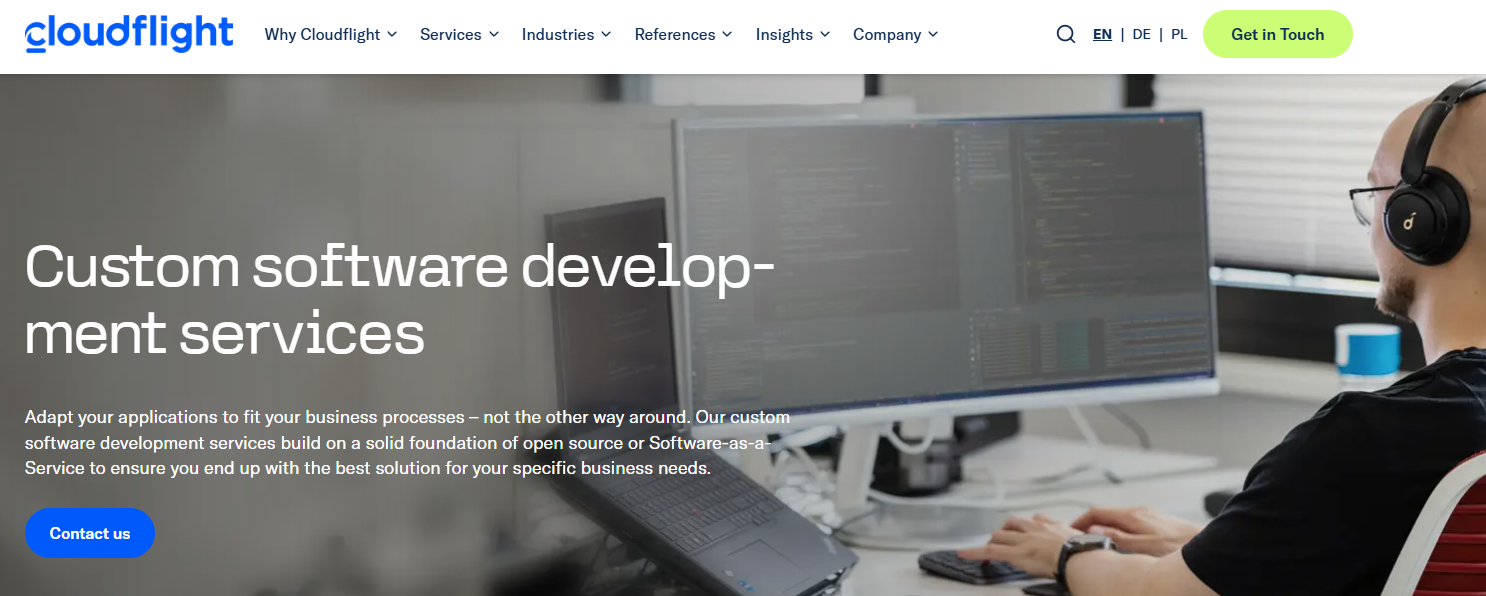
Cloudflight is a Europe-based software engineering firm focused on building business-critical custom software for complex organizations. They work across industries such as public sector, manufacturing, healthcare, and commerce, with an emphasis on digital transformation and long-term system reliability. Cloudflight’s approach centers on structured discovery, iterative delivery, and cloud-native architectures. They are often engaged for large-scale modernization efforts, data-driven platforms, and custom systems that support operational resilience.
5. Pell Software
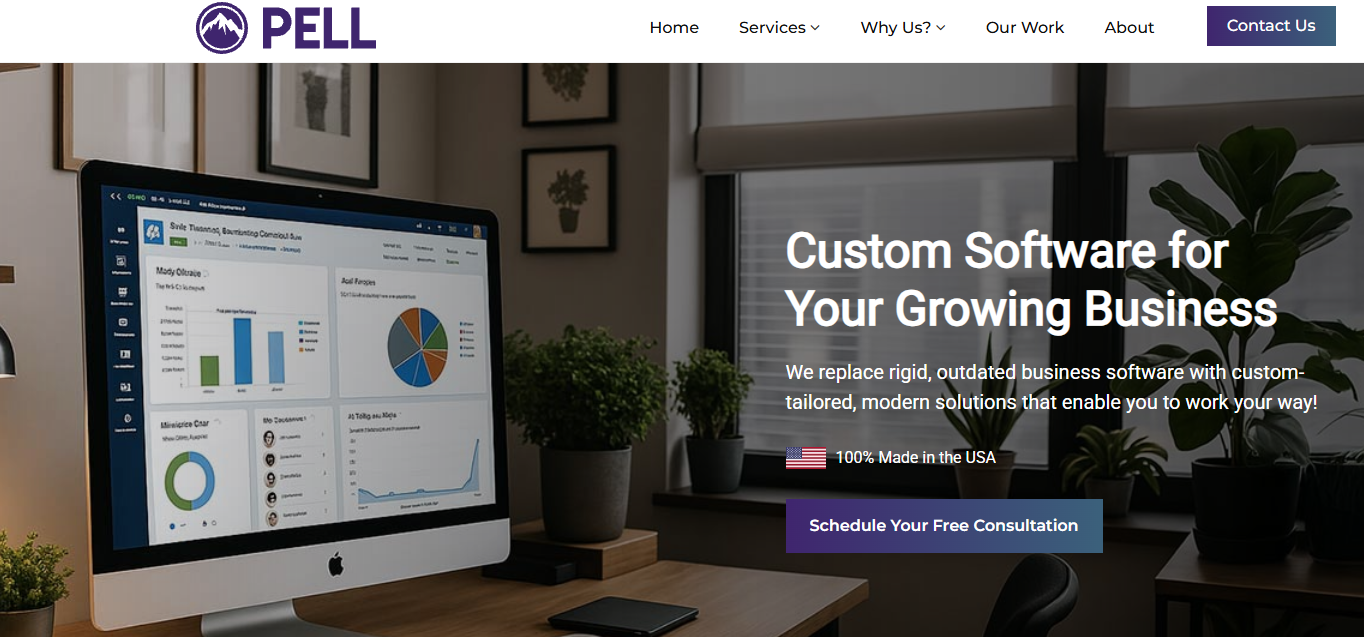
Pell Software is a US-based custom software firm focused on building business management platforms, portals, and workflow-driven systems for growing companies. Their work centers on replacing rigid internal tools with software tailored to how teams operate day to day. Pell emphasizes direct collaboration with engineers, long-term support, and system integrations across finance, operations, and ecommerce. They are commonly engaged for custom CRMs, internal platforms, and modernization of mission-critical business software.
Ready to build your own custom business software solution? Learn more about our custom software development services.

Dayana Mayfield is a SaaS copywriter and content marketer specializing in SaaS marketing, positioning, and go-to-market strategy. She has consulted for over 195 SaaS companies, focusing on both traffic and conversions. She has been featured in Entrepreneur, Forbes, and Business Insider. Outside of work, Dayana writes SciFi novels and spends her evenings surviving auditions, rehearsals, and tech week as a proud theater mom.