
Is your team buried in spreadsheets, repetitive tasks, and siloed systems? It might be time to stop duct-taping workflows together.
Custom business automation software gives you a way to scale operations without scaling headcount. With AI-assisted development, modern frameworks like Laravel, and the right partner, building your own automation solution is faster and more affordable than you might think.
In this guide, we break down what custom business automation really is, when it makes sense, and how to approach development the right way. From common use cases and must-have features to discovery strategy and top agencies, this is everything you need to know to take control of your operations and build smarter from the inside out.
What is custom business automation software?
Custom business automation software is a tailor-made solution that helps companies streamline complex workflows, eliminate repetitive tasks, and increase operational efficiency through automation. Unlike off-the-shelf tools, these systems are built around the way your business operates—not someone else's template.
This kind of software is designed to execute recurring business processes across teams and systems, reducing manual effort while improving accuracy, speed, and visibility. From automating employee onboarding and invoice processing to syncing customer data between platforms, the goal is to free up your team to focus on meaningful work that actually grows the business.
While general workflow automation software can be powerful, custom solutions give you full control over logic, integrations, and user experience. You’re not stuck trying to fit your operations into a rigid framework—you get software that matches how your business actually works.
And for many growing teams, that’s the difference between barely keeping up and building an efficient, scalable operation.
Differentiating between internal use software and business process automation
Not all internal tools are automation tools, and not all automation platforms support internal teams the way custom software can.
Internal use software is typically built for your team’s specific day-to-day needs—think dashboards for sales ops, admin portals for onboarding, or tools that centralize reporting. These systems don’t always automate tasks, but they organize and support them.
Business process automation (BPA), on the other hand, is about execution. It’s the behind-the-scenes engine that moves tasks forward without someone having to lift a finger. BPA handles routing approvals, updating records, triggering actions, and enforcing business rules—all based on logic you define.
Here’s how to think about the difference:
Internal tools improve access to data and workflows
Business process automation runs the workflows automatically
When combined—custom internal tools + BPA—you get a powerful system that reduces errors, accelerates work, and supports scale without increasing headcount.
And while off-the-shelf business process automation tools might work for general needs, custom business automation software gives you the flexibility to automate across disconnected systems, support unique workflows, and adapt as your business evolves.
Why custom software is more accessible than ever
AI-assisted development has significantly accelerated how fast custom business task automation software can be built. What once took months can now be delivered in far less time, often with smaller teams and lower overall cost.
For many companies, the investment in custom software is now comparable to what they are already paying each month for a patchwork of SaaS tools. Instead of juggling subscriptions that only partially solve the problem, teams can invest in a solution built specifically for how they operate.
There’s also a long-term advantage that SaaS tools can’t offer. Custom software becomes a business asset. You own it, you control it, and it improves alongside your company. Over time, that ownership compounds in value as workflows evolve, integrations deepen, and operational efficiency increases.
The gap between off-the-shelf tools and custom automation has narrowed. Custom software for small businesses and small business automation specifically is no longer a future-state idea. It’s a practical option today.
17 important use cases for workflow automation software
Business process automation is about saving time and building operational systems that scale. Whether you’re dealing with scattered approvals, inconsistent data, or constant back-and-forth between teams, the right automation can eliminate friction and keep your workflows moving without manual input.
These 17 use cases are grouped into four key categories where custom business automation software drives the most value: people operations, finance and compliance, revenue operations, and internal tools for ops efficiency.
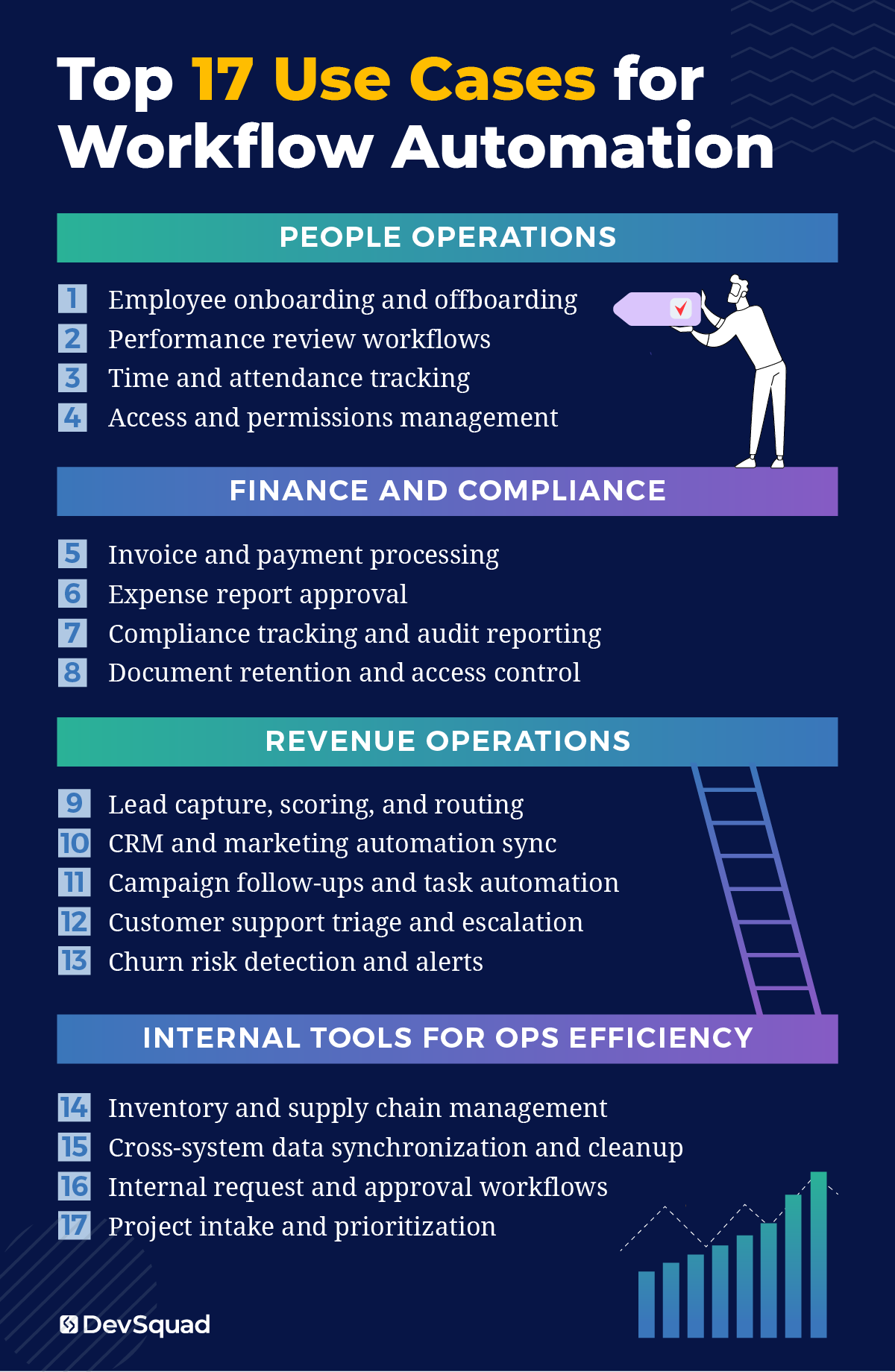
People operations
These internal workflows set the tone for your company’s employee experience. Automating them improves accuracy, reduces manual oversight, and gives your HR and IT teams time back to focus on people—not processes.
Employee onboarding and offboarding: Handle account creation, equipment requests, training tasks, and access deactivation automatically.
Performance review workflows: Trigger review cycles, send reminders, collect feedback, and distribute summaries without delays.
Time and attendance tracking: Automatically capture and sync time logs with payroll systems while flagging anomalies for review.
Access and permissions management: Grant or revoke software and system access based on role changes, onboarding, or offboarding events.
Finance and compliance
Financial and compliance workflows demand speed, traceability, and consistency. These are high-impact areas where automation eliminates manual entry, enforces business rules, and maintains audit readiness.
Invoice and payment processing: Auto-match purchase orders, verify amounts, and route for multi-level approvals.
Expense report approval: Validate receipts, enforce policy rules, and trigger reimbursement workflows with no manual review needed.
Compliance tracking and audit reporting: Aggregate data from different systems, apply logic checks, and auto-generate audit-ready reports.
Document retention and access control: Apply automated rules for storing, archiving, and securing financial or HR records to meet compliance standards.
Revenue operations
From lead routing to customer service, automation helps revenue teams close gaps and move faster. These workflows impact how quickly prospects convert and how smoothly customers are supported.
Lead capture, scoring, and routing: Trigger lead assignment and prioritization based on behavior, lead source, or qualification score.
CRM and marketing automation sync: Keep lead statuses, deal stages, and contact records in sync between sales and marketing platforms.
Campaign follow-ups and task automation: Trigger emails, assign follow-ups, and schedule reminders based on campaign engagement.
Customer support triage and escalation: Use keywords and logic to route tickets, prioritize urgent issues, and escalate based on SLA conditions.
Churn risk detection and alerts: Monitor customer activity and trigger alerts or workflows when engagement drops or churn signals appear.
Internal tools for ops efficiency
This is where custom automation stands out. These workflows usually span departments and systems—making off-the-shelf tools inflexible and inefficient. With a custom business automation solution, your team gets exactly what it needs.
Inventory and supply chain management: Monitor inventory thresholds, auto-generate reorders, and sync updates across fulfillment and finance.
Cross-system data synchronization and cleanup: Avoid duplicate records and conflicting data by automating syncing and validation across your systems.
Internal request and approval workflows: Handle tasks like vendor onboarding, legal reviews, and procurement approvals with automated flows.
Project intake and prioritization: Route internal project requests through scoping, approvals, and assignment automatically, ensuring clarity and alignment.
Software features to consider for your automation strategy
When building or commissioning custom business automation software, features are the thing that defines what your system can actually do for your business. The right features support scalability, improve accuracy, and create a better experience for the people using your internal tools every day.
Of course, not every feature is the right fit for your business and the ones that are don’t have to all be built at once. This is where processes like DevSquad’s discovery sprint process pairs you with a product design squad that allows you to walk away with:
A high-fidelity prototype
A technically feasible roadmap
A development plan
More on that later. For now here are the core capabilities to consider when shaping your automation strategy.
1. Workflow orchestration and logic
Your automation engine needs to reflect how work actually flows inside your business—not just trigger one-off tasks. These features allow you to define and execute real business logic.
Visual workflow builder: A drag-and-drop or logic-based interface for designing workflows.
Conditional logic and branching: Handle different outcomes based on data inputs or business rules.
Reusable components: Create standard steps or logic blocks that can be reused across workflows.
Multi-step workflows: Build sequences that cross systems, teams, and timeframes.
Scheduled and event-based triggers: Start workflows based on time intervals, form submissions, or internal events.
2. Integration and connectivity
Automation isn’t useful if it’s isolated. These features allow your system to interact with the rest of your tech stack, including legacy platforms and modern SaaS tools.
API-first design: Build custom integrations across your internal systems.
Pre-built integrations: Optional, but helpful for common tools like CRMs, ERPs, and HR systems.
Webhooks and triggers: Enable real-time workflows from external events or applications.
Database access: Read and write to structured data sources like SQL, PostgreSQL, or cloud databases.
Support for legacy systems: Use robotic process automation (RPA) or custom connectors where APIs are limited or unavailable.
3. Data management and visibility
Automations rely on clean, consistent data. These features help you manage data flow, catch errors early, and maintain oversight across every automated process.
Data validation rules: Prevent incorrect or incomplete data from entering your workflows.
Audit logs and activity tracking: Maintain visibility into every step taken and by whom.
Version control for workflows: Track changes and revert if needed.
Real-time dashboards: Visualize performance, bottlenecks, and key metrics.
Built-in reporting and analytics: Tie automation outcomes to business KPIs.
4. User management and governance
As your internal tools grow, user permissions and workflow oversight become critical. These features keep your system secure and aligned with team responsibilities.
Role-based access control: Manage who can view, edit, or execute workflows.
Single sign-on (SSO) and identity provider support: Connect to identity platforms like Google Workspace, Azure AD, or Okta.
Approval logic with human-in-the-loop steps: Allow users to step in where decisions require judgment or oversight.
Commenting and task assignment: Add context and collaboration within the workflow.
5. Security and compliance
Automation software often interacts with sensitive data, especially in finance, HR, and healthcare. These features protect your information and reduce compliance risk.
Data encryption (in transit and at rest)
Secure file transfer and storage
Custom retention policies
GDPR, HIPAA, and SOC 2 readiness
Activity monitoring and threat detection
6. AI integrations and intelligence
Adding AI to automation unlocks smarter workflows, better decisions, and faster execution—especially for complex, high-volume tasks.
Natural language processing (NLP): Interpret freeform inputs like emails or form text.
AI-assisted decision-making: Use machine learning and data automation to suggest or trigger workflow steps based on historical data.
Document processing: Extract and structure data from PDFs, invoices, contracts, or other unstructured documents.
Predictive workflows: Anticipate outcomes or detect anomalies, such as customer churn or fraud risk.
Generative content: Automatically draft responses, summaries, or dynamic messages based on context.
Model integration: Connect to tools like GPT or your own machine learning models.
7. Scalability and performance
As your business grows, your automation platform should grow with it—without slowing down or requiring rework.
Horizontal scalability: Support more users, more workflows, and larger datasets without performance hits.
High availability and uptime monitoring: Reduce risk of downtime for critical internal tools.
Custom rate limits and throttling: Avoid bottlenecks or overuse of connected systems.
Flexible deployment options: Build cloud-native, hybrid, or on-prem solutions depending on your needs.
The custom business automation software discovery process
Whether you plan to build automation software in-house or work with a development partner, discovery is what shapes success. It requires your full attention and a dedicated team focused on aligning business goals, user needs, and technical feasibility before any development begins.
Skipping discovery leads to misaligned features, wasted resources, and software that doesn't actually improve operations. A focused discovery process helps prevent that by uncovering the right problems to solve, how to solve them and when.
The following is the discovery approach used by DevSquad’s dedicated product strategy teams. It’s designed to eliminate ambiguity, reduce build risk, and set up automation projects for long-term success.
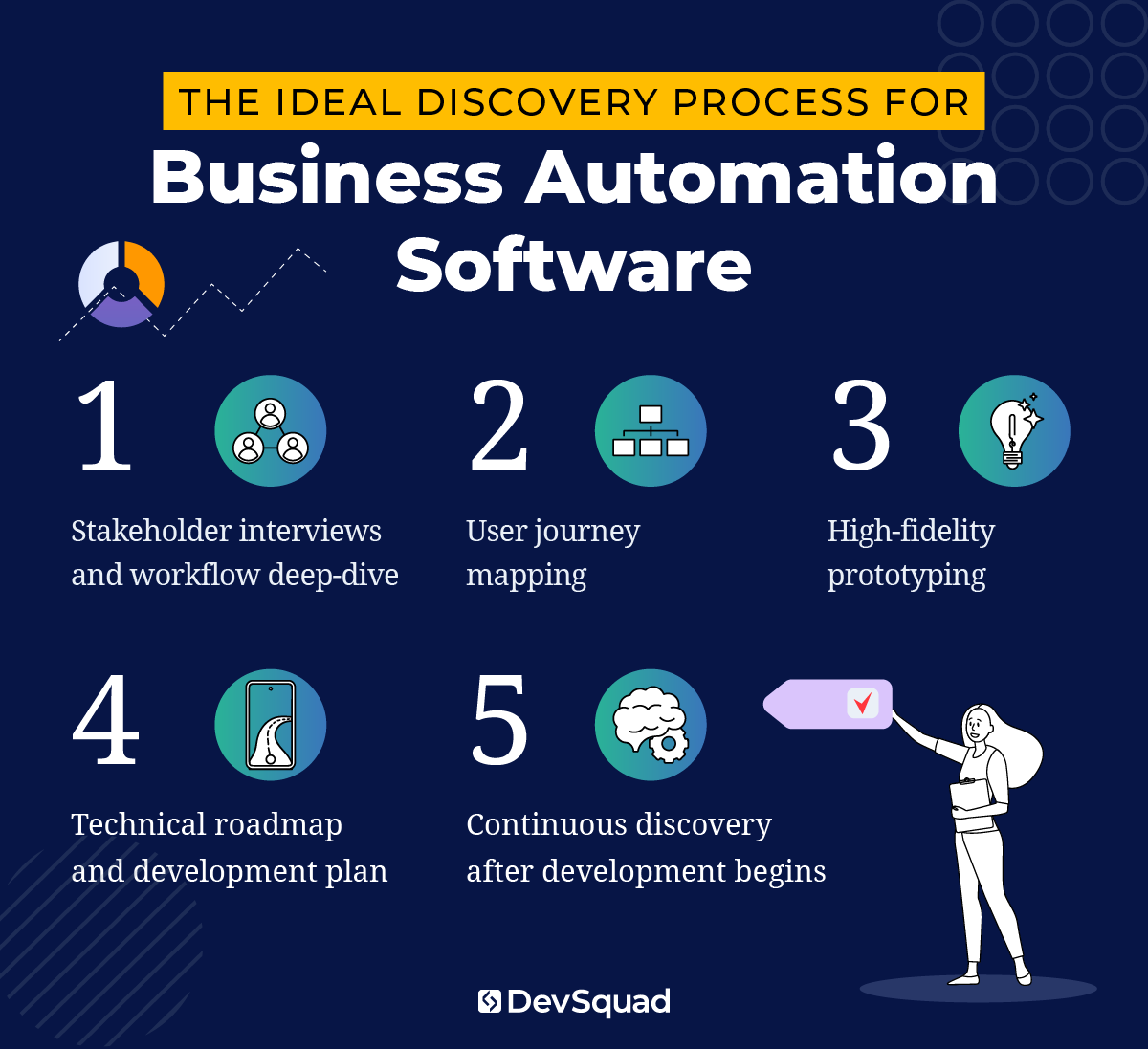
1. Stakeholder interviews and workflow deep-dive
The discovery process begins with a series of in-depth stakeholder interviews. These sessions use discovery questions to uncover how the business currently operates, where inefficiencies exist, and which manual processes are most painful.
This stage focuses on capturing context—not just “what happens,” but why it happens, who’s involved, and what outcomes are being blocked. Understanding the decision points, system touchpoints, and existing workarounds lays the foundation for smart automation design.
The goal of the phase is to:
Understand business objectives and priorities
Identify key workflows, bottlenecks, and manual tasks
Surface departmental needs and cross-functional dependencies
2. User journey mapping
Once high-level workflows are understood, the focus shifts to individual users. How do employees, managers, or customers move through these processes? Where do they get stuck? What’s currently manual, duplicated, or unclear?
Through user journey mapping, the team identifies handoffs, dependencies, and common friction points across roles and departments. This uncovers not just what to automate—but how to make it intuitive and usable for the people involved.
The goal of the phase is to:
Map how users interact with the process across roles and systems
Uncover pain points and inefficiencies in the current experience
Define user expectations and required outcomes
Inform intuitive UX and automation logic
3. High-fidelity prototyping
With workflows and journeys mapped, the team develops a high-fidelity prototype that brings the future solution to life. It includes realistic interface elements and logic paths, so stakeholders can interact with the system and validate the approach before development begins.
This prototype bridges the gap between business goals and engineering. It also creates alignment across leadership, operations, and technical stakeholders—reducing the risk of rework or late-stage surprises.
The goal of the phase is to:
Visualize the user experience and system flow before development
Align stakeholders on features, layout, and usability
Validate that the automation solution solves the right problems
Collect feedback before finalizing the build plan
4. Technical roadmap and development plan
The final step is converting the vision into a phased development plan. This includes a prioritized backlog, user stories, and a roadmap that accounts for integrations, technical constraints, and performance needs.
By this point, the automation strategy is clear, and the team knows exactly what to build, how it will work, and in what order it should be developed.
The goal of the phase is to:
Define the technical scope and delivery timeline
Create a development-ready backlog with clear priorities
Plan for integrations, frameworks, and infrastructure
5. Continuous discovery after development begins
The best automation projects don’t treat discovery as a one-time event. Instead, they continue to revisit and refine the roadmap as new needs arise and business conditions change.
By keeping discovery alive during and after development, teams can respond to user feedback, identify new automation opportunities, and reorder the backlog to focus on what will drive the highest impact next. This keeps the product aligned with real-world usage—not just initial assumptions.
The goal of the phase is to:
Reassess priorities based on user adoption and feedback
Continuously identify high-friction workflows worth automating
Keep development focused on evolving business needs
Best frameworks for developing a custom business process automation tool
When it comes to custom automation software, the tools you build with matter just as much as the features you include. The right development framework will determine how easily your software can be maintained, scaled, and integrated with your existing systems.
There’s no one-size-fits-all approach—but certain frameworks stand out for their flexibility, security, and performance when building business process automation tools.
Here are some of the best options to consider, starting with one that DevSquad uses as a foundational choice for many internal tools.
Laravel
Laravel is DevSqud’s top choice for the backend. It’s a PHP-based framework known for its elegant syntax, modern architecture, and robust ecosystem. It strikes a rare balance: powerful enough for complex business logic, but efficient for building fast and maintainable custom software.
Laravel automation makes it easier to create structured, testable, and secure automation tools, especially when paired with its ecosystem of packages and built-in features.
Why it's a top choice:
Rapid development with clean, readable code
Strong support for API-driven and event-based architectures
Built-in authentication, task scheduling, and queuing
Seamless integration with databases, third-party tools, and cloud platforms
Ideal for building internal tools that support evolving workflows
Laravel is especially useful when you're building a custom solution that replaces or connects multiple SaaS tools. It gives you total control without adding technical debt.
Node.js
For teams that need real-time communication, high concurrency, or are working in a full JavaScript stack, Node.js is a strong option. It's especially useful when building automation layers that need to process data streams or support event-driven architecture.
Strengths:
Fast, non-blocking I/O
Large package ecosystem (npm)
Great for microservices and serverless architectures
Well-suited for real-time workflows and integrations
Python (with Django or FastAPI)
Python is an excellent choice when data processing, machine learning, or AI-powered automation is part of the roadmap. Django provides a mature, secure framework for admin-heavy platforms, while FastAPI is ideal for building lightweight automation APIs.
Best used when:
Automation includes advanced data processing or AI models
Speed of development and readability are priorities
You need to build secure, admin-friendly internal apps quickly
Ruby on Rails
Ruby on Rails is another established framework that prioritizes convention over configuration, which speeds up early-stage development. It's a solid fit for startups and small teams that need to launch and iterate quickly.
Ideal when:
You're building a high-velocity MVP or internal tool
Developer experience and speed matter most
You want clean scaffolding and built-in database tools
.NET (for Microsoft ecosystem environments)
If your company relies heavily on Microsoft tools like Azure, Office 365, or Dynamics, the .NET ecosystem may be the best fit. It’s enterprise-ready and integrates deeply with Microsoft’s broader stack.
Best suited for:
Enterprise organizations with Microsoft infrastructure
Teams using Azure Functions for scalable automation
High-security and compliance-focused environments
Top 5 business automation software development agencies
If you’ve decided to partner with an outside team to build your custom business automation software, choosing the right agency is one of the most critical decisions you’ll make. A skilled partner won’t just write code—they’ll help you scope, prioritize, and architect a tool that actually improves how your business operates.
That said, not all agencies bring the same level of product thinking, technical leadership, or operational expertise to the table. Some specialize in design but outsource development. Others focus on app delivery without deeply understanding the workflows behind them.
Below are five development agencies that build business process automation tools, each with a slightly different approach.
1. DevSquad
DevSquad is the top choice for companies that want to modernize internal operations through custom automation software.
Unlike agencies that start building immediately, DevSquad begins with a Discovery Sprint—a focused engagement where a dedicated product team maps out your business workflows, interviews stakeholders, and delivers a prototype, roadmap, and development plan. This ensures that every automation effort aligns with real business needs.
DevSquad works with small to mid-sized companies as well as enterprise teams that need fast-moving, fully managed product squads. Their development process emphasizes speed without sacrificing stability, leveraging modern frameworks like Laravel and integrating AI-assisted development tools to accelerate delivery.
Highlights:
Dedicated product squads with strategists, UX designers, developers, and DevOps
Discovery-led approach to define scope and value before coding starts
Deep experience in business process automation, internal tools, and AI-enhanced workflows
Builds fully custom solutions—no bloated platforms or vendor lock-in
Offers fractional CTO support and long-term product partnerships
Works on a monthly bases
2. BEE CODED
BEE CODED is a development firm offering business process automation services with a focus on rapid delivery, process mapping, and integration work. Their team brings experience across multiple industries, and they highlight a strong track record with MVP launches, white-labeled solutions, and automation rollouts using tools like Processio and Appian.
Highlights:
Business process mapping to identify workflow gaps and inefficiencies
Experience with low-code automation platforms like Processio and Appian
Offers API integrations and tailored software to support internal operations
Case studies include e-commerce MVPs and SaaS automation tools
Technology stack includes Laravel, Java, Python, Angular, and React
3. Custom Software Lab
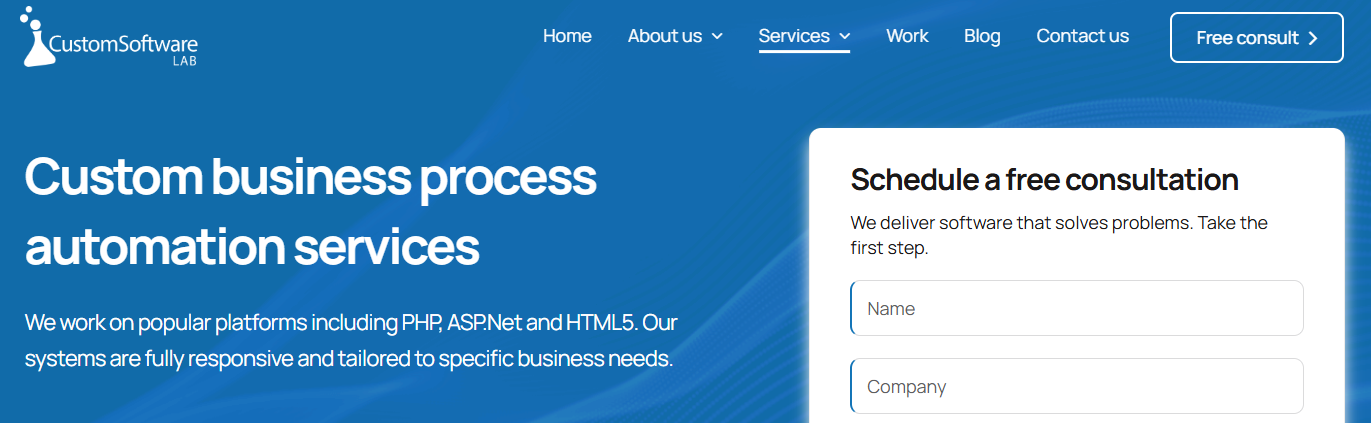
The long-standing custom development firmCustom Software Lab is offers business process automation services across departments and industries. With over two decades of experience, they provide tailored workflow automation systems built on platforms like PHP, .NET, and HTML5.
Highlights:
Over 20 years of custom software development experience
Cross-departmental business automation across HR, finance, and operations
Real-time dashboards and reporting tools to monitor workflows
Automation solutions focused on cost reduction and accountability
Emphasis on full-cycle development: from analysis through deployment
4. Salvo Software

Salvo Software offers business automation software development with a focus on transforming internal operations for both small businesses and enterprise-level organizations. Their approach emphasizes aligning automated workflows with shifting business objectives and industry standards.
Highlights:
Focus on process optimization and automation consulting
Includes AI-powered digital assistants and robotic process automation
Offers solutions like custom dashboards and enterprise systems
Emphasizes industry-specific compliance and scalability
5. Itransition

For those looking for an agency that is heavily versed at the enterprise level, Itransition is a large, enterprise-focused software development and IT consulting firm with decades of experience delivering custom enterprise systems. Their work spans ERP, CRM, BPM, data analytics, and large-scale internal platforms for mid-size and global organizations.
Highlights:
Extensive experience in enterprise software and business process management
Strong partnerships with major enterprise platforms and cloud providers
Broad service offerings including modernization, migration, and integration
Large delivery teams suited for complex, multi-year initiatives
Experience across regulated and data-intensive industries
Ready for your own business automation services? Learn more about our business process automation services.

Dayana Mayfield is a SaaS copywriter and content marketer specializing in SaaS marketing, positioning, and go-to-market strategy. She has consulted for over 195 SaaS companies, focusing on both traffic and conversions. She has been featured in Entrepreneur, Forbes, and Business Insider. Outside of work, Dayana writes SciFi novels and spends her evenings surviving auditions, rehearsals, and tech week as a proud theater mom.