
Growth exposes the cracks in every operation. The spreadsheet that tracked ten clients now tracks two hundred, and it's breaking. Three tools handle what one system should, and your team spends real time every week forcing them to talk to each other. A Friday afternoon report takes two people half a day to produce.
This is the point where companies start searching for custom ERP software development.
A custom ERP brings your core operations, including finance, HR, inventory, workflows, and reporting, into one platform built. The solution should be purpose-built for how your business actually runs, without requiring you to adapt your processes to fit generic software. After 200+ product launches, we've helped dozens of companies make this exact transition.
This guide walks you through everything: when custom ERP makes sense, how the development process works, what it costs, and how to choose the right partner.
What is custom ERP software development?
Custom ERP software development is the process of designing, building, and implementing a platform that manages your most critical operations. That includes finance, accounting, inventory, HR, procurement, and more. Instead of forcing your workflows into a rigid third-party application, a custom ERP is built around how your business already operates. You get the flexibility to modernize processes, reduce friction, and support long-term scale.
Because the system is purpose-built, you get full control over features, integrations, security, and the product roadmap. It's designed specifically for your organization's users, data, and operational needs.
Custom ERP software development typically involves:
Evaluating business processes across departments
Designing a unified data and workflow architecture
Developing modules that reflect real functional requirements
Integrating legacy systems, industry-specific tools, or third-party platforms
Building with modern frameworks that support long-term scalability
Maintaining continuous improvement as the business evolves
Why organizations start looking into custom ERP solutions
Most organizations start exploring custom ERP solutions when their existing setup starts slowing them down. Spreadsheets, disconnected systems, and outdated software all have a ceiling. As teams grow, the inefficiencies multiply. Workarounds become normal. Reporting becomes unreliable. Operational decisions get harder because data lives in too many places.
In our experience, companies usually reach out after the same internal moment. A new key hire, an acquisition, or a growth push reveals that the current system can't scale. What worked at 20 employees breaks down at 80.
Common signals include:
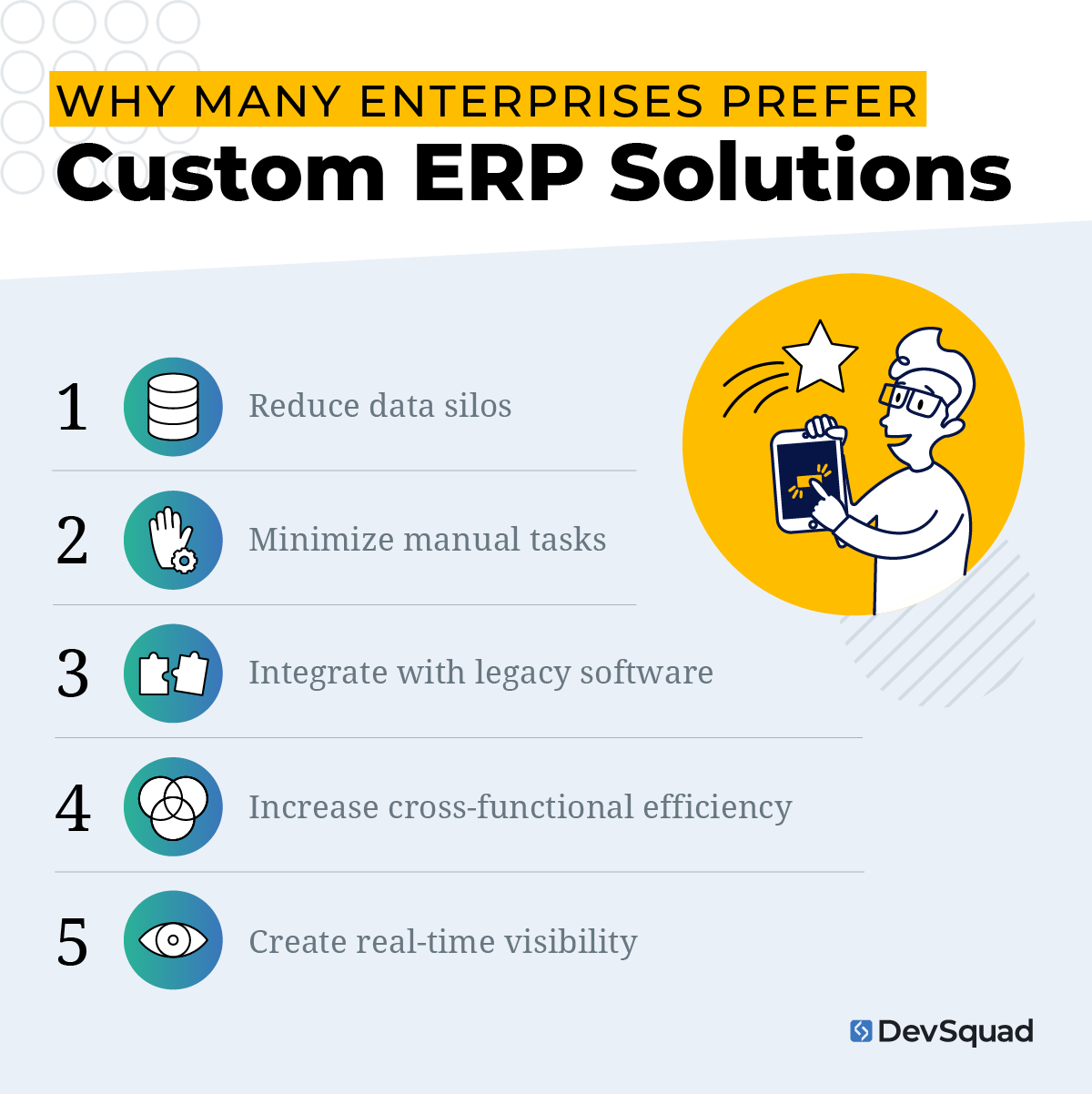
Data silos that cause teams to work from conflicting sources
Manual, repetitive processes that consume hours every week
Legacy software that limits growth, adds security risks, or can't integrate with modern tools
Inefficient cross-department workflows, often patched together with email or duplicate entry
Lack of real-time visibility, making forecasting or strategic planning difficult
When these issues start impacting productivity, customer experience, or profitability, custom ERP starts looking like the more stable path forward.
Top reasons to consider custom ERP solutions over third-party software
Custom ERP systems offer clarity, control, and long-term value that off-the-shelf platforms can't match. For organizations that have outgrown generic software or feel boxed in by legacy tools, a tailored solution becomes a strategic advantage. Here are the top reasons leaders choose to invest in custom ERP software development.
Your workflows stop bending to fit someone else's software
Third-party ERPs force your teams to adapt to someone else's logic. Custom ERP systems are built around your existing processes, terminology, and operational realities. We worked with one client whose procurement approval chain involved four departments with conditional routing. No off-the-shelf tool could replicate it without expensive customization that still didn't quite fit. When the software matches how your team actually works, the workarounds disappear.
You own the roadmap and the data
Custom ERP solutions let you centralize data in a unified architecture, integrate with industry-specific tools, and build connectors when needed. You're not waiting on a vendor's quarterly release cycle to prioritize a feature that matters to your business. Your internal use software grows at the same pace you do. Your code and IP are yours from day one.
Legacy system debt stops compounding
Many organizations come to us running a system built in 2012 that costs more to maintain every year. The problem isn't just outdated features, it's the operational risk and escalating costs that come with aging technology. Custom ERP development stops that bleed. CountingWorks PRO came to DevSquad with serious infrastructure limitations from previous development teams. After a ground-up rebuild, their platform capacity increased 10X. This aligns with broader modernization best practices for teams ready to build on a stable foundation.
Your team actually uses it
Adoption is the hidden ROI driver that most ERP evaluations underestimate. A $500/seat/month platform that only 40% of the team logs into creates unreliable data and frustrated managers. Because a custom ERP is built around real user workflows, employees adopt it quickly and use it consistently. Better UX and tailored functionality reduce mistakes and speed up daily tasks. Reliable data is what leadership actually needs to make good decisions.
AI-assisted development has changed the cost math
Modern AI-supported development workflows have dramatically accelerated custom ERP delivery. At DevSquad, Spec-Driven Development combined with leading AI tools means our teams move 2-3x faster than traditional development shops. AI handles testing, code suggestions, documentation, and scaffolding so engineers spend their time on the complex logic that actually requires expertise. For SMBs, this shift matters. Custom ERP is now accessible to companies that would have been priced out of it three years ago.
When SAP, Oracle, and Microsoft Dynamics stop making sense
SAP, Oracle, and Microsoft Dynamics are genuinely good platforms for the right company. If you're running standard finance and HR workflows at mid-market scale, SAP Business One or Dynamics 365 may serve you well. These platforms have decades of development behind them and broad ecosystem support.
The inflection point is when your workflows deviate from the standard model. That's when the platform stops being a foundation and starts being a constraint.
Total cost of ownership beyond the license fee
Licensing is the visible cost. The hidden costs are what catch companies off guard. Implementation consultants alone often run 2-3x the license fee. Add customization work to bend the platform toward your workflows, annual maintenance contracts, and per-user fees that compound as you grow. A Dynamics 365 implementation that looks like $50k on paper can land closer to $300k by go-live.
Custom ERP carries higher upfront development cost, but no ongoing license fees and full ownership of every future change. The math shifts significantly over a three-to-five year horizon.
Workflow fit, and the cost of compromise
Off-the-shelf ERPs are built for the median customer. If your business has unique approval chains, non-standard inventory logic, or industry-specific compliance requirements, you face a choice: change your process to fit the software, or pay to customize the software to fit your process. Both options are costly. Heavy customization on top of a licensed platform is also brittle. Every vendor update risks breaking the work you've paid for.
"A lot of clients come in excited about new features, but my first question is always: what existing system, process, or cost are we trying to replace? The fastest path to value is getting them off what's holding them back, as quickly and safely as possible." - Mauricio Kiyama, VP of Product at DevSquad
Migration complexity and vendor lock-in
Migrating off SAP or Oracle is one of the most disruptive IT projects a company can undertake. Data models are complex, integrations run deep, and the institutional knowledge of how the system was configured often lives with one or two people.
Moving to a custom system lets you design the migration on your terms. Nelson Pereira, Technical Product Manager at DevSquad, recommends doing it in phases.
"Migrate in the smallest possible steps and really listen to the people who use the system every day. At some point, the custom solution will always offer something more adequate to the work being done than any general-purpose platform can." - Nelson Pereira, Technical Product Manager at DevSquad
DevSquad has experience stepping into exactly these situations, taking over legacy platforms, mapping what's worth keeping, and rebuilding around what actually needs to change.
The custom ERP software development discovery process
Discovery is the first phase of the custom ERP software development process, and a successful system depends on a strong discovery phase. Because these platforms touch every corner of the business, discovery is where teams clarify processes, eliminate assumptions, and align on what the system must accomplish. Below is the structured approach most organizations follow before any development begins.
1. Audit current workflows, systems, and data
Discovery begins with a detailed review of your existing environment. Teams map out every workflow that the ERP will eventually support—finance, HR, procurement, operations, inventory, customer operations, and more. This step identifies gaps, redundancies, manual processes, and system dependencies across all departments.
For many organizations, this also means evaluating aging internal software or legacy systems and determining what should be integrated, replaced, or modernized. A clear understanding of the current state helps avoid misalignment later.
2. Clarify business objectives and operational goals
Next, leaders define the goals driving the custom ERP initiative. This includes how the organization wants to improve reporting, reduce costs, streamline workflows, consolidate tools, or increase visibility. Business strategy always sets the foundation—not technology preferences.
This step keeps the ERP aligned with measurable outcomes rather than feature wishlists. It also prevents scope creep by establishing straightforward priorities before any design work begins.
3. Map user roles and functional requirements
Custom ERP systems support many different teams, each with unique responsibilities and constraints. Discovery includes gathering input from end users across departments to understand their daily tasks, challenges, and decision-making needs.
User stories or structured requirement lists are developed to translate those insights into actionable features. This ensures the ERP supports real-world usage, not assumptions about how teams “should” work.
4. Determine data architecture and integration needs
ERP platforms rely on clean, reliable data. During discovery, architects identify all data sources—legacy systems, third-party platforms, spreadsheets, internal databases, or external APIs. This step outlines how data will be collected, merged, validated, and exposed across modules.
Organizations also determine which systems must be integrated and what the future-state architecture should look like. This prevents the common pitfalls associated with incomplete or brittle integrations.
5. Identify compliance, security, and access requirements
Regulated industries and multi-entity organizations often bring complex rules into the discovery process. Identify security standards, audit requirements, retention policies, permission models, and compliance obligations early so they can influence both architecture and UX, rather than becoming last-minute constraints.
6. Define the scope for phase one and the long-term roadmap
Custom ERP development works best when delivered in phased releases rather than one large build. Discovery concludes with defining:
The features required for the initial release
Enhancements planned for future phases
A timeline that matches organizational priorities
Risks, constraints, and resource requirements
This roadmap gives leadership a practical view of what’s “now,” “next,” and “later,” allowing the entire ERP system to evolve with the business instead of competing with it.
7. Create a high-fidelity prototype to validate workflows and UX
Before development begins, designers build a high-fidelity prototype that reflects real interactions, navigation, and layout. This gives stakeholders and end users a chance to react to the actual experience—not just ideas on paper. Validating workflows this early reduces misunderstandings, accelerates alignment, and prevents costly rework during development.
If you want to experience this process firsthand before committing to full development, Sprint Zero is exactly where to start.
Common features of custom ERP systems
Custom ERP systems bring together the core operations of a business into one cohesive platform. While each organization’s needs are unique, most custom ERP solutions share foundational features that improve visibility, streamline workflows, and support better decision-making. These capabilities power internal use software that reflects how your teams actually work.
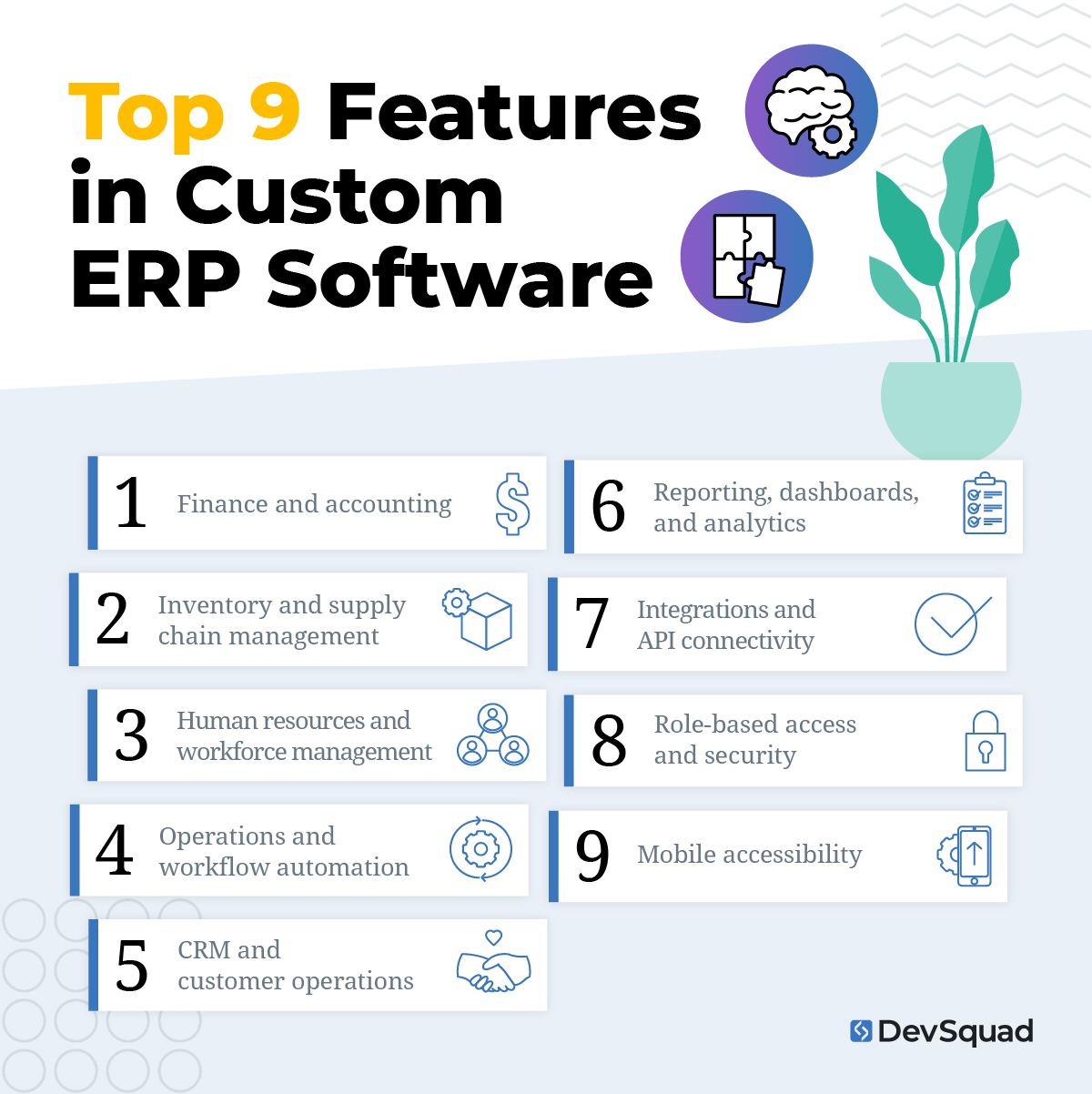
1. Finance and accounting
A centralized financial module manages budgeting, AP/AR, general ledger entries, expense tracking, and financial reporting. Because it’s built around your internal rules and workflows, it supports accurate reporting without forcing a one-size-fits-all model.
2. Inventory and supply chain management
For product-based businesses, custom ERPs often include real-time inventory tracking, warehouse operations, purchase orders, supplier relationships, and demand forecasting. These features reduce manual tasks and eliminate the discrepancies that happen when data lives in multiple tools.
3. Human resources and workforce management
A custom HR module supports onboarding, payroll, scheduling, role-based permissions, time tracking, and performance documentation. It adapts to your specific compliance requirements and organizational structure.
4. Operations and workflow automation
Operational modules manage task flows, project tracking, scheduling, equipment records, and compliance processes. Automation reduces repetitive work and creates consistency across departments, helping teams move faster with fewer errors.
5. CRM and customer operations
A built-in CRM enables teams to track customer records, sales activity, contract details, support requests, and communication logs. With CRM functionality inside the ERP, all customer data sits in one system instead of being split between disconnected tools.
6. Reporting, dashboards, and analytics
Custom dashboards and reports give leaders a clear view of performance across teams. Because all data lives in one place, organizations get more accurate insights, automated KPIs, and analytics tailored to their structure—not a vendor’s limitations.
7. Integrations and API connectivity
Custom ERPs integrate cleanly with legacy systems, third-party tools, and industry-specific platforms. APIs can be extended or newly built, enabling true data consistency instead of the silos common with off-the-shelf software.
8. Role-based access and security
Granular control over permissions, approvals, audit logs, and security standards is built into the system. This is especially valuable for regulated industries that must protect sensitive data and demonstrate compliance.
9. Mobile accessibility
Many organizations require access beyond the desktop. Custom ERPs support mobile-responsive interfaces or native apps, giving field teams, managers, and executives real-time visibility wherever they work.
5 best frameworks for developing custom ERP software
Choosing the right framework is one of the most important architectural decisions in custom ERP software development. The framework determines how quickly the system can be built, how maintainable it will be, how easily it can scale, and how effectively teams can integrate with other platforms. Below are the top frameworks developers rely on when building custom ERP solutions, with Laravel as the leading choice.
1. Laravel (PHP)
Laravel is the top framework for building custom ERP systems thanks to its clean architecture, strong ecosystem, and developer-friendly tooling. It supports rapid development, modern security standards, and robust integrations—making it ideal for companies that want a scalable solution without excessive complexity.
Key strengths:
Modern MVC structure that simplifies long-term maintenance
Built-in support for queues, jobs, notifications, and scheduling
Extensive package ecosystem (e-commerce, authentication, admin panels, APIs, and more)
Excellent support for API development and microservices
Strong documentation and a large developer community
Best for: Organizations that want a modern, scalable ERP built quickly without compromising long-term maintainability.
2. Django (Python)
Django is a secure, high-level framework known for stability and reliability—two critical traits for ERP development. With Python’s extensive library ecosystem, Django makes it easy to handle data-heavy workflows and machine learning components.
Key strengths:
Security-focused design
Rapid development through built-in admin tools
Strong integration with Python’s analytics and automation libraries
Scalable ORM and robust database performance
Best for: Companies building data-centric ERP modules or systems that rely heavily on automation and analytics.
3. Ruby on Rails (Ruby)
Ruby on Rails is a mature, convention-driven framework that excels in developer productivity. It’s particularly effective for ERP systems that require quick iteration and clean, consistent patterns.
Key strengths:
Highly opinionated, reducing decision fatigue
Accelerates development with scaffolding and generators
Proven stability for large-scale systems
Strong test-friendly environment
Best for: Teams that want fast development cycles supported by a stable, opinionated framework.
4. .NET (C#)
Microsoft’s .NET framework (and .NET Core) is a top choice for enterprises that require heavy integrations, complex workflows, and high security. With its strong performance and native compatibility with Windows-based environments, .NET is ideal for ERPs used in corporate and government settings.
Key strengths:
Excellent for enterprise-grade applications
Native identity and access management
Strong support for background processing and APIs
Seamless integration with Microsoft tools and cloud environments
Best for: Enterprise organizations with strict security, compliance, or Windows-based infrastructure requirements.
5. NestJS (Node.js)
NestJS is one of the fastest-growing backend frameworks for building modular, scalable ERP platforms. Built on TypeScript, it provides structure over the traditionally flexible Node ecosystem, giving developers the best of both worlds.
Key strengths:
Modern, modular architecture
TypeScript for cleaner and more reliable code
Great for ERP systems that need real-time functionality
Excellent microservices support
Best for: Companies that want a high-performance, TypeScript-based ERP that supports real-time workflows and modern architecture patterns.
How to evaluate a custom ERP development partner
Choosing the right development partner is as important as the decision to build. These are the questions worth asking before signing with anyone, including DevSquad.
Question | Green Flag | Red Flag |
|---|---|---|
Do they start with discovery? | ✅ Structured discovery phase with a defined deliverable | 🚩Jumps straight to a development proposal |
Is the team fully managed? | ✅ Dedicated TPM who owns delivery and communicates proactively | 🚩Developers handed over for you to direct |
Do they have relevant experience? | ✅ Specific outcomes from similar complexity — legacy rebuilds, multi-department rollouts | 🚩Logo drops and case study summaries without real detail |
Who owns the code? | ✅ IP is yours from day one, confirmed in writing | 🚩Vague contract language or proprietary frameworks that create dependency |
Do they start with discovery, or jump straight to development?
Any agency that skips a structured discovery phase is guessing at your requirements. A real partner maps your workflows, challenges your assumptions, and produces a roadmap before writing a line of code. If a proposal arrives without a discovery phase, treat it as a red flag. In my experience, the projects that go sideways almost always skipped this step. Sprint Zero is an example of what structured discovery looks like done right.
Is the team fully managed, or are you the project manager?
Many agencies hand you developers and expect you to direct them. That works if you have a strong internal technical PM. If you don't, you'll spend significant time in status meetings filling a role you didn't sign up for. I've seen this dynamic derail otherwise solid projects. Look for a partner who brings their own TPM, takes ownership of delivery, and pushes back when scope or priorities don't make sense.
Do they have experience with your type of complexity?
An agency that primarily builds marketing sites is a different animal from one that has rebuilt legacy platforms, integrated disparate data sources, and managed multi-department rollouts. Ask for specific examples, not logos, but outcomes. How did they handle a failed prior implementation? What happened when scope changed mid-build? I always tell clients: the agency's answer to those two questions tells you more than their portfolio.
What happens to your code if you part ways?
This is non-negotiable. Your code and IP should be yours from day one. Some agencies build lock-in through proprietary frameworks or vague contract language around ownership. Get this confirmed in writing before you start. DevSquad's position is straightforward: your code, your IP.
FAQ
Most custom ERP projects at DevSquad run 6–12 months, with monthly squad pricing ranging from $21k to $63k depending on team size and complexity. That puts a typical build between $126k and $756k. For context, SAP or Oracle implementations regularly land between $300k and $1M+ once implementation consultants, customization fees, and annual maintenance are factored in, and you still don't own the software at the end.
Most first versions launch within 6 to 12 months, depending on scope and the number of modules involved. Before development begins, Sprint Zero covers discovery, architecture, and UI design, which typically takes several weeks. Clients who invest in thorough discovery move noticeably faster through the build phase because the hard decisions have already been made.
If your workflows are fairly standard and you're early-stage, an off-the-shelf platform may serve you well for now. Custom ERP makes sense when you have unique processes, compliance requirements, or workflow complexity that generic software can't accommodate. The clearest signal is when your team is spending more energy adapting to the software than the software is saving them.
Yes. DevSquad regularly steps into platforms that need modernization, better integrations, or a ground-up rebuild. The discovery process maps what's working, what isn't, and what needs to change, so development starts with full context rather than assumptions.
Ready to develop your own custom ERP software solution? Learn more about our custom software development services.

Dayana Mayfield is a SaaS copywriter and content marketer specializing in SaaS marketing, positioning, and go-to-market strategy. She has consulted for over 195 SaaS companies, focusing on both traffic and conversions. She has been featured in Entrepreneur, Forbes, and Business Insider. Outside of work, Dayana writes SciFi novels and spends her evenings surviving auditions, rehearsals, and tech week as a proud theater mom.