
Custom fleet management software used to be a luxury. Today, it’s a practical option.
The planning still matters. The thinking still takes time. What’s changed is the cost of getting from a clear plan to a working system. AI-assisted development has stripped out wasted effort, making custom fleet management software accessible without enterprise-level budgets.
Ready to consider an upgrade?
This guide covers what custom fleet management software is, how it’s built, and which partners stand out when off-the-shelf tools stop cutting it.
What is custom fleet management software?
Custom fleet management software (FMS) is a purpose-built digital system designed around how your fleet actually operates. Instead of forcing your business to adapt to an off-the-shelf tool, a custom solution is built to match your workflows, reporting needs, integrations, and growth plans.
At its core, a fleet management platform helps businesses track vehicles, drivers, assets, and performance in one centralized system. This often includes real-time vehicle data, driver management, maintenance tracking, compliance reporting, and cost controls. With custom fleet management software, you decide which features matter, how data flows, and how the system evolves over time.
This approach is especially valuable for SMBs that have outgrown spreadsheets or rigid fleet tools. Many founders start with basic fleet management software, only to discover it cannot support their operational complexity, regional rules, or sustainability goals. A custom system fills those gaps by aligning technology with business outcomes, not the other way around.
Custom fleet management software development is also about flexibility. You can integrate your fleet management system with accounting tools, HR platforms, fuel cards, telematics providers, or customer-facing systems. Over time, the platform can expand as your fleet grows or your service model changes, without forcing a full replacement.
Distinguishing between custom fleet management, logistics, and supply chain platforms?
While these systems often connect, they solve different problems. Breaking them apart makes it easier to decide what you actually need.
Custom fleet management software: Focused on vehicles, drivers, and day-to-day fleet operations.
Real-time vehicle tracking and status
Driver management, behavior, and safety monitoring
Maintenance scheduling and vehicle health
Fuel usage, mileage, and cost tracking
Compliance reporting and documentation
Sustainability goals such as emissions tracking and fuel optimization
Similar to custom transportation management systems, this is the right platform when your biggest challenges are tied to transportation assets and driver performance.
Custom logistics platform: Focused on planning and executing deliveries and routes.
Dispatching and route optimization
Delivery scheduling and tracking
Order and shipment visibility
Customer notifications and proof of delivery
Integration with fleet management systems and carriers
Logistics platforms use fleet data, but they are centered on moving goods, not managing vehicles themselves.
Custom supply chain platform: Focused on end-to-end operations beyond transportation.
Inventory and warehouse management
Supplier and vendor coordination
Demand forecasting and planning
Distribution and fulfillment workflows
Integration across logistics, fleet, and ERP systems
Supply chain systems are broader and typically come into play once transportation is only one part of a larger operational challenge.
Focused on regulated flight operations, where the rules are enforced by the system rather than tracked by it. Aviation is the strictest version of the same problem, covering weight and balance, duty rest, currency, and FAA audit records. Our guide to custom aviation software development walks through a Part 135 charter platform built end to end.
For most SMBs, custom fleet management software is the starting point. It solves immediate operational problems and creates a foundation that can later connect to logistics or supply chain platforms as the business grows.
8 common use cases for a fleet management platform
Custom fleet management software supports far more than vehicle tracking. A well-designed fleet management platform brings structure, automation, and visibility to every part of fleet operations. Below are the most common use case categories and the practical problems they solve.
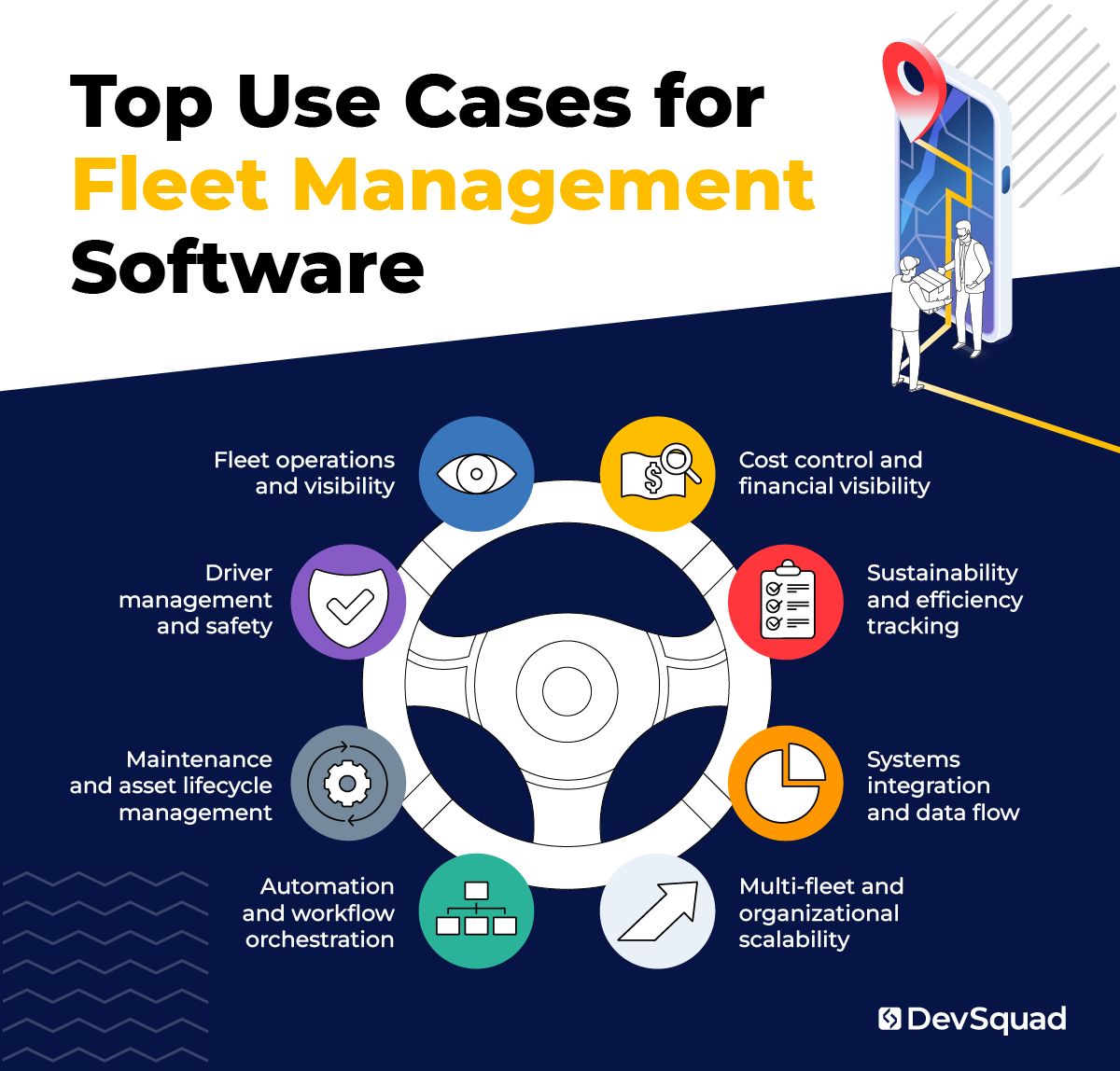
1. Fleet operations and visibility
This category establishes real-time awareness across vehicles and assets so teams can operate with accurate, up-to-date information.
Real-time vehicle location and status tracking
Asset availability and utilization monitoring
Trip history and route visibility
Identification of underused or overused vehicles
This is the operational foundation of any fleet management system.
2. Driver management and safety
Driver management focuses on people, accountability, and risk reduction.
Driver assignment and scheduling
Driver behavior and safety monitoring
License, certification, and eligibility tracking
Performance comparisons across drivers or teams
Centralizing driver management improves safety outcomes and simplifies oversight.
3. Maintenance and asset lifecycle management
This category is about maximizing uptime while controlling long-term costs.
Preventive maintenance scheduling
Repair tracking and service history
Vehicle downtime monitoring
Total cost of ownership tracking by vehicle
These capabilities help teams move from reactive fixes to planned maintenance.
4. Automation and workflow orchestration
Automation removes manual work and enforces operational rules consistently.
Automated maintenance triggers based on mileage or usage
Driver compliance checks and renewal reminders
Alerts for route deviations, unsafe driving, or vehicle issues
Automated dispatching and task assignment
Scheduled reporting and automated data updates
This is where custom fleet management software delivers the most leverage.
5. Cost control and financial visibility
This category provides clarity into where fleet dollars are going and why.
Fuel usage and cost tracking
Cost allocation by vehicle, driver, or region
Budget monitoring and forecasting
Integration with accounting and finance systems
Better financial visibility supports smarter planning and decision-making.
6. Sustainability and efficiency tracking
Sustainability goals require accurate, reliable data to be meaningful.
Emissions and fuel efficiency tracking
Environmental impact reporting
Route and vehicle optimization to reduce fuel use
Progress tracking against sustainability goals
A custom system makes sustainability measurable instead of aspirational.
7. Systems integration and data flow
Fleet operations rarely live in isolation, which makes integration critical.
Integration with logistics and transportation platforms
ERP, payroll, and HR system connections
Telematics and IoT data ingestion
APIs for internal tools and custom workflows
Strong integrations prevent data silos and reduce duplicated effort.
8. Multi-fleet and organizational scalability
This category supports operational complexity without forcing platform rebuilds.
Managing multiple fleet types in a single system
Supporting multiple regions or business units
Role-based access and permissions
Configurable rules by location or operation
Scalability allows the platform to evolve as operations grow and change.
Together, these use cases show how custom fleet management software goes beyond tracking vehicles. It becomes an operational system that supports efficiency, accountability, automation, and long-term strategy. But that doesn’t mean you need to support every use case. That is where discovery comes in.
The custom fleet management software system discovery process
Fleet management software fails when it is built around assumptions instead of real operations. A strong discovery process prevents that by clarifying what needs to be built, why it matters, and how the system should evolve over time.
Discovery for a custom fleet management system is more than just requirements gathering. It is a structured process that connects business goals, operational realities, and technical constraints before development begins.
Start with business and operational alignment
The first step is understanding how fleet operations support the broader business. This includes clarifying goals related to efficiency, cost control, driver management, sustainability goals, and growth.
Key questions at this stage include:
What outcomes should the fleet management platform support
Where current tools or processes are creating friction
Which metrics matter most to leadership and operations teams
This alignment keeps the system focused on impact instead of feature volume.
Map real-world workflows and constraints
Fleet operations are complex, and no two organizations operate the same way. Discovery must document how work actually happens today, not how it is supposed to happen.
This includes:
Vehicle assignment and dispatch workflows
Driver management processes
Maintenance and compliance procedures
Data handoffs between teams and systems
Mapping workflows reveals inefficiencies, manual steps, and automation opportunities that are easy to miss otherwise. You’ll have to dig deep here, but having a clear blueprint of what is actually happening is the best way to make clear decisions.
Validate users and decision-makers
A fleet management system often serves multiple roles, from drivers and dispatchers to operations managers and executives. Each group interacts with the system differently.
Discovery identifies:
Primary users and their responsibilities
Decision-makers who rely on reporting and insights
Pain points unique to each role
To achieve this step conduct user journey mapping. That is, map the journeys different users take while interacting with the software to achieve their goals. This prevents building a system that works well for one group while creating friction for others.
Define the platform scope and priorities
Once workflows and users are understood, discovery shifts to defining scope. This is where use cases are prioritized and organized into a clear roadmap.
Rather than trying to build everything at once, the objective is to start establishing a development plan that focuses on:
Core capabilities needed for version one
Automation tasks that deliver immediate value
Integrations required from day one versus later phases
This approach keeps fleet management software development focused and predictable.
Design the data and integration strategy
Fleet management systems rely heavily on data from vehicles, drivers, and third-party platforms. Discovery must clarify how data flows through the system. Overlooking the data, where it’s coming from and the potential pitfalls of losing it is key to a successful platform.
Make sure to consider:
Telematics and IoT data sources
Integration with logistics platforms, finance tools, and HR systems
Reporting requirements and data ownership
A clear data strategy prevents rework and performance issues later.
Prototype critical workflows before development
Before development begins, high-impact workflows are visualized and validated. This is done by building a high-fidelity prototype for testing and alignment.
Prototyping allows teams to:
Test assumptions with real users
Refine workflows and interfaces early
Identify gaps before code is written
This step reduces risk and keeps development aligned with real operational needs.
Produce a clear execution roadmap
The last step of discovery is a practical roadmap that outlines what will be built, how it will be built, and in what order.
The roadmap typically includes:
Defined features and workflows
Technical architecture and frameworks
Integration plan
Phased delivery approach
This gives stakeholders confidence before committing to full fleet management software development.
A thorough discovery process sets the foundation for a fleet management system that supports operations today and adapts as needs change. It turns complexity into clarity and creates a platform built for real-world use.
And remember that discovery does not end, but rather becomes a cyclic operation that ensures your custom fleet management software maintains the best course forward to support your operations.
10 key features to consider for your custom fleet management software
A strong fleet management platform is not about cramming in features. That said, there are a lot of potential features that can benefit your business. The reason of course is that there are a lot of moving parts in fleet management.
Of course, discovery is where you will weed out and prioritize, but having a list to go off of is always a good place to start.
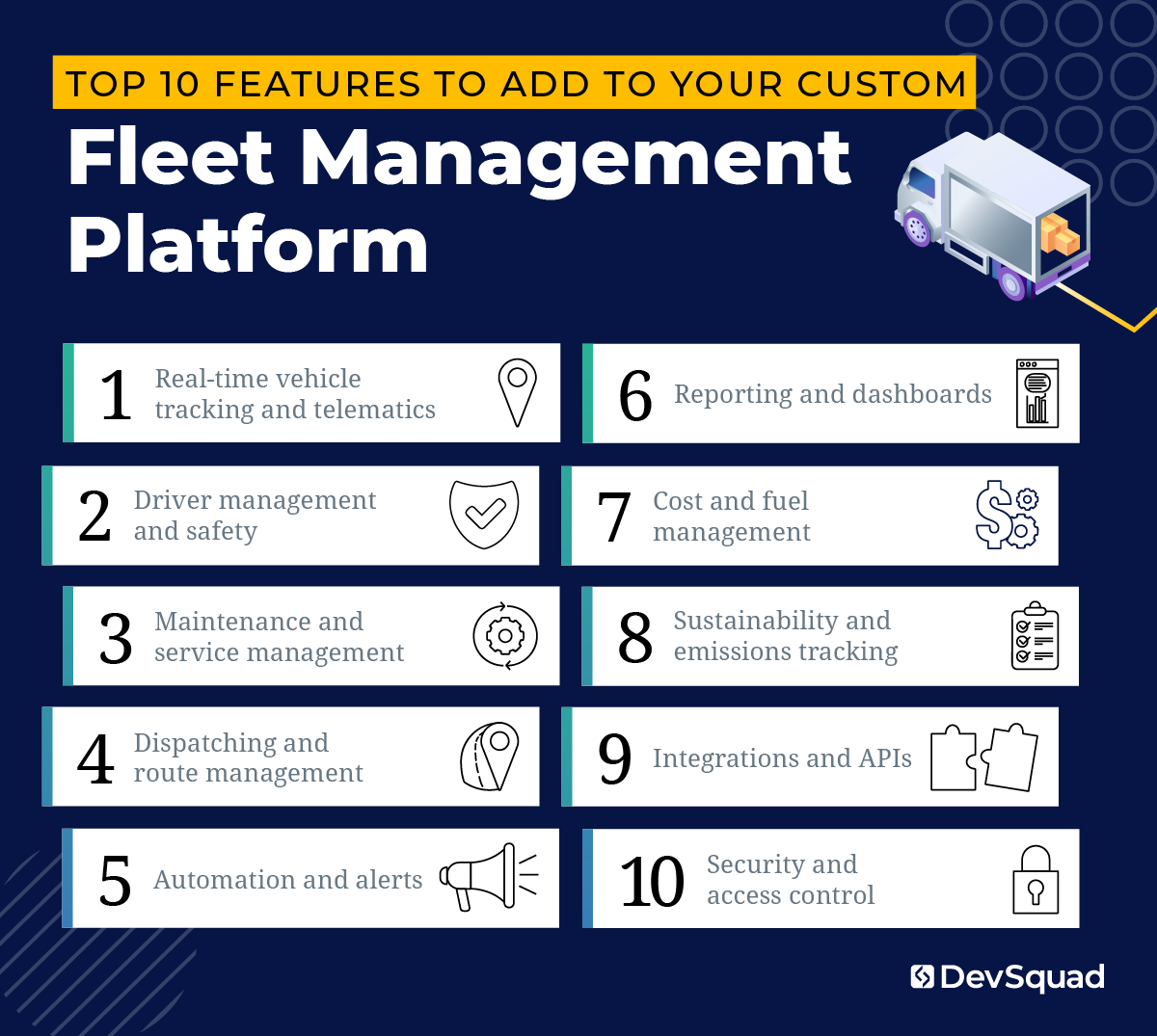
Below are the feature areas that typically matter most, with emphasis placed where real-world complexity tends to show up.
1. Real-time vehicle tracking and telematics
This is usually the starting point and the baseline expectation.
Live GPS tracking and vehicle status
Mileage, engine hours, and usage data
Idle time and basic diagnostics
Historical trip and route data
These features provide the visibility needed to manage the fleet day to day and support every other part of the system.
2. Driver management and safety
Driver-related features often grow in importance as operations scale or compliance requirements tighten.
Driver profiles and assignments
License and certification tracking
Safety and behavior monitoring
Incident and event logging
Driver performance trends over time
When driver management lives inside the fleet management system, accountability becomes clearer and oversight becomes simpler.
3. Maintenance and service management
This is one of the highest impact areas for cost control.
Preventive maintenance scheduling based on mileage or time
Automated service reminders
Repair and service history tracking
Downtime and availability monitoring
Visibility into recurring issues by vehicle
These features help teams move away from reactive maintenance and toward planned decisions.
4. Dispatching and route management
Not every fleet needs advanced dispatching, but for those that do, it quickly becomes mission critical.
Vehicle and driver assignment tools
Route planning and optimization
Real-time route updates
Handling exceptions like delays or reassignment
Custom dispatching features work best when they reflect real operational rules instead of generic assumptions.
5. Automation and alerts
This is where custom fleet management software often delivers the biggest operational lift.
Automated maintenance triggers
Driver compliance and renewal reminders
Alerts for unsafe driving or vehicle issues
Threshold-based notifications for fuel usage or costs
Escalation workflows when issues persist
Automation shifts attention away from monitoring and toward problem-solving.
6. Reporting and dashboards
Reporting only works if it answers questions people actually ask.
Real-time operational dashboards
Scheduled performance and cost reports
Vehicle, driver, and route analytics
Exportable data for audits or leadership reviews
Custom reporting lets each role focus on the metrics that matter to them.
7. Cost and fuel management
Fleet costs are easier to manage when they are visible in context.
Fuel usage and efficiency tracking
Cost allocation by vehicle or driver
Budget monitoring
Total cost of ownership visibility
This feature set connects operational behavior to financial outcomes.
8. Sustainability and emissions tracking
Sustainability features are becoming more important, but only if they are grounded in real data.
Emissions calculations
Fuel efficiency metrics
Identification of inefficient vehicles or routes
Progress tracking toward sustainability goals
In a custom system, sustainability data can live alongside cost and performance data instead of in a separate tool.
9. Integrations and APIs
Fleet management software rarely stands alone for long.
Telematics and IoT integrations
Logistics and transportation system connections
ERP, payroll, and HR integrations
APIs for internal tools and future expansion
Strong integrations reduce duplicated work and prevent data silos.
10. Security and access control
As the system becomes more central, access control becomes practical, not optional.
Role-based permissions
Audit logs and activity tracking
Controlled access to sensitive data
These features protect both the organization and the people using the system.
Make sure you are prioritizing and revisiting the discovery. That way you can continue to grow and scale according to where you are today, not yesterday.
Best frameworks for developing custom fleet management systems
A fleet management platform lives or dies by reliability, speed, and the ability to evolve without becoming brittle. That means the “best” framework is the one that supports clean data modeling, strong APIs, background jobs, and easy integration, while staying friendly for future developers.
Here are the top options.
1. Laravel (best overall for most custom fleet management software)
Laravel is a strong fit for fleet management software development because it makes it straightforward to build secure, scalable systems with clean APIs and a maintainable codebase.
Where Laravel shines for an FMS:
API-first development for mobile apps, driver apps, and third-party integrations
Background jobs and queues for automation tasks (alerts, scheduled reports, compliance reminders)
Authentication and role-based access patterns that are easy to implement cleanly
Rapid iteration during ongoing development as requirements evolve
Ecosystem maturity: great tooling for testing, migrations, and deployment workflows
Common pairing:
Laravel + Vue.js for a responsive admin dashboard and dispatcher views
Laravel + React is also common when teams prefer React, but the key is the API design
2. Node.js (NestJS or Express)
Node can be a good choice when real-time communication is central, such as live location updates, websocket-based dashboards, or event-driven integrations.
Best fit when:
You need real-time updates everywhere (dispatcher screens, live maps, alerts)
Your team is already deep in TypeScript and wants one language across services
You plan to build multiple services around the platform
Tradeoff:
You need strong discipline around architecture to keep the system organized as it grows.
3. .NET (ASP.NET Core)
.NET is a strong option for organizations that want strict structure, enterprise-grade tooling, and long-term maintainability.
Best fit when:
You are building deeply internal systems with heavy reporting needs
You need strong support for complex permissions, audit logs, and compliance practices
Your org already runs on Microsoft tooling
4. Java (Spring Boot)
Spring Boot is a proven choice for large, complex systems with long lifecycles, especially when reliability and formal structure are top priorities.
Best fit when:
You expect a very large internal engineering org to maintain it long-term
You need strong patterns for scalability and stability across many modules
Tradeoff:
More overhead for smaller teams or faster-moving product cycles.
5. Python (Django or FastAPI)
Python can be a great choice when analytics and data processing are major parts of the platform, such as forecasting maintenance needs or building optimization models.
Best fit when:
Reporting, analytics, and data workflows are core to the product
You want fast iteration and clean API development (FastAPI)
You plan to invest in data science or advanced optimization
Tradeoff:
Real-time and high-concurrency workloads often take more careful design.
Frontend frameworks that pair well with fleet systems
Fleet platforms usually need an internal web dashboard plus mobile-friendly experiences.
Top picks:
Vue.js (pairs naturally with Laravel, fast to develop, clean UI for admin systems)
React (great for complex dashboards and component-heavy interfaces)
Remember that choosing a framework is part of the discovery process. When all your cards are laid out and you have a clear idea of where you're trying to go, the right frameworks will come to alignment.
Top 5 agencies for custom fleet management software development
Choosing the right development partner matters as much as choosing the right technology. Fleet management software touches operations, drivers, data, and finances, which means missteps are expensive. The best agencies bring structure to discovery, build with long-term flexibility in mind, and operate as an extension of your team rather than a short-term vendor.
Below are agencies with experience in complex, custom software builds..
1. DevSquad
DevSquad builds custom fleet management software using a dedicated team model that combines product strategy, design, and development under one roof. Every engagement starts with a structured discovery process that clarifies workflows, priorities, and technical requirements before development begins. Teams work without long-term contracts, allowing flexibility as needs change. When the time is right, DevSquad provides full handoff and training so internal teams can confidently own and operate your system.
2. Binary Studio
Binary Studio offers custom fleet management software development with a focus on real-time tracking, route optimization, and driver analytics. Their team emphasizes tailored solutions and long-term support, working closely with clients to adapt software to specific operational needs. Binary Studio highlights experience across logistics, transportation, and field services, with delivery teams primarily based in Eastern Europe and a strong emphasis on integration with existing enterprise systems.
3. DMC, Inc.
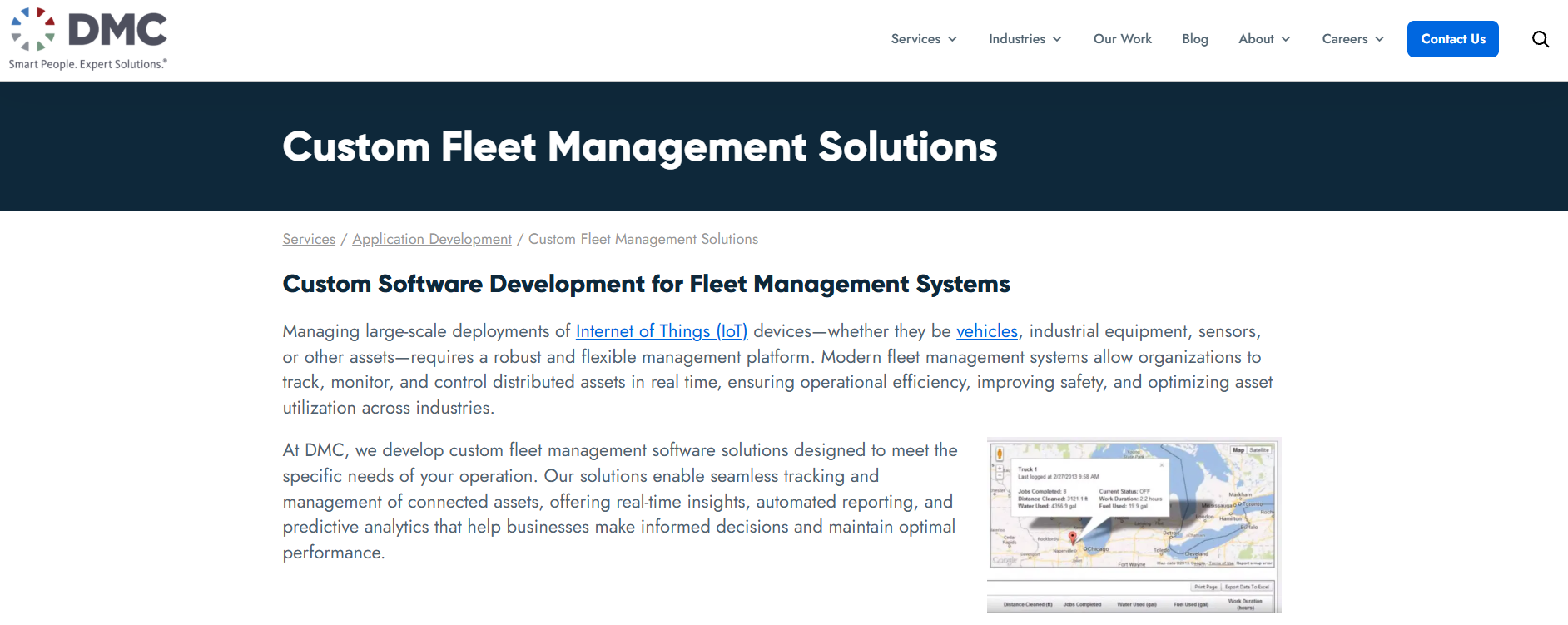
DMC builds custom fleet management software with a strong emphasis on IoT, connected devices, and real-time asset monitoring. Their work often extends beyond vehicle fleets into industrial equipment, smart infrastructure, and distributed systems. DMC positions itself as a full-cycle development partner, offering custom dashboards, analytics, and integrations for complex environments that require scalability, safety monitoring, and compliance across large, distributed fleets.
4. DBB Software
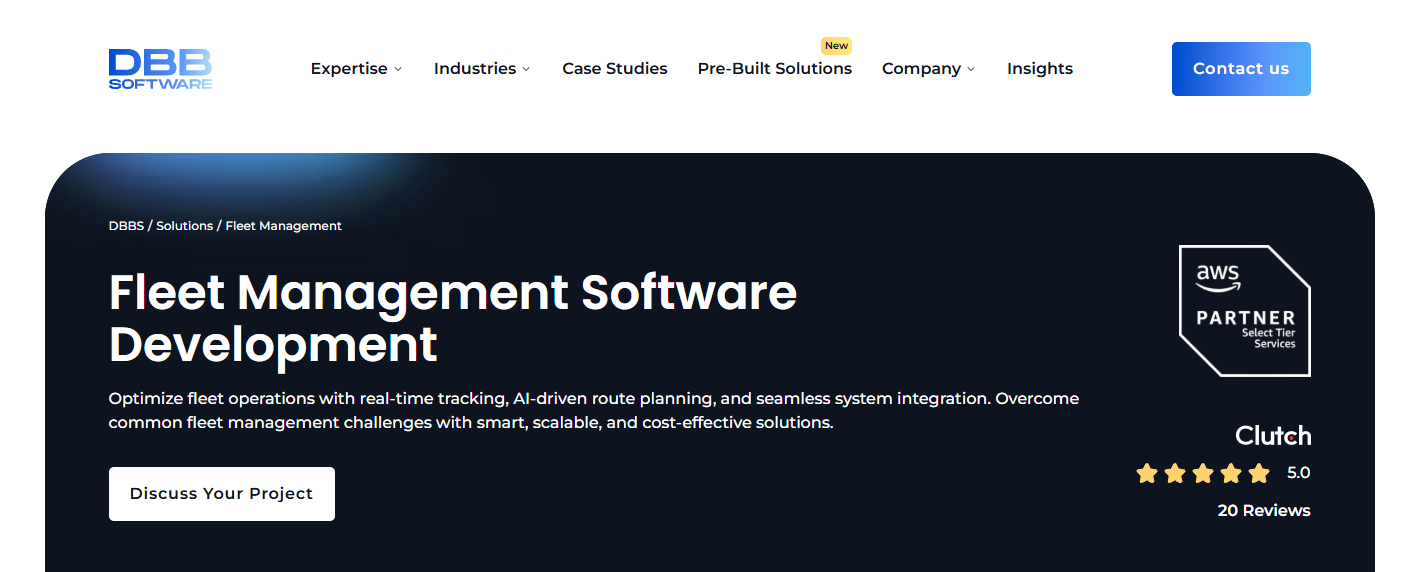
DBB Software focuses on fleet management software development with an emphasis on AI-driven features, telematics integration, and cloud-based platforms. Their offerings lean heavily toward route optimization, predictive maintenance, and compliance automation. DBB highlights speed to delivery through pre-built components and ongoing support models, making them a fit for teams prioritizing faster implementation and advanced analytics within a scalable fleet management system.
5. Relevant Software
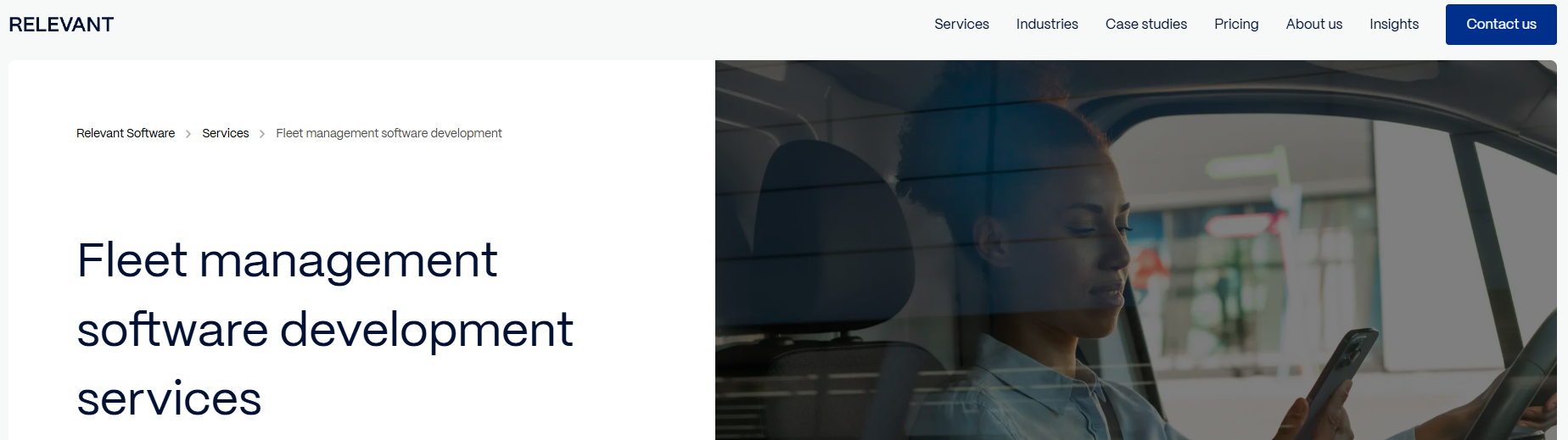
Relevant Software provides custom fleet management software development with a focus on IoT-based tracking, analytics, and integration-heavy systems. Their work emphasizes GPS tracking, route planning, maintenance monitoring, and compliance features across logistics and transportation use cases. Relevant positions itself as a full-cycle development provider, offering consulting, custom builds, and ongoing support for organizations looking to modernize fleet operations through connected data and reporting.
Ready to build your custom fleet management software? Learn more about our custom software development services.

Dayana Mayfield is a SaaS copywriter and content marketer specializing in SaaS marketing, positioning, and go-to-market strategy. She has consulted for over 195 SaaS companies, focusing on both traffic and conversions. She has been featured in Entrepreneur, Forbes, and Business Insider. Outside of work, Dayana writes SciFi novels and spends her evenings surviving auditions, rehearsals, and tech week as a proud theater mom.