
Shipping software fast is no longer enough. To compete, products need speed and reliability.
That’s why teams are investing in Playwright test automation—a modern approach that brings UI, API, and component testing together in one framework.
Playwright is an automation framework designed for today’s SaaS products, where customer trust depends on seamless experiences across browsers, devices, and integrations. When implemented strategically, Playwright automation testing reduces release risk, shortens feedback loops, and gives teams the confidence to move quickly without breaking what already works.
This guide walks through what Playwright testing is, the frameworks it supports, the pros and cons, and the best practices for getting real business value from your investment.
What is Playwright testing?
Playwright testing refers to using the Playwright framework to automate the validation of web applications across browsers, devices, and even backend APIs. Unlike older testing tools that focus on one aspect of quality assurance, Playwright allows teams to manage UI tests, component tests, and API tests all within a single solution.
For founders and product leaders, this unified approach to Playwright test automation eliminates the tool sprawl that often slows down engineering teams. Instead of maintaining multiple platforms for different types of tests, your team can consolidate under one consistent environment. This reduces complexity, accelerates feedback, and creates a more reliable safety net for every release.
In practice, Playwright automation testing covers everything from simulating user clicks and form submissions in the browser to verifying API responses and checking component behavior in isolation. This flexibility makes Playwright a strong choice for SaaS products, where customer experience depends on both front-end interactions and backend services working seamlessly together.
How does Playwright support automated testing?
Playwright is so much more than just a browser automation tool. It’s one of the most versatile automation frameworks available today. It was designed to help teams automate testing at multiple layers of the stack:
UI testing: Validate full user journeys across browsers like Chrome, Safari, and Firefox.
Component testing: Test small parts of your app in isolation to prevent issues before they scale.
API testing: Confirm that backend services perform reliably, even under change or heavy load.
This breadth allows your team to automate Playwright test cases that mirror real-world scenarios. For example, you can create an end-to-end workflow where an account is created via API, validated in the UI, and then verified at the component level.
From a strategic perspective, this means you can align automated testing with Playwright to your product roadmap. Early in development, component testing helps teams ship features quickly without introducing bugs. As the product grows, end-to-end UI and API checks become the guardrails that protect against regressions.
In short, Playwright supports modern product development by combining speed, reliability, and flexibility. That makes it an ideal partner for teams who want to scale testing as their product scales, all without the overhead of adopting and maintaining separate tools for every type of test.
The core Playwright automation frameworks
When we talk about the core Playwright automation frameworks, we’re really talking about the ways Playwright can be applied within its own ecosystem and how it plugs into broader testing practices. The following four pillars make playwright test automation powerful, adaptable, and aligned with the needs of modern SaaS products.
Playwright Test (the official test runner)
Playwright Test is the built-in playwright testing framework that eliminates the need for third-party runners. It handles everything from running tests in parallel to managing retries and generating reports. For founders, the value here is operational efficiency—your team spends less time configuring tools and more time validating what matters.
Playwright component testing
Front-end complexity is one of the biggest drivers of bugs in modern applications. Playwright component testing allows teams to validate React, Vue, Angular, and other UI components in isolation before they become part of the full product. This proactive approach to Playwright automation testing helps catch issues earlier in the lifecycle, reducing rework and making releases smoother.
Playwright API testing
A strong testing strategy can’t ignore the backend. With Playwright, your team can send and validate HTTP requests directly inside the same framework, supporting automated testing with Playwright at the service layer. Playwright API testing enables you to confirm that APIs power your workflows correctly, integrate reliably with third-party systems, and support your customer experience without hidden failures.
Cross-browser and cross-platform automation
One of Playwright’s defining advantages is its ability to automate tests across Chromium, Firefox, and WebKit on Windows, macOS, and Linux. This broad coverage makes it possible to automate Playwright test cases once and run them everywhere. For fast-growing SaaS products, this reduces the risk of environment-specific bugs while keeping test execution unified under a single framework.
The pros and cons of Playwright test automation
Choosing the right testing framework is both a technical and strategic decision. Playwright test automation offers compelling benefits, but like any technology, it comes with tradeoffs. Understanding both sides helps you decide if it aligns with your product goals, release cadence, and team capabilities.
Pros of Playwright test automation
Playwright has quickly become a favorite for modern SaaS teams because it combines flexibility, speed, and reliability. Here are some of the most important advantages:
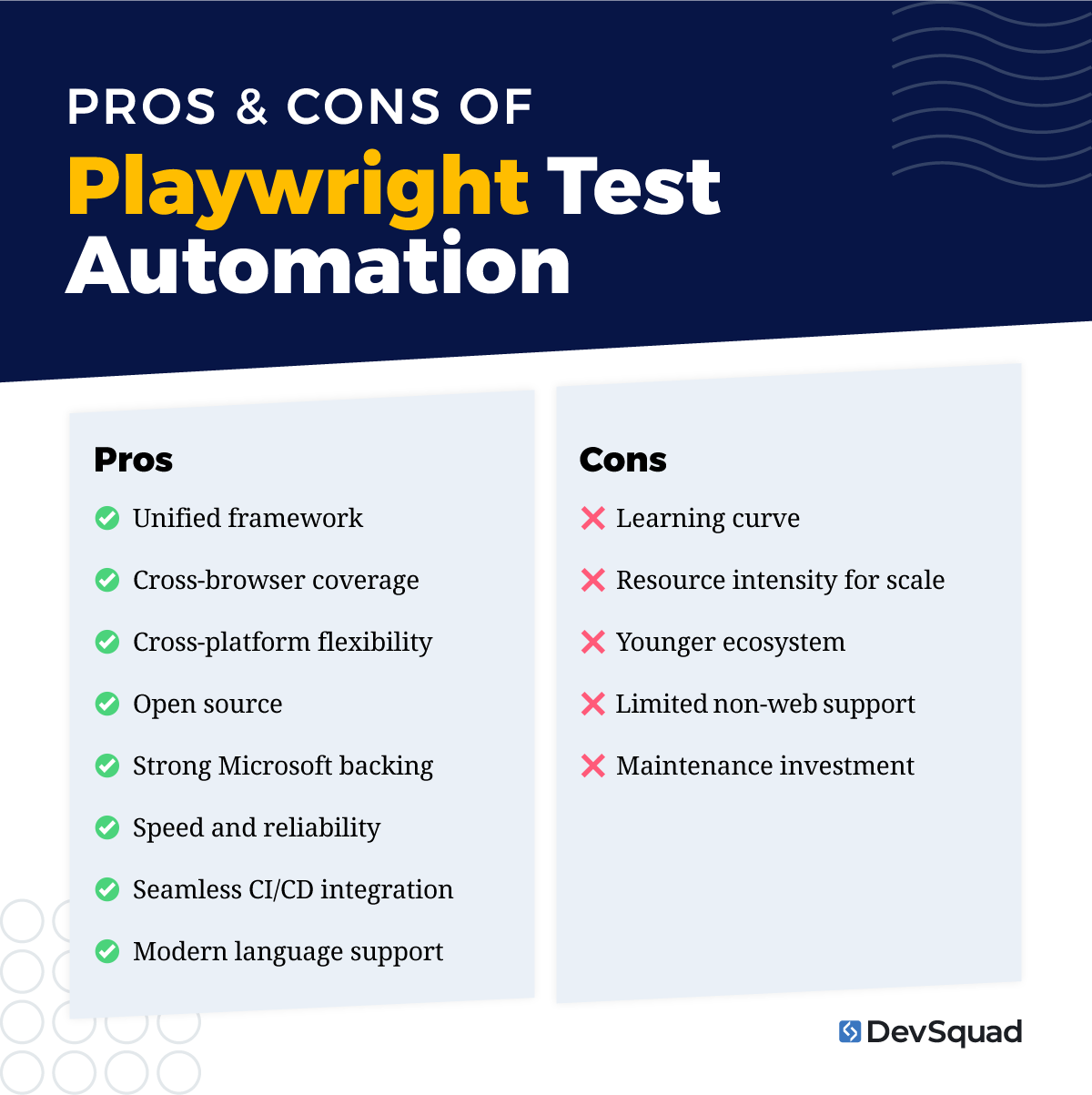
Unified framework: One platform for UI, API, and component testing reduces tool sprawl and simplifies operations.
Cross-browser coverage: Run the same tests across Chrome, Firefox, and Safari without rewriting code.
Cross-platform flexibility: Execute tests on Windows, macOS, and Linux to catch environment-specific issues before release.
Open source: Free to use and accessible for teams of all sizes, making it cost-effective for startups and scaleups alike.
Strong Microsoft backing: Supported by a global company and a fast-growing community, which adds long-term stability.
Speed and reliability: Auto-waiting, parallel execution, and test isolation reduce flaky tests and accelerate feedback.
Seamless CI/CD integration: Built for automation pipelines, making it easier to deliver continuously.
Modern language support: Works seamlessly with JavaScript/TypeScript, already familiar to most SaaS developers.
Cons of Playwright test automation
While Playwright is powerful, there are still some considerations that teams should be aware of before adopting it at scale:
Learning curve: Teams may need time to adapt if they come from Selenium, Cypress, or other legacy tools.
Resource intensity for scale: Running large suites may require optimized infrastructure or cloud-based runners.
Younger ecosystem: Compared to older tools, there are fewer third-party plugins and a smaller legacy knowledge base.
Limited non-web support: Playwright doesn’t natively cover mobile app testing (tools like Appium are better suited here).
Maintenance investment: Like all automation frameworks, tests must evolve alongside the product—something that requires ongoing time and resources.
Personally, we find the pros to outweigh the cons, especially for SaaS and digital product teams that value speed, reliability, and cost-effectiveness. By consolidating multiple testing needs under one framework, Playwright reduces complexity while enabling a faster path to market.
What to consider when deciding if Playwright testing is right for your product
There is a lot that goes into choosing a test automation framework. You have to consider how well it fits your product stage, release cycle, and team. Playwright test automation can be a powerful asset, but the return depends on where you are and what you need.
Stage of your product
If you’re pre–product-market fit, lightweight manual checks or minimal automation may be enough. But once your SaaS gains traction and releases speed up, automated testing with Playwright becomes a safeguard against regressions. Growth-stage and scaling products benefit most because stability and reliability directly impact retention and revenue.
Team expertise and capacity
Playwright is powerful, but it requires engineering or QA resources with automation experience. If your team is lean, you may need outside support to set up and manage automation effectively. Partnering with a TestOps provider can give you a turnkey foundation while letting your in-house team focus on building product value.
Choosing the right partner can also benefit you by getting your test automations up and running and then transferring ownership and knowledge in-house when the time is right. So be sure to consider your long-term goals when selecting a partner.
Complexity of your product
The more complex your product, the more valuable playwright automation testing becomes. SaaS platforms that must run across multiple browsers or operating systems, or that rely heavily on third-party integrations, gain particular benefit from Playwright’s broad coverage and API testing capabilities.
Release frequency
If your team ships updates weekly—or even daily—regression risk grows with every release. Playwright test automation strategies reduce that risk by embedding guardrails into your delivery pipeline. Teams with slower, quarterly releases may not see as much immediate ROI, but automation still pays off as the product grows.
Budget and long-term ROI
Playwright is open source, which keeps licensing costs at zero. The real investment lies in test development and ongoing maintenance. Weigh whether your team has the bandwidth to maintain automation in-house or whether outsourcing the setup to experts will save you time, money, and risk in the long run.
Integration with current workflows
Playwright is designed to fit into modern CI/CD pipelines. If your team already has automated deployments, integration is straightforward. If not, there may be an upfront effort to modernize processes. This is where expert guidance can accelerate adoption and ensure your tests provide value from day one.
Writing and running automated tests with Playwright
Getting started with playwright test automation is about following a clear, structured process. By breaking the work into steps, teams can build reliable tests that deliver fast feedback and scale as the product grows.
1. Set up your testing environment
Getting started with Playwright begins with installing Playwright and its dependencies, then configuring your environment. This includes choosing the right language setup (most teams use JavaScript or TypeScript), installing browser binaries, and creating a project configuration file. Laying the groundwork properly avoids issues later and makes tests easier to maintain.
2. Define your test scenarios
Outline the most important business workflows and convert them into test cases. These should include critical paths like sign-up, login, payments, and data retrieval. Think of this step as creating a checklist of everything that needs to work for customers. The clearer the scenarios, the easier it will be to automate Playwright test coverage effectively.
3. Automate core workflows
Focus first on the workflows that are most critical to your users and your business. For most products, this means login and authentication, key transactions, and CRUD operations (Create, Read, Update, Delete). By starting with these, you build confidence in the areas that would cause the most damage if broken.
4. Run tests across browsers and platforms
One of Playwright’s biggest strengths is its ability to run the same tests across Chrome, Firefox, Safari, Windows, macOS, and Linux. Executing tests in parallel reduces overall runtime while still giving you broad coverage. This helps uncover environment-specific bugs before they reach your users.
5. Validate results and handle errors
Strong tests don’t just check if something works—they confirm it works correctly. Make sure your tests include meaningful checks, capture error details, and log results in a way that makes failures easy to understand. Handling unexpected responses or timeouts gracefully is key to reducing test flakiness.
6. Organize tests for scalability
As your suite grows, organization matters. Group related tests together, tag them by priority, and structure them so that they can be run independently or in logical bundles. This makes it possible to run smoke tests for quick checks or full regression tests for deeper validation, depending on the situation.
7. Integrate with CI/CD pipelines
The final step is embedding your automated tests into the release pipeline. This ensures tests run automatically on every code change, pull request, or deployment. Integrating Playwright automation testing into CI/CD creates a continuous safety net that catches issues early and keeps your release process predictable.
And remember, there is extensive Playwright documentation to help you along the way.
Best practices for Playwright test automation
Strong test automation doesn’t just happen. You need a clear strategy and disciplined execution. The following best practices will help you get the most out of Playwright test automation.
1. Parameterize your data
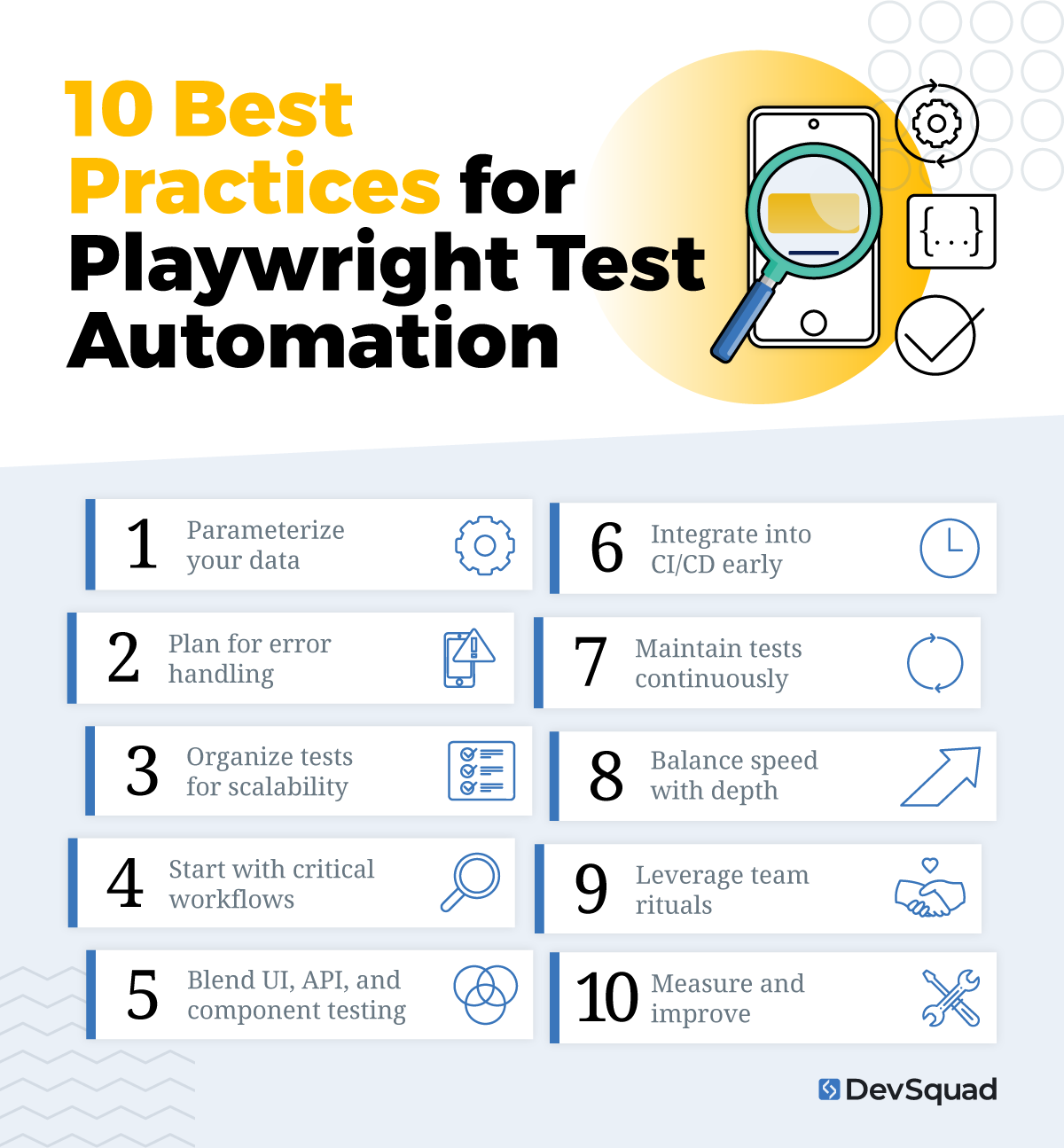
Hardcoded values make tests brittle and difficult to maintain. By parameterizing your test data, you can run the same scenarios with different inputs, catch more edge cases, and reduce repetitive test creation.
2. Plan for error handling
Every automated test will fail at some point. The difference between useful and frustrating tests is how you handle those failures. Build in error-handling strategies that provide actionable insights rather than vague alerts. This saves time during debugging and makes failures more meaningful.
3. Organize tests for scalability
As your test suite grows, structure matters. Group tests logically by feature, workflow, or business priority. This makes it easier to run targeted subsets of tests—like smoke tests for quick checks or full regression suites for broader coverage—without losing track of what’s important.
4. Start with critical workflows
Automation takes time, so begin where it matters most. Focus first on high-value workflows such as authentication, billing, and CRUD operations. Protecting these critical areas is key to keeping your business stable even as new features roll out.
5. Blend UI, API, and component testing
One of Playwright’s biggest strengths is unifying different types of tests under a single framework. Take advantage of this by combining UI, API, and component checks into your strategy. This reduces tool sprawl and builds confidence across the entire product stack.
6. Integrate into CI/CD early
Automated testing is most effective when it runs continuously. Embedding Playwright into your CI/CD pipeline ensures that tests execute on every pull request, commit, or deployment, giving you instant feedback before issues reach production.
7. Maintain tests continuously
Tests are living assets. As your product evolves, your automated tests must evolve too. Dedicate time in each sprint to review, update, and refactor tests so they remain accurate and reliable.
8. Balance speed with depth
Not every test needs to run at every stage. Use a layered approach: fast smoke tests for immediate validation, and broader regression suites for deeper confidence before major releases. This keeps feedback loops fast while still protecting against hidden issues.
9. Leverage team rituals
Incorporate test automation into your regular sprint ceremonies. Reviewing test results during planning or retrospectives reinforces a culture of quality and makes testing part of the product development conversation—not an afterthought.
10. Measure and improve
Track metrics like test flakiness, runtime, and coverage over time. This allows you to refine your Playwright test automation strategies, focus on what delivers the most value, and continuously improve your testing approach.
How to get the most out of your Playwright testing
The impact of Playwright test automation depends on how well it’s set up. A rushed or inconsistent foundation often leads to flaky tests, wasted time, and poor adoption. Getting it right from the beginning means faster feedback, fewer surprises, and a testing system that scales with your product.
That’s where DevSquad comes in. Our TestOps experts design and implement tailored testing strategies—covering UI, API, and component automation—then hand off a solid, maintainable platform. With the right setup, your team can focus on building features while tests run quietly in the background, protecting every release.
Ready to start your Playwright test automation? Learn more about our automated testing services.

Dayana Mayfield is a SaaS copywriter and content marketer specializing in SaaS marketing, positioning, and go-to-market strategy. She has consulted for over 195 SaaS companies, focusing on both traffic and conversions. She has been featured in Entrepreneur, Forbes, and Business Insider. Outside of work, Dayana writes SciFi novels and spends her evenings surviving auditions, rehearsals, and tech week as a proud theater mom.