
Big bugs don’t always come from major features. More often, they start inside reusable UI components—a broken form state, inconsistent validation, or a button that behaves differently across browsers.
That’s why more engineering teams are adopting Playwright component testing as part of a broader quality strategy. Instead of relying entirely on end-to-end coverage, teams are using isolated component tests to catch issues earlier, reduce debugging time, and improve frontend reliability before changes reach production.
As Playwright test automation continues to mature, many organizations are also consolidating browser testing, API testing, and component validation into a single Playwright testing framework. The result is a faster feedback loop, less operational complexity, and more confidence during releases.
In this guide, we’ll cover when Playwright component testing makes sense, how it compares to end-to-end testing and Cypress, plus how teams can scale component testing effectively in CI/CD pipelines.
When Playwright component testing makes sense
Not every frontend issue needs a full end-to-end test. In many cases, validating components in isolation is faster, easier to maintain, and more effective at catching regressions early.
In my experience, Playwright component testing delivers the most value for teams building complex frontend applications with reusable UI elements such as forms, buttons, navigation menus, modals, and dashboard widgets. Instead of loading an entire application and backend stack, teams can validate these pieces independently and confirm they behave consistently across browsers and states.
I’ve also seen component testing significantly reduce flaky end-to-end tests. Many E2E failures actually originate from smaller UI inconsistencies, unstable selectors, or timing issues within individual components. By validating those building blocks separately, development teams can keep end-to-end suites smaller, more stable, and focused on high-value workflows.
Another major advantage is debugging speed. When a component test fails, developers can usually identify the root cause immediately because the scope is isolated. That creates faster feedback loops and shortens the time between identifying and fixing issues.
For organizations maintaining shared design systems or large frontend codebases, component testing becomes even more important. Validating components across states, themes, and browsers helps preserve UI consistency as products evolve and teams scale.
In practice, component testing works best as part of a broader testing strategy. Component tests validate the reliability of individual building blocks, while end-to-end tests confirm that complete customer workflows function correctly across the application.
How does component testing with Playwright differ from end-to-end testing?
Component testing and end-to-end testing both play important roles in a quality assurance strategy, but they serve very different purposes. Here’s how they compare when done with Playwright.
Testing with Playwright: Component VS End-to-End | ||
Category | Component Testing | End-to-End Testing |
|---|---|---|
Scope | Isolated UI elements | Full user workflows |
Speed | Fast, minimal load time | Slower, full app load |
Dependencies | Runs independently | Requires live services |
Feedback | Pinpoints UI issues | Detects broken flows |
Use cases | Great for reusable components | Best for core journeys |
Maintenance | Less upkeep needed | More maintenance required |
Scope of testing
Component testing: Validates a single UI element or module in isolation, ensuring it functions correctly on its own.
End-to-end testing: Validates complete user journeys across the entire application, covering UI, APIs, and backend services together.
Speed and execution time
Component testing: Runs quickly since it doesn’t require the full application to load, delivering faster feedback loops.
End-to-end testing: Takes longer because it simulates full workflows, requiring more resources and time.
Dependencies
Component testing: Involves fewer Playwright component testing dependencies, as tests run in isolation with minimal setup.
End-to-end testing: Depends on live services, databases, and integrations, making tests more fragile and prone to external failures.
Feedback quality
Component testing: Pinpoints issues within a specific button, form, or widget, making it easy to identify root causes.
End-to-end testing: Reveals when a workflow is broken but doesn’t always make it clear which part of the system failed.
Use cases
Component testing: Ideal for frameworks like React, Vue, and Angular where reusable modules drive much of the product experience. Ensures design consistency and UI reliability.
End-to-end testing: Best for validating high-value workflows such as user onboarding, checkout, or subscription management, where multiple components and services must work together.
Maintenance effort
Component testing: Requires less upkeep since isolated components are less likely to break when unrelated parts of the system change.
End-to-end testing: Requires more ongoing maintenance because workflows depend on many services, integrations, and environments that evolve frequently.
Playwright component testing vs Cypress
Playwright and Cypress are two of the most widely used tools for frontend testing, and both support component testing workflows. The right choice usually depends on your team’s architecture, browser requirements, and long-term testing strategy.
I find teams are increasingly choosing Playwright when they want a more unified testing workflow. Playwright allows teams to consolidate browser automation, API testing, component testing, and end-to-end testing workflows under a single framework. That reduces operational complexity and simplifies maintenance over time.
Cypress still offers a strong developer experience, especially for frontend-focused teams that prioritize rapid setup and interactive debugging. Its ecosystem is mature, and many developers appreciate the simplicity of getting tests running quickly.
That said, Playwright has gained significant traction because of its broader browser support and scalability advantages. Since Playwright runs Chromium, Firefox, and WebKit natively, teams can identify cross-browser inconsistencies earlier without relying heavily on third-party services.
Feature | Playwright | Cypress |
|---|---|---|
Browser support | Chromium, Firefox, WebKit | Primarily Chromium-based |
Testing scope | Component, E2E, API testing | Component and E2E testing |
Cross-browser testing | Built-in | More limited |
CI/CD scalability | Strong parallelization support | Good, but can become resource-heavy |
Developer experience | Flexible and scalable | Fast onboarding and debugging |
Best fit | Unified testing workflows | Frontend-focused testing teams |
CI/CD workflows are another important consideration. I’ve found that Playwright scales particularly well for larger applications and distributed teams because of its parallel execution model and broader automation capabilities. Teams can run component tests, API checks, and browser tests together inside streamlined pipelines.
Ultimately, both tools are capable, and neither is universally “better.” For organizations focused heavily on frontend developer experience, Cypress remains a solid option. But for teams trying to standardize testing across larger custom software ecosystems, Playwright often provides more flexibility and long-term operational efficiency.
What frameworks can Playwright component testing be performed on?
Playwright supports the most popular front-end frameworks, making it possible to validate components in the same environment where your product is built. This flexibility allows teams to run consistent, reliable checks across different stacks without adopting separate tools.
React
React is the most widely used front-end framework, known for its component-driven architecture and flexibility. It powers countless SaaS products, from dashboards to mobile-friendly web apps. With Playwright component testing, React developers can validate reusable elements—like forms, navigation bars, and modals—in isolation before integrating them into larger workflows. This helps catch issues early and maintain UI consistency as the application grows.
Vue
Popular for its approachable learning curve and reactive design system, Vue is favored by teams that want a lightweight but powerful alternative to React or Angular. With component testing with Playwright, Vue teams can check that reactive states and bindings update as expected, ensuring a smooth user experience. Playwright makes it easy to test these components quickly without waiting for the entire application to load.
Angular
Angular is a robust, full-featured framework often used for enterprise-level applications. It comes with strong typing, dependency injection, and a comprehensive toolset. Playwright component testing helps Angular teams validate templates, services, and directives independently. This reduces the risk of complex bugs creeping in when components are integrated into larger modules.
Svelte
Svelte has grown rapidly in adoption thanks to its performance benefits and the fact that it compiles code at build time rather than running in the browser. It emphasizes simplicity and lean bundles, making it attractive for modern SaaS products. With Playwright component testing, Svelte teams can validate UI elements in isolation, ensuring that lightweight builds still deliver robust and reliable functionality.
Vanilla JavaScript and TypeScript
Not every product is built on a major framework. Many teams still use plain JavaScript or TypeScript for custom-built UI modules. Playwright is flexible enough to support these setups too. By running Playwright component testing on custom elements, teams can still benefit from fast, isolated validation even without a framework in place.
How to prepare for component testing with Playwright
Setting up Playwright component testing is just as important as the tests themselves. Making sure your environment, dependencies, and testing plan are set up to support reliable and scalable results can make all the difference in what you get out of the tests.
Follow these steps to prepare effectively.
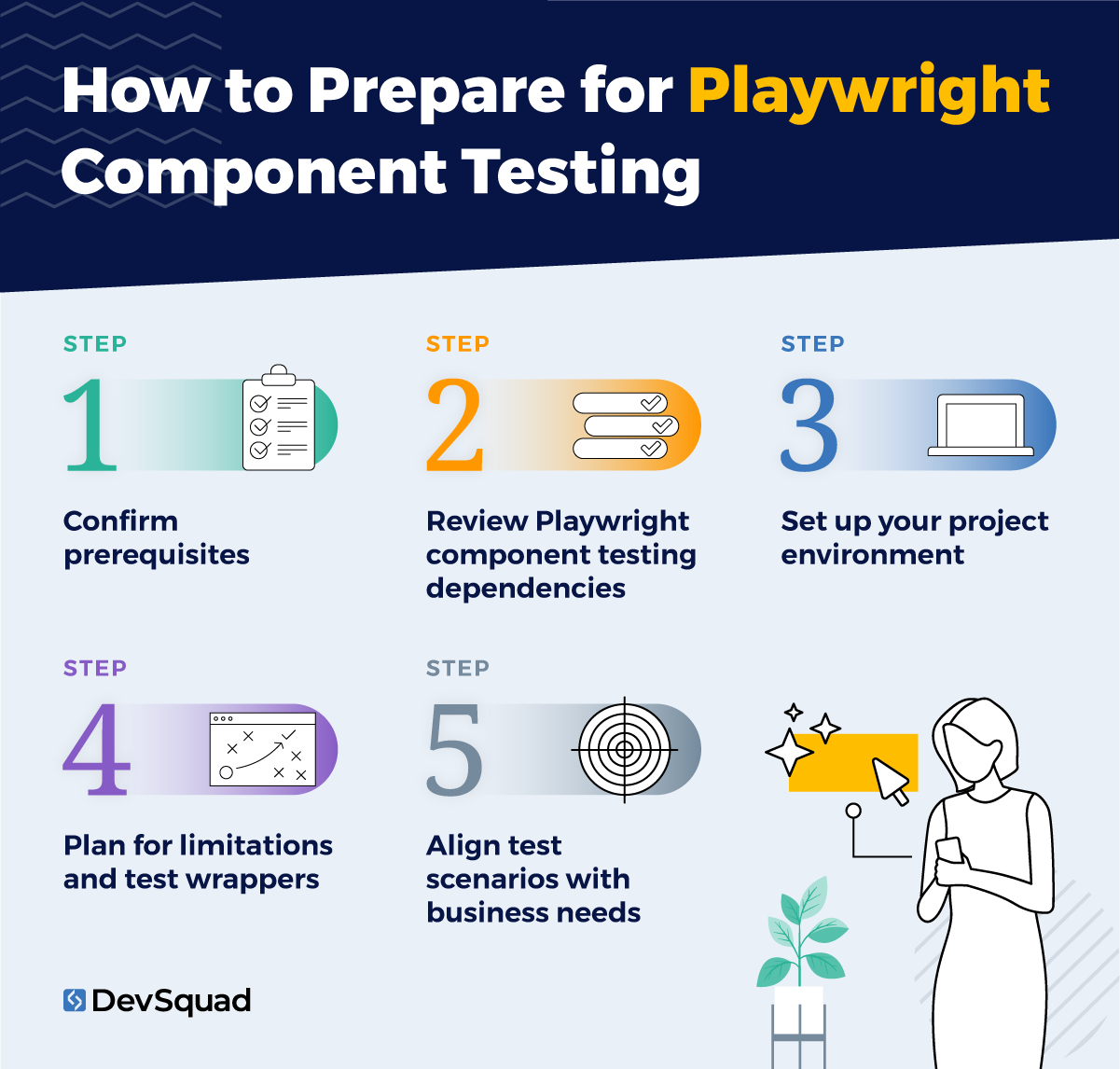
1. Confirm prerequisites
Before you begin, check that your environment is ready:
Node.js (v16 or higher) is installed.
A package manager such as npm, yarn, or pnpm is available.
Your system runs on a supported OS (Windows, macOS, or Linux).
Your team is familiar with the framework you’re using (React, Vue, Angular, or Svelte).
Having these prerequisites in place ensures that component tests will run smoothly without unnecessary setup issues.
2. Review Playwright component testing dependencies
Playwright requires installing framework-specific experimental packages:
@playwright/experimental-ct-react
@playwright/experimental-ct-vue
@playwright/experimental-ct-angular
@playwright/experimental-ct-svelte
When you run npm init playwright@latest -- --ct, Playwright sets up these dependencies and creates the scaffolding needed for component testing. This includes files like playwright/index.html and playwright/index.ts, which define how components are mounted during tests.
The good news: Playwright component testing dependencies are relatively lightweight compared to larger automation frameworks, so setup is quick.
3. Set up your project environment
Playwright automatically generates a component testing environment, but a few adjustments will make it more effective:
Use the auto-generated index.html as the facade for rendering components, and customize index.ts to inject themes, styles, or runtime needs.
Create a clear folder structure for component tests so they are separated from end-to-end or API tests.
Configure the Playwright Test runner (playwright-ct.config.ts) with framework-specific options, browser settings, and reporting preferences.
Be aware that Playwright uses Vite to bundle components. You may need to map path aliases, handle CSS modules, or add Vite plugins for advanced setups (especially in Vue).
4. Plan for limitations and test wrappers
Playwright cannot directly pass complex Node objects or synchronous callbacks into components under test. To work around this, create test-specific wrappers or “stories” for your components. These wrappers translate complex inputs into simpler forms that Playwright can handle. While this adds a layer of preparation, it also makes your tests more reliable and easier to scale.
5. Align test scenarios with business needs
Preparation isn’t only technical. Decide what you will actually test before writing code. Start by identifying:
The most reusable UI modules (buttons, forms, navigation).
High-value customer-facing components (checkout, login, or onboarding modules).
Edge cases and state changes that can cause regressions.
By aligning tests with real product priorities, component testing with Playwright goes beyond technical checks and directly supports business outcomes.
Step-by-step process for Playwright component testing
Running effective Playwright component testing requires a structured process that balances technical setup with product priorities. Follow these nine steps to build reliable, scalable, and business-focused tests.
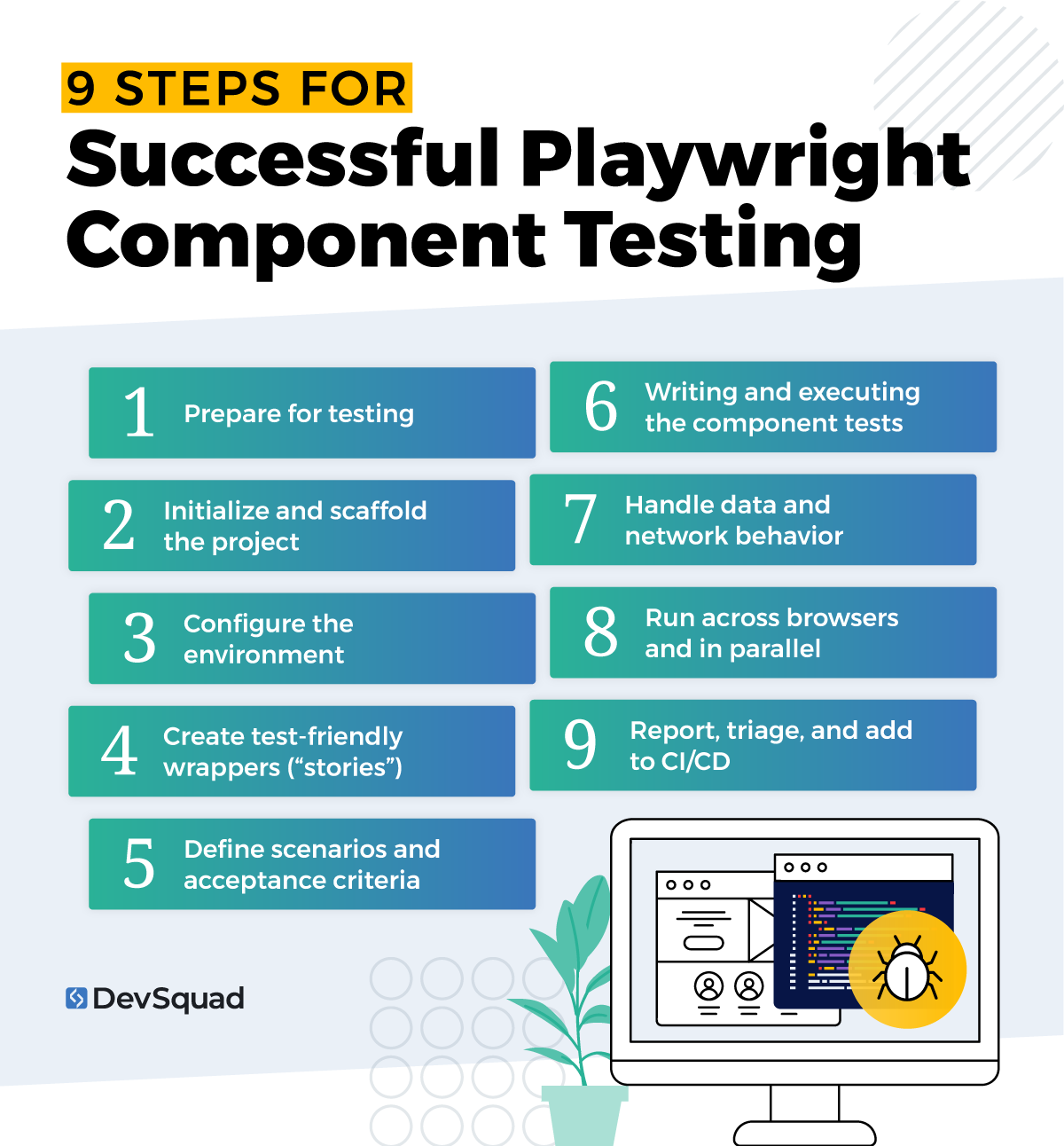
1) Prepare for testing
Before diving in, confirm that your environment is ready. This means checking your prerequisites (Node.js, supported OS, package manager) and installing the right Playwright component testing dependencies for your framework (React, Vue, Angular, or Svelte). Running npm init playwright@latest -- --ct scaffolds the project and generates files needed for testing.
For more details refer back to the previous section on preparation.
2) Initialize and scaffold the project
Playwright creates specific files like playwright/index.html and playwright/index.ts during initialization. These define how components are mounted during tests. Customize them to inject themes, styles, or runtime logic your components depend on. This scaffolding is the foundation for component testing with Playwright.
3) Configure the environment
Fine-tune your Playwright environment to match your app:
Adjust playwright-ct.config.ts to set browser options, test directories, and reporting.
Map path aliases or CSS handling (important for frameworks like Vue).
Use hooks like beforeMount or afterMount to add routing, fake servers, or initial state.
These configurations ensure that tests reflect real-world conditions while remaining stable and predictable.
4) Create test-friendly wrappers (“stories”)
Playwright has some limitations, such as not being able to pass complex Node objects directly into components. To address this, create test wrappers (sometimes called “stories”) for your components. These wrappers simplify inputs and props, making tests more reliable and reducing flakiness.
5) Define scenarios and acceptance criteria
Strong tests come from strong planning. Identify which components matter most—reusable UI modules, customer-facing workflows, or high-risk areas. For each, define acceptance criteria that describe the expected behavior in plain terms. This ensures writing and executing the component tests aligns with business goals.
6) Writing and executing the component tests
With setup complete, begin creating component tests that:
Mount components in isolation.
Pass props, slots, or events.
Simulate interactions such as clicks or form submissions.
Verify outcomes from a user’s perspective (text visible, error shown, state updated).
Keep the focus on what customers see and experience, not internal implementation details.
7) Handle data and network behavior
Use Playwright’s router fixture or mocking tools to control network calls during tests. Seed predictable data so that component states (loading, success, error) can be tested reliably. This keeps component tests focused and separates them from end-to-end testing, which should validate real backend connections.
8) Run across browsers and in parallel
One of Playwright’s strengths is the ability to run tests across Chromium, WebKit, and Firefox, and to parallelize execution. Doing this with components helps surface browser-specific quirks early without slowing down delivery.
9) Report, triage, and add to CI/CD
Finally, make sure test results are actionable:
Use Playwright’s reporting and tracing features to capture details of failures.
Tag or group tests by priority so you can run smoke checks quickly or full suites when needed.
Integrate component tests into your CI/CD pipeline so they run automatically, preventing regressions from slipping into production.
Common mistakes teams make with component testing
Most problems with component testing don’t come from the framework itself. They come from how teams structure, scope, and scale their tests over time. When implemented thoughtfully, Playwright component testing can improve release confidence and reduce debugging time. When implemented poorly, it can create maintenance overhead and slow delivery.
1. Over-mocking dependencies
One of the most common mistakes is mocking too much of the application. While some mocking is necessary for isolation, excessive mocking can create unrealistic test environments that don’t reflect how components actually behave in production.
Focus on mocking only the dependencies that make tests unstable or difficult to reproduce consistently. The goal is to validate realistic user interactions, not create artificial “perfect conditions” where every test passes regardless of real-world behavior.
2. Testing implementation details instead of user behavior
Strong component tests validate what users actually see and experience. Weak tests focus too heavily on internal implementation details such as state variables, component methods, or DOM structures that may change frequently during refactoring.
I’ve seen teams create brittle test suites simply because tests were tied too closely to frontend implementation logic. In most cases, tests should validate visible outcomes like rendered text, form validation, disabled states, loading indicators, or interaction flows.
3. Creating duplicate coverage across component and end-to-end tests
Component testing and end-to-end testing should complement each other, not duplicate each other.
A common mistake is testing the same workflows repeatedly across multiple layers. This increases maintenance costs without adding much additional confidence. Component tests are best for validating isolated UI behavior, while end-to-end tests should focus on complete customer workflows and system integrations.
The most effective testing strategies clearly define what belongs at each layer.
4. Poor test isolation
Component tests should run independently and predictably. Problems start when tests share state, rely on external services, or depend on execution order.
Poor isolation can lead to flaky results that are difficult to debug, especially as test suites grow. Keeping tests self-contained with predictable inputs and controlled network behavior makes failures easier to diagnose and reduces long-term maintenance effort.
5. Letting component tests slow down CI/CD pipelines
Component testing is supposed to accelerate feedback loops, not create bottlenecks. But as coverage expands, poorly organized suites can increase CI/CD execution time significantly.
One pattern I see often is teams adding component tests continuously without reviewing redundancy, prioritization, or execution strategy.
To avoid this, organize tests by priority, run suites in parallel where possible, and separate lightweight smoke checks from larger regression suites. The goal is fast, actionable feedback that supports delivery velocity instead of slowing it down.
Playwright component testing best practices
The real value of running component tests comes from building a strategy that keeps tests reliable, scalable, and aligned with your product’s growth. Here are the best practices to follow for Playwright component testing.
1. Test components in isolation but think about integration
Component tests should focus on validating the behavior of a single UI element in isolation. But don’t stop there—choose scenarios that reflect how the component will actually be used in your application. This balance keeps tests fast while still meaningful.
2. Use test wrappers for complex props and events
Playwright can’t handle complex Node objects or synchronous callbacks directly. To avoid brittle tests, create simple “wrapper” components that pass clean props or convert data into test-friendly formats. This reduces flakiness and improves test readability.
3. Cover multiple states for each component
Don’t just test the happy path. Make sure each component is tested in all of its important states: loading, success, error, and empty. This is especially important for React, Vue, Angular, and Svelte apps, where state-driven UI is core to the experience.
4. Keep tests user-focused, not implementation-focused
The best component tests mimic user expectations. Focus on visible outcomes like text, labels, or error messages—not internal methods or component instances. This makes tests more stable as your implementation evolves.
5. Parameterize test data for flexibility
Avoid hardcoding values into component tests. Instead, parameterize props and inputs so you can easily test variations. This makes it faster to expand coverage without duplicating test logic.
6. Combine component testing with end-to-end testing strategically
Component testing with Playwright catches issues early, but it should complement—not replace—end-to-end testing. Use components to validate granular UI reliability, and lean on end-to-end tests for workflows that span multiple modules and backend services.
7. Run tests across browsers for cross-engine confidence
Playwright makes it easy to run component tests across Chromium, WebKit, and Firefox. Doing so early helps you catch browser-specific quirks before they impact customers.
8. Organize tests for scalability
As your suite grows, group tests by feature or component type. Use clear naming conventions and tags to distinguish between smoke tests, regression checks, and experimental components. This makes scaling component coverage manageable.
9. Integrate into CI/CD pipelines early
The real power of Playwright comes when writing and executing the component tests is automated. Integrate them into your CI/CD pipeline so component checks run continuously, catching regressions as soon as they’re introduced.
10. Maintain and evolve tests alongside components
Components evolve as your product grows, and your tests should evolve with them. Allocate time each sprint for updating and refactoring component tests. Treat them as living assets, not one-time tasks.
Using Playwright component testing in CI/CD
Playwright component testing becomes much more valuable when it’s integrated directly into CI/CD workflows. Running component tests automatically during development helps teams catch regressions earlier and reduce the risk of unstable frontend releases.
One of Playwright’s biggest advantages is parallel execution. Component tests can run simultaneously across browsers and environments, which keeps feedback loops fast even as coverage expands. This is especially important for larger frontend applications where slow pipelines can quickly impact development velocity.
Many teams integrate Playwright component testing into GitHub Actions or similar CI platforms as part of pre-merge validation. Running component tests before code is merged helps identify UI regressions early, long before they reach staging or production environments.
A layered testing strategy also works well in CI/CD environments. Component tests validate isolated UI behavior quickly, while end-to-end tests focus on complete workflows and integrations. Structuring pipelines this way allows teams to run lightweight component checks frequently while reserving heavier end-to-end suites for broader regression validation.
The result is a more scalable QA process with faster feedback, fewer flaky releases, and better confidence during deployments.
How to get the most out of your Playwright component testing
The impact of Playwright component testing depends on how well it’s set up. Without the right foundation, tests can become flaky, slow, or disconnected from product priorities. With the right foundation, they deliver fast, reliable feedback that protects your product and accelerates every release.
That’s why having the right experts handle setup is key. A TestOps partner like DevSquad doesn’t just run tests—we design a tailored component testing strategy, configure your environment, and create test wrappers that work around known limitations. Most importantly, we build everything to scale, so you can decide whether to keep us on or take testing fully in-house.
With the right partner, component testing with Playwright stops being an experiment and becomes a lasting advantage for your team.
Ready to build your Playwright component tests? Learn more about our automated testing services.
FAQ: Playwright component testing
Yes. Playwright is a strong option for component testing because it allows teams to validate UI components in isolation while still using real browser environments. This helps catch frontend issues earlier and reduces reliance on slower end-to-end tests.
It depends on the team and testing strategy. Cypress is strong for frontend-focused teams that want fast setup and interactive debugging. Playwright is often a better fit for teams that want broader browser support, stronger parallel execution, and a unified workflow for component, end-to-end, and API testing.
Component testing validates individual UI elements in isolation, such as forms, buttons, modals, or reusable widgets. End-to-end testing validates full user workflows across the application, including frontend behavior, backend services, APIs, and integrations.
Yes. Playwright supports React component testing through its component testing setup. Teams can mount React components, pass props, simulate user interactions, and verify rendered outcomes in real browsers.

Phil Alves is the CEO and Founder of DevSquad and DevStats. He’s built and launched 100+ software products for bootstrapped founders, fast-growing startups, and enterprises. Phil writes about SaaS, product strategy, operational complexity, and building scalable development processes. He enjoys aviation, investing, and learning from other SaaS founders.