
Retail operations move fast. And the tools you rely on have to keep up.
Unfortunately, most retail teams end up piecing together a mix of spreadsheets, outdated platforms, and generic software—none of which talk to each other.
Queue custom retail software. Built around your actual workflows, these systems solve your problems. From real-time inventory to task management, from omnichannel fulfillment to team training, custom internal software gives you control over how your business runs.
In this guide, we’ll break down what custom retail software development really involves, including:
The most valuable use cases to consider
What a smart discovery process looks like
Features worth building (and which to skip)
The best frameworks to use
And which agencies are best positioned to help
What is custom retail software development?
Custom retail software development refers to the process of designing and building internal use software tailored specifically to the needs of retail businesses. These solutions are developed to streamline and improve back-office operations, front-line workflows, or both—depending on the retailer’s structure and goals.
This kind of software is fundamentally different from consumer-facing apps or generic enterprise tools. It isn’t about ecommerce websites or customer loyalty apps. Instead, it focuses on what happens behind the scenes: inventory tracking, workforce scheduling, vendor management, point-of-sale integrations, compliance reporting, and other operational systems that are central to running a retail business.
How custom retail software differs from other internal systems
Retailers face a unique set of challenges compared to other industries. High employee turnover, seasonal fluctuations, multi-location coordination, and a blend of digital and physical workflows all add complexity. Where a healthcare company might focus on compliance or a B2B tech firm might center on API performance, software solutions for the retail industry must be highly responsive to physical operations and time-sensitive needs.
Here are some characteristics that make custom retail software unique:
Built for physical environments – Must work reliably in stores, warehouses, and other locations where connectivity may be limited or hardware may be shared.
High-speed interfaces – Designed for employees who need to move quickly—such as cashiers, stockers, or store managers—not sit at a desk.
Real-time inventory visibility – Accurate tracking of SKUs across locations, channels, and storage areas is critical.
Workforce flexibility – Often includes tools for shift scheduling, training, and performance tracking across part-time and seasonal staff.
POS and hardware integration – Needs to interface with barcode scanners, printers, cash drawers, and legacy POS systems.
Multi-location management – Supports operations across dozens or hundreds of storefronts, each with slight variations in process and staffing.
Support for hybrid operations – Many retailers now blend physical retail with online sales and fulfillment, requiring unified backend tools.
In most cases, off-the-shelf software can’t fully support these use cases without major compromises. That’s why internal software built specifically for retail workflows is becoming a priority for modern operations.
Top use cases for digital solutions in the retail industry
Retail operations rarely fit neatly into one system. Most off-the-shelf software solves only one part of the equation—like scheduling, inventory, or sales reporting. That leaves you managing a patchwork of disconnected tools, or paying for another tool to stitch the patchwork together.
Custom software fills the gaps between those systems—or replaces them altogether—with a solution that matches how your business actually runs.

Here are the most common internal problems retailers solve with custom-built tools:
1. Manage inventory across all locations
You need to know exactly what’s in stock, where it is, and when to reorder. A custom system lets you track inventory in real time across every store, warehouse, and fulfillment channel—no spreadsheets, no guesswork.
2. Integrate with your existing POS
If your point-of-sale system can’t talk to the rest of your tools, you’re wasting time. Custom integrations connect your POS to inventory, accounting, and loyalty systems so your data flows automatically.
3. Schedule employees and track hours
Whether you’re managing full-time staff or seasonal workers, scheduling is a headache. A custom tool can simplify shift planning, track time, and sync with your payroll software, so you’re not stuck doing it manually.
4. Stay on top of vendors and deliveries
It’s easy to lose track of orders or chase down missing shipments. With vendor management software built for your process, you can create and track purchase orders, monitor delivery status, and view vendor performance all in one place.
5. Get store-level performance data
You need more than a weekly sales report. With a custom dashboard, you can see how each store is performing in real time—sales, staffing, inventory, and more—without digging through multiple systems.
6. Keep daily operations organized
From visual merchandising updates to store audits, recurring tasks can slip through the cracks. A mobile-friendly tool can help your team complete and report on tasks consistently, so nothing gets missed.
7. Coordinate omnichannel fulfillment
Managing BOPIS, curbside pickup, and ship-from-store adds complexity. A tailored system helps you route orders to the right location, track status, and keep inventory synced without introducing delays or confusion.
8. Onboard and train new hires
High turnover makes training a constant challenge. An internal training platform built around your workflows helps new employees get up to speed quickly and keeps everyone aligned with store procedures.
9. Track customer service issues
If your team handles customer complaints in-store, online, and over the phone, you need a centralized place to track them. A simple internal case system can help you see what’s been resolved, what’s pending, and where the issues keep coming from.
10. Run and track store promotions
Running different promos by store, region, or timeframe? A custom system can help you build campaigns, sync them to your POS, and track what’s working—without relying on shared folders or spreadsheets.
The custom retail software development discovery process
Before a single line of code is written, a successful project starts with a detailed discovery process. Skipping this step—or treating it like a formality—leads to mismatched features, misaligned expectations, and software that doesn't solve the right problems.
Retail businesses are complex. You’re juggling inventory, teams, customer service, promotions, vendors, and more, often across multiple locations or regions. Off-the-shelf tools might handle isolated parts of that, but when you're building something custom, you need to understand the full operational picture.
Here’s what the discovery process looks like when it's done right:
1. Clarifying the problem, not just the request
Many projects start with a feature wishlist. But the goal is to uncover what’s actually needed. That means asking operational questions:
Where are errors or delays happening?
What are your team’s biggest workarounds?
What’s being tracked manually?
By tracing symptoms back to root causes, you identify opportunities for real impact, not just feature delivery.
2. Mapping your current workflows
It’s not enough to understand what the software should do. You need to map out how the work gets done today, across stores, regions, and teams.
This includes:
Step-by-step documentation of key processes
Who’s involved and where handoffs break down
What tools are currently in use and why
This avoids building software that looks great in a demo but doesn't work in your environment.
3. Understanding user roles and context
Retail has a wide mix of users: regional managers, shift supervisors, warehouse teams, floor staff, and more. Each group needs a different view and level of access.
Discovery should dig into:
Who uses the system and when
What devices or interfaces they rely on (mobile, shared terminals, etc.)
What kind of training and support will be needed
Design decisions—like whether to use mobile-first layouts or reduce data entry—should come from these insights, not assumptions.
4. Validating assumptions with prototypes
Rather than spec everything upfront, a prototype helps you test ideas quickly and avoid expensive changes later. You can explore interface concepts, get feedback from store managers or associates, and identify confusing workflows early.
This is especially valuable in retail, where users often work in high-speed, distraction-heavy environments. A paper-perfect design can fall apart when tested on the store floor.
5. Aligning the roadmap to business impact
Once you know what needs to be built—and for whom—you can prioritize features based on actual business goals. That might mean reducing shrink, improving inventory accuracy, cutting time spent on scheduling, or improving training outcomes.
This creates a phased roadmap, often broken into “Now, Next, Later.” You get a realistic path to launch and a clear framework for future iterations, without trying to solve everything at once.
Common features to consider in retail software solutions
Retail businesses rely on a mix of tools to manage daily operations. Custom retail digital solutions allows you to streamline those tools into one cohesive system that works the way your business does. These are the most common features retailers include when building internal software solutions:
Multi-location inventory visibility – Track stock levels in real time across stores, warehouses, and online channels to avoid stockouts and simplify transfers.
Role-based access controls – Limit or grant access based on roles, so staff see only the data and tools they need to do their job.
Mobile functionality – Let store staff check inventory, complete tasks, or log updates on mobile devices without needing a back-office terminal.
Custom dashboards and reporting – Visualize key metrics like sales, labor cost, shrink, and task completion by store or region.
Task and checklist management – Assign, track, and verify recurring operational tasks like opening procedures, audits, or merchandising resets.
POS system integration – Connect with your existing point-of-sale system to sync transactions, returns, discounts, and pricing data.
Shift scheduling and time tracking – Build and manage schedules, track attendance, and sync hours with payroll systems.
Employee onboarding and training – Deliver training modules and track completion for new hires and seasonal staff directly in the app.
Vendor and purchase order management – Create and manage POs, track deliveries, and monitor vendor performance in one place.
Promotion management – Set up, launch, and track store-specific promotions while syncing with inventory and POS systems.
Omnichannel fulfillment coordination – Manage BOPIS, curbside pickup, and ship-from-store orders with real-time status updates and inventory sync.
Offline functionality with sync – Keep operations running even when the network is down; data syncs automatically when back online.
Audit trails and compliance tracking – Automatically log key actions to support security reviews, regulatory audits, and operational oversight.
Notifications and alerts – Trigger real-time alerts for low stock, overdue tasks, or other critical issues—customizable by role.
Integrations with back-office systems – Connect your custom tool with accounting, ERP, HR, or CRM systems to eliminate manual updates.
7 best custom retail software development frameworks
The frameworks you choose set the tone for everything—from how fast you can launch to how easy it is to scale and maintain over time. In retail, that means choosing tech that supports real-time operations, integrates with your systems, and holds up under the pressure of busy locations and distributed teams.
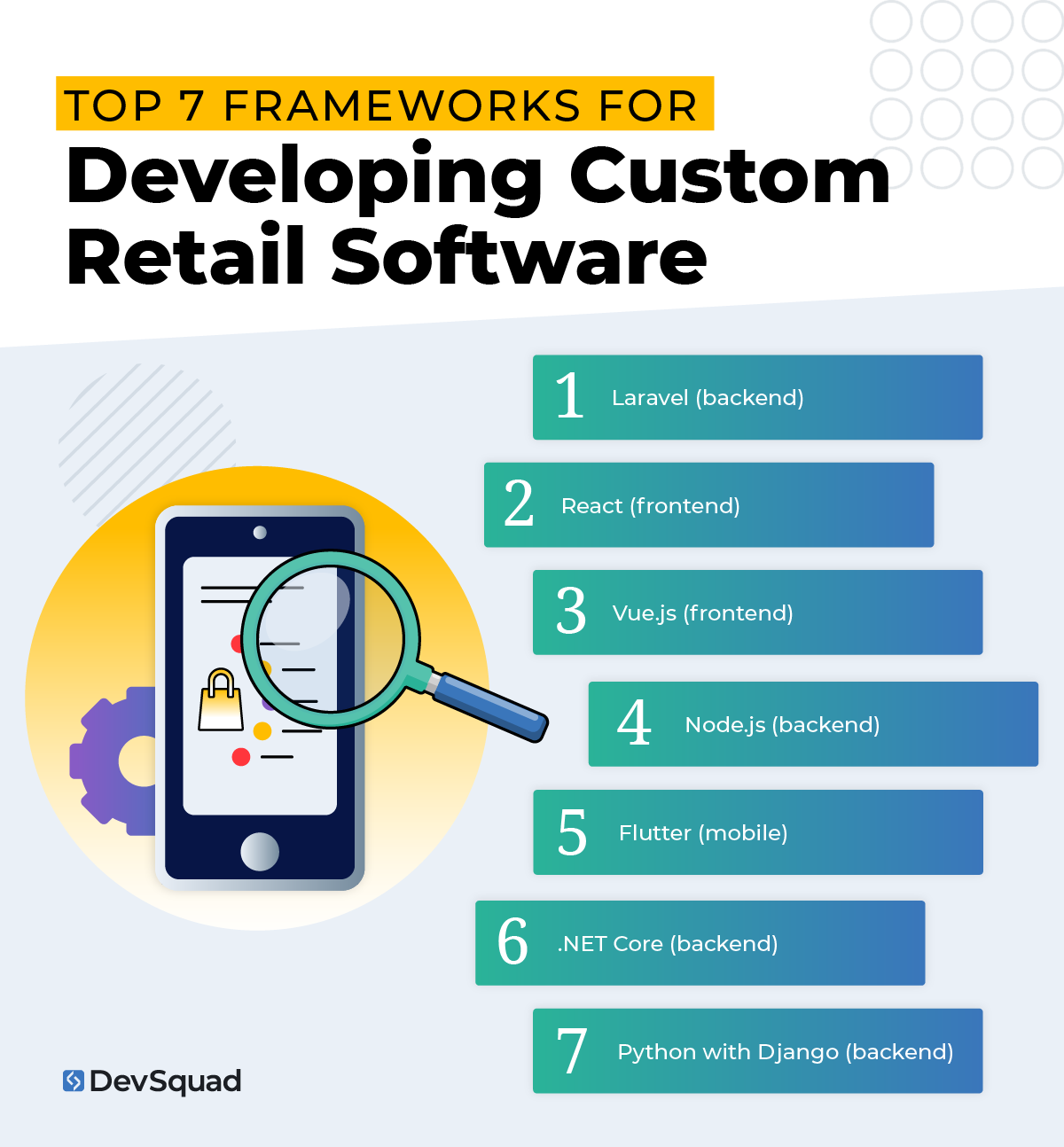
Here are some of the best tools used to build retail software, starting with our top pick.
1. Laravel (backend)
Laravel is one of the most reliable choices for building backend systems in retail. It’s fast to develop with, secure out of the box, and built to handle complex workflows like inventory tracking, scheduling, and multi-role access.
Why it works so well:
Clean syntax and a powerful ecosystem that speeds up development
Supports complex business logic and integrations with POS, ERP, or CRM systems
Security features like CSRF protection and authentication are built in
Tools like Eloquent ORM and job queues make it easier to maintain over time
Plays nicely with front-end frameworks like Vue or React
Laravel is especially strong when you’re building internal tools for store operations, vendor management, or regional oversight—and want something that will hold up long-term.
2. React (frontend)
React is often used to build user interfaces that feel fast and intuitive—whether it’s for a regional dashboard, mobile task screen, or real-time reporting tool. It’s flexible enough for complex apps, but fast enough for lightweight admin tools.
It’s a great fit when you want:
Dynamic, real-time interfaces
Cross-device consistency (desktop, tablet, or mobile browser)
Modular components that can be reused across your system
Easy integration with APIs or backends like Laravel or Node
React is especially useful for internal tools used by store managers or head office staff that need live data and high usability.
3. Vue.js (frontend)
Vue is a lighter alternative to React, and a good option if you want a modern interface without a ton of overhead. It’s quick to implement and works well for tools that don’t need constant real-time updates.
Why it’s a strong choice:
Small footprint and fast load times
Easier learning curve for mixed-skill teams
Great integration with Laravel out of the box
Perfect for building task lists, forms, and simple admin dashboards
If your users are working on shared terminals or older devices, Vue helps keep the experience smooth without weighing things down.
4. Node.js (backend)
When speed matters—especially for real-time features like order tracking, fulfillment status, or live inventory—Node.js is a strong backend option. It’s built on JavaScript and known for handling high volumes of requests without slowing down.
Good reasons to use it:
Real-time performance (great for fulfillment, logistics, or support tools)
One language across frontend and backend
Ideal for lightweight services and APIs
Scales well for fast-growing teams
Node is a great fit for connecting your retail systems and building services that need to stay in sync without delay.
5. Flutter (mobile)
If your retail software includes mobile apps for floor staff, warehouse teams, or field managers, Flutter lets you build for iOS and Android from a single codebase. It feels native, performs well, and shortens development time.
Why retail teams like it:
Smooth performance across devices
One codebase for both platforms
Easy to iterate on features
Supports offline mode when needed
Flutter is a good choice for internal tools like mobile checklists, inventory scanners, or manager dashboards.
6. .NET Core (backend)
.NET Core is a solid option for enterprise retailers—especially those already using Microsoft products. It’s reliable, scalable, and built for complex systems that need tight integration with existing infrastructure.
When to consider it:
Your team is already working in a Microsoft environment
You need long-term support and a high level of security
Windows-based server support is a must
Compliance or internal IT policies require a Microsoft stack
It may not be as fast to build with as Laravel or Node, but it’s rock-solid for complex enterprise rollouts.
7. Python with Django (backend)
Python isn’t always the first choice for transactional systems, but it shines when you’re working with a lot of data, like building reporting tools, forecasting models, or analytics dashboards for retail.
Where it fits best:
Data-heavy internal applications
Forecasting or trend analysis
Admin tools with strong reporting components
Prototyping new ideas quickly
Django gives you a structured backend framework, while Python gives you access to powerful data tools and libraries.
Top 5 agencies providing retail software development services
If you’re looking to build custom software for your retail operation, choosing the right development partner is critical. Not all agencies understand the operational complexity of retail, and very few offer a process built around real discovery, strategy, and long-term support.
Here’s a breakdown of five top agencies working in this space. We’ll start with DevSquad—because we don’t just build software, we help retail teams build better businesses.
1. DevSquad
DevSquad specializes in custom internal use software that solves real business problems. Retail clients choose DevSquad when off-the-shelf tools have hit their limit and they need something tailored to their operations—from inventory coordination to store-level task systems.
What makes DevSquad different is the strategy-first approach. Every engagement starts with deep discovery, process mapping, and clear prioritization. This eliminates waste and results in software that fits how teams actually work. DevSquad’s high-performing squads include product strategists, UX designers, experienced developers, QA, and DevOps—each focused on speed, clarity, and results.
You don’t just get code. You get a roadmap, working prototypes, and software that grows with your business.
2. CSW Solutions
CSW Solutions is a Microsoft Gold Partner with experience in custom enterprise software development, including retail-focused systems. They emphasize ERP integration, payment processing, and API-based data connections, offering support across operations like inventory management and retail software integration.
3. COAX Software
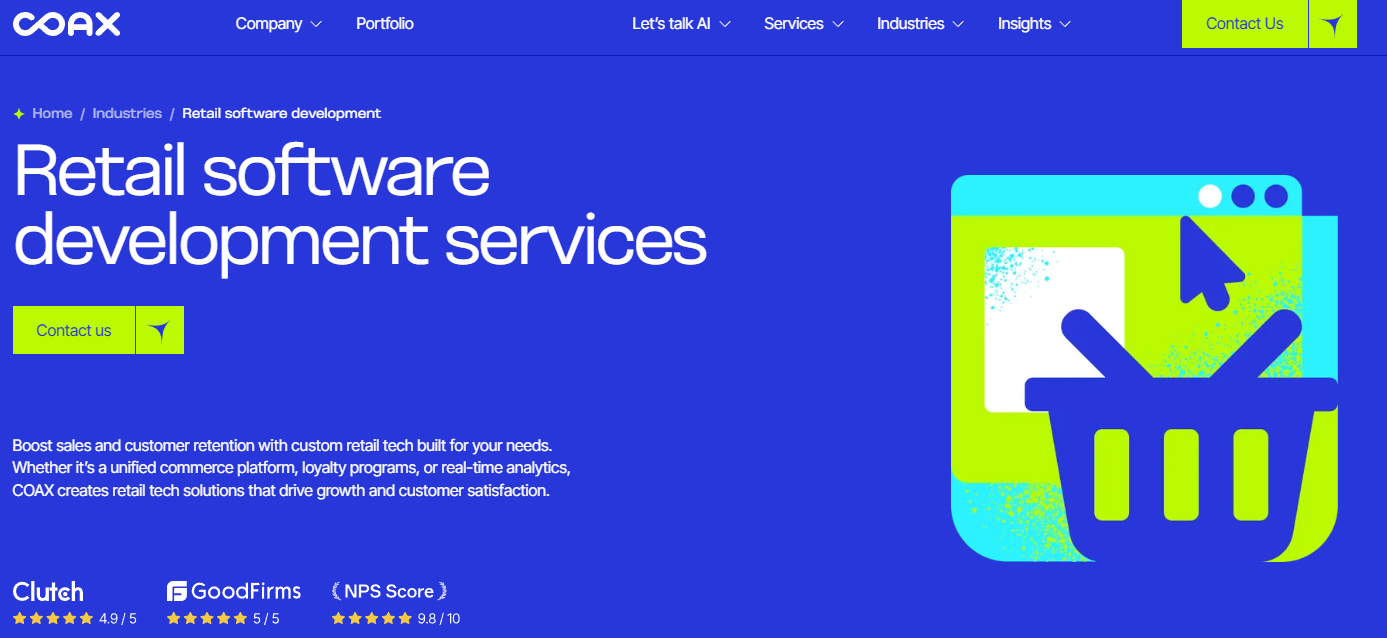
COAX develops a wide range of retail technology, with a focus on commerce platforms, CRM systems, POS tools, and inventory management. Their team works across web, mobile, and backend systems and offers a mix of discovery, design, and engineering services for retailers looking to digitize or expand their operations.
4. Intransition
Itransition has over two decades of experience in enterprise company software, including a dedicated practice around retail and ecommerce development. Their team supports both brick-and-mortar and hybrid retail models, offering services ranging from consulting and platform integrations to full custom builds and modernization projects.
5. EffectiveSoft
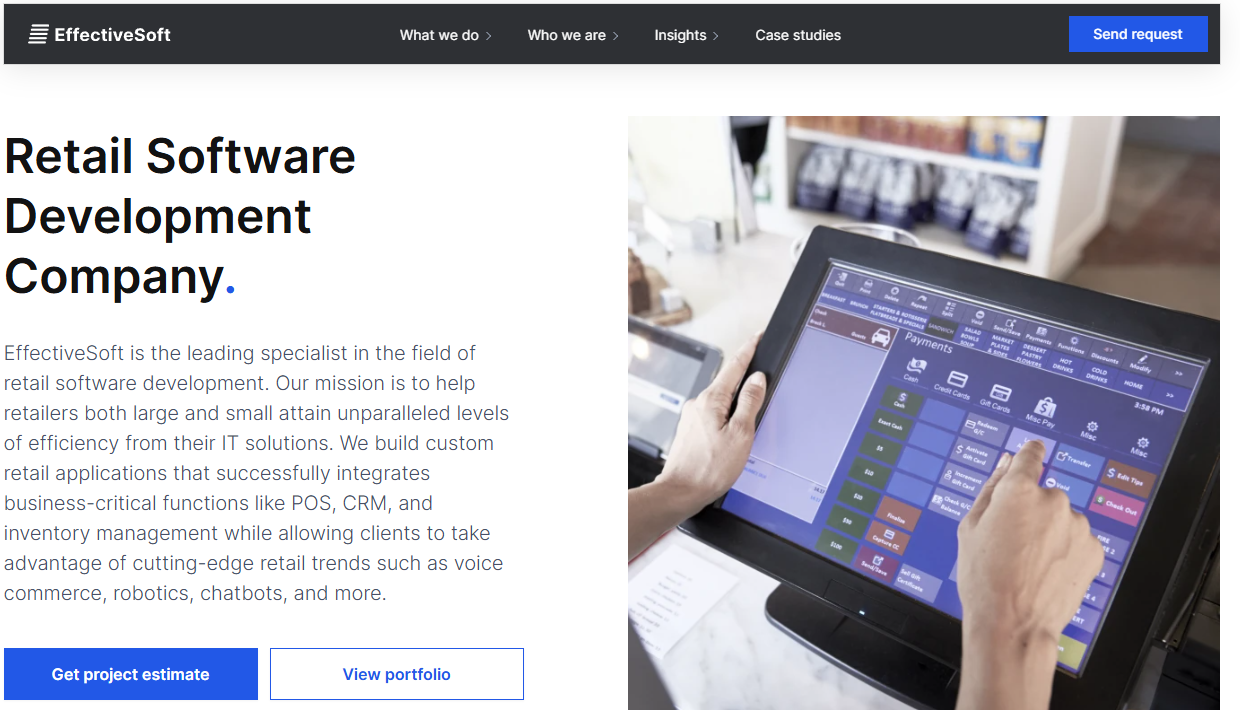
EffectiveSoft delivers retail software solutions for businesses ranging from enterprise chains to independent stores. Their capabilities cover everything from store management and POS integration to inventory, employee scheduling, and loyalty programs. They also support advanced technologies like indoor location tracking, AI, and voice commerce.
Ready for your own custom retail software solution? Learn more about our custom software development services.

Dayana Mayfield is a SaaS copywriter and content marketer specializing in SaaS marketing, positioning, and go-to-market strategy. She has consulted for over 195 SaaS companies, focusing on both traffic and conversions. She has been featured in Entrepreneur, Forbes, and Business Insider. Outside of work, Dayana writes SciFi novels and spends her evenings surviving auditions, rehearsals, and tech week as a proud theater mom.