
AI-ready data is business data that is accurate, consistent, connected across your systems, and available for the specific task you want AI to do. For most growing companies, the way to get there is to fix the data in the software where your team enters it, one workflow at a time. You don't need to start with a large cleanup project.
Here's a common example. You ask an AI assistant a simple question about a customer, and it gives you the wrong answer. When you check, your CRM, your billing system and a shared spreadsheet each have different details for that customer. The AI used the data it was given, and that data was inconsistent.
This guide explains what AI-ready data is, how to check whether yours is ready, and how to fix it where it's created. It includes three real projects from DevSquad clients. It's also a practical starting point if you're planning a broader data modernization project.
When a client tells me they want to add AI, I ask to see the screen where the data for that task gets entered. That screen is usually where the data problems begin.
What is AI-ready data?
AI-ready data is data that an AI system can use for a specific task without someone checking or correcting it first. It has five qualities:
Accurate: the values are correct and up to date.
Consistent: the same information is recorded the same way everywhere, including names, units and dates.
Connected: each customer, order or product has the same ID in every system, so its records can be matched.
Accessible: software can retrieve the data automatically, for example through an API (a connection that lets one system request data from another), without someone copying it by hand.
Governed: you control who can see the data and what it can be used for, and you can trace where it came from.
Clean data meets some of these standards, but not all of them. Gartner's guide to AI-ready data states that data judged high quality by traditional standards doesn't automatically qualify as AI-ready, because readiness depends on what the AI will do with it.
For example, a customer list with no errors can still be unusable for drafting quotes if the order history is stored in a different system. That's why you should judge your data against one specific task. The data you need to draft quotes is different from the data you need to answer support tickets.
Why AI projects stall on data spread across systems
AI projects stall on data spread across systems because no single system has the complete, correct version of the information the AI needs. For example, your customer details might sit in a CRM, your orders in an ERP and your notes in email. When those systems disagree, nobody knows which version is right.
In a 2026 study by Cloudera and Harvard Business Review Analytic Services, 56% of respondents named siloed data and difficulty integrating data sources as their top obstacle to preparing data for AI.
Gartner predicted in 2025 that through 2026, organizations will abandon 60% of AI projects that aren't supported by AI-ready data.
Disconnected data causes bigger problems for AI than for reports. When you see two reports that disagree, you notice and ask which one is right. An AI system doesn't stop to ask. It uses whatever data it receives and builds its answer from that.
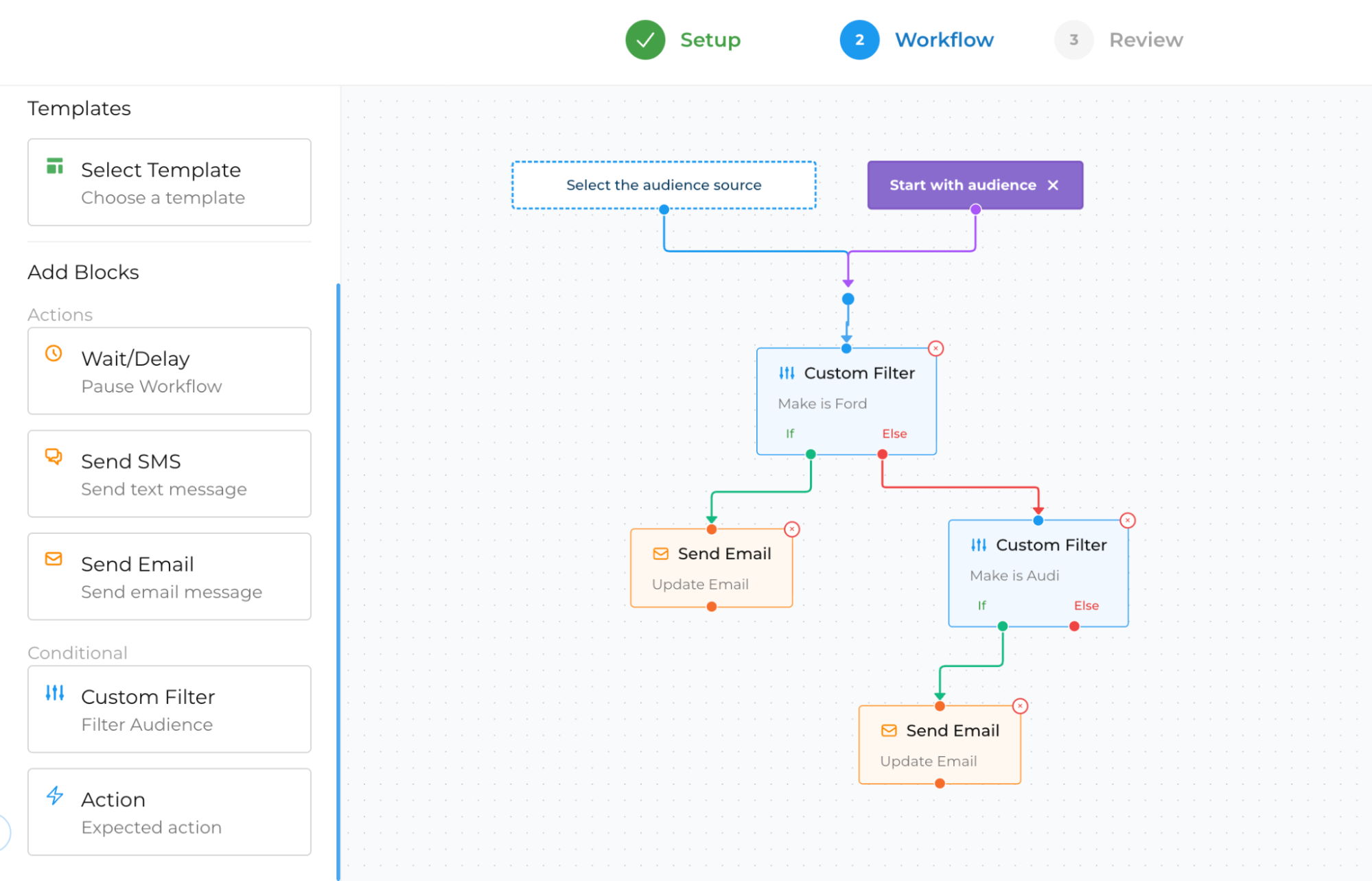
HiBeam, a marketing agency for auto repair shops, had this problem. Its founder kept marketing data in one system and appointment data in another, with no way to compare them. He could see campaign results and shop results, but not side by side, so he couldn't tell which campaigns brought customers in. DevSquad built a platform that shows marketing history, appointments, repair orders and messages on one customer record.
How do you know if your data is ready for AI?
Your data is ready for AI when you can choose one specific task and confirm that the data it needs is correct, matches across systems and can be reached by software. Don't try to measure data readiness for AI across your whole company at once. Gartner says data can't be made AI-ready in general or in advance, because readiness depends on how the data will be used.
To run an AI data readiness check, choose one workflow, such as creating quotes or answering questions about order status.
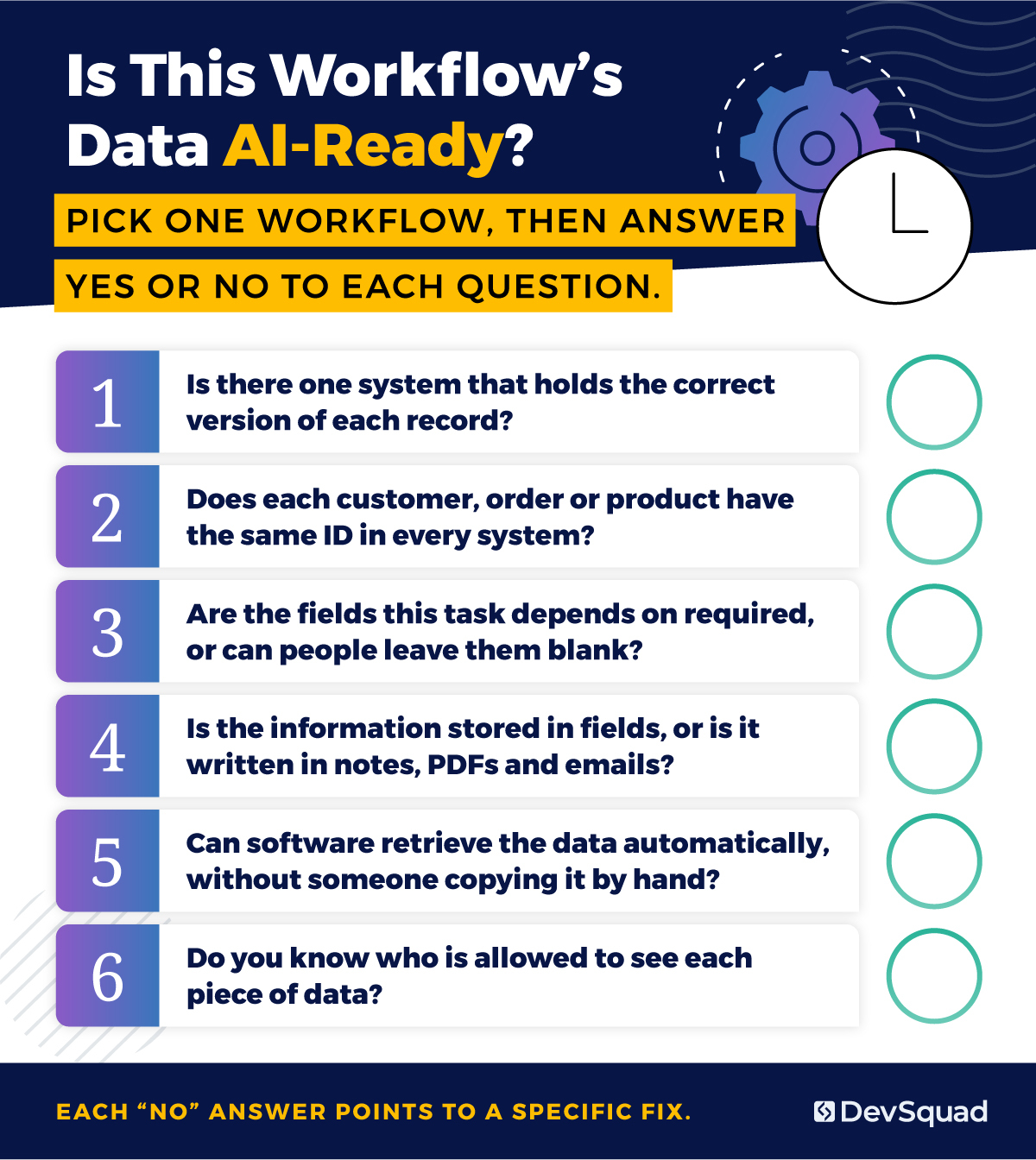
Then answer these six questions for that workflow:
Is there one system that holds the correct version of each record? (This is often called the system of record.)
Does each customer, order or product have the same ID in every system?
Are the fields this task depends on required, or can people leave them blank?
Is the information stored in fields, or is it written in notes, PDFs and emails?
Can software retrieve the data automatically, without someone copying it by hand?
Do you know who is allowed to see each piece of data?
Each "no" answer points to a specific fix. Together, those answers become your to-do list for that workflow.
How to make data AI-ready, one workflow at a time
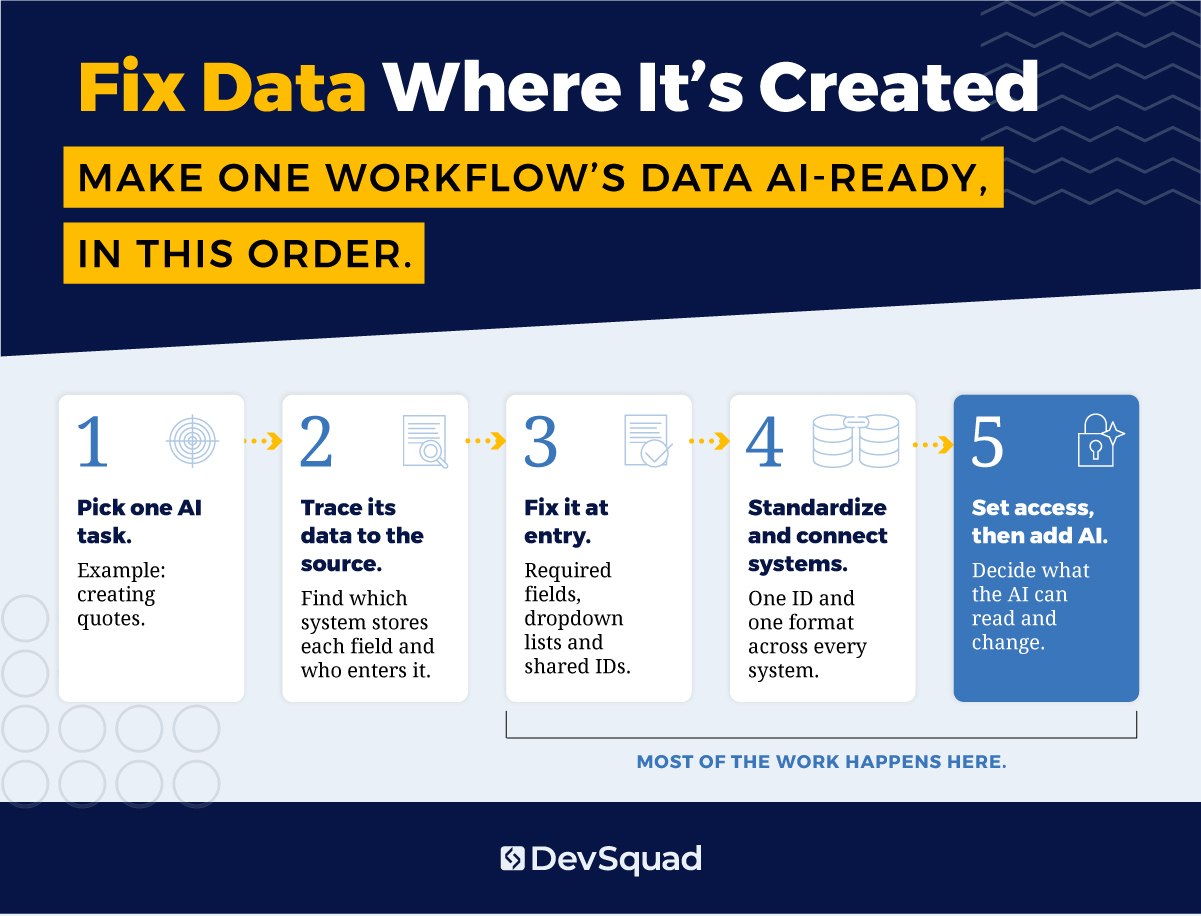
You make data AI-ready by fixing it where it's created, one AI task at a time. Start by choosing the task. Then trace each piece of data it needs back to the place where someone enters it, and fix the problems there before you connect systems.
Typical AI data preparation cleans records after mistakes have built up. Fixing the source stops new mistakes from being created. The steps below show how to make data ready for AI in the order the work should happen.
Start with one AI use case and trace its data
Choose one task you want AI to help with, such as creating quotes. List every piece of data that task needs. For each one, write down which system stores it and who enters it.
This keeps the project small enough to finish. It also shows you which systems matter for this task, so you don't spend time fixing data the task doesn't use.
"I now prioritize features where AI adds real value, like automation or insights. I also think more about data quality and model feasibility early in the planning process." — Vitor Carnello, Product Manager, DevSquad
Fix data at the point of entry
Many data problems start because the software allows them. A free-text field lets one person type "Acme Inc." and another type "ACME." An optional field gets left blank when someone is busy. Nothing stops a person from creating a second record for a customer who already exists.
Fix these problems in the forms where people enter data:
Make a field required if the AI task depends on it.
Replace free text with a dropdown list when the answers come from a fixed set of options.
Add validation rules (checks that reject entries in the wrong format) for phone numbers, dates and units.
Check for an existing record before the system creates a new one.
I'd rather add one required field to a form than keep running a cleanup script. A script only corrects records that already exist, while a required field prevents the same error in every new record.
If your current software can't enforce rules like these, that's a strong sign the workflow needs a better tool.
Standardize and connect records across systems
After new data is entered correctly, update the records you already have. Give each customer, order or product one ID that every system uses. Choose one format for names, units and dates, and apply it everywhere.
HiBeam's platform shows why this matters. The point-of-sale systems that auto repair shops use let staff type anything into the vehicle make field, so the same make arrives with different spellings, such as "BMW" and "BMW Group." HiBeam standardizes those entries and writes the corrected value back to the original system. Without that step, a report or an AI tool would treat one vehicle make as two.
Connect what you can't move
Some data is better left where it is. Moving years of history out of an older system can be risky or expensive, and your AI task may need only part of it. In that case, connect the new system to the old one through an API and retrieve only the records the task needs.
The DevSquad guide to data migration strategy covers how to decide what to move, what to archive and what to leave in place. For ways to link older systems with newer ones, see how to integrate legacy systems.
Control who and what can access the data
An AI tool can read far more data, far faster, than a person can, so access rules matter more once AI is involved. Decide which roles can see each section of a record. Give the AI tool its own permissions instead of letting it use a person's login. Then decide what it can only read and what, if anything, it can change.
Keep a log of where each record came from and when it changed. If the AI gives a wrong answer, the log lets you find the record that caused it. You don't need a dedicated data team for this. Roles, permissions for each section of a record and a change log are enough to start.
How AI uses unstructured data
AI uses unstructured data, such as PDFs, emails, scanned documents and notes, by first extracting the important facts into fields that a system can search and check. Unstructured data is information that isn't stored in database fields. AI can read this kind of text, but your workflow can only rely on it after those facts are stored in a consistent format. Contracts, inspection reports, work notes and invoices often contain the exact details an AI task needs.
This information is often hard to find and use. In a 2026 BARC study, 70% of respondents said less than half of their unstructured data is discoverable and usable for analytics or AI. Only 29% said they fully know where their AI-relevant unstructured data is stored.
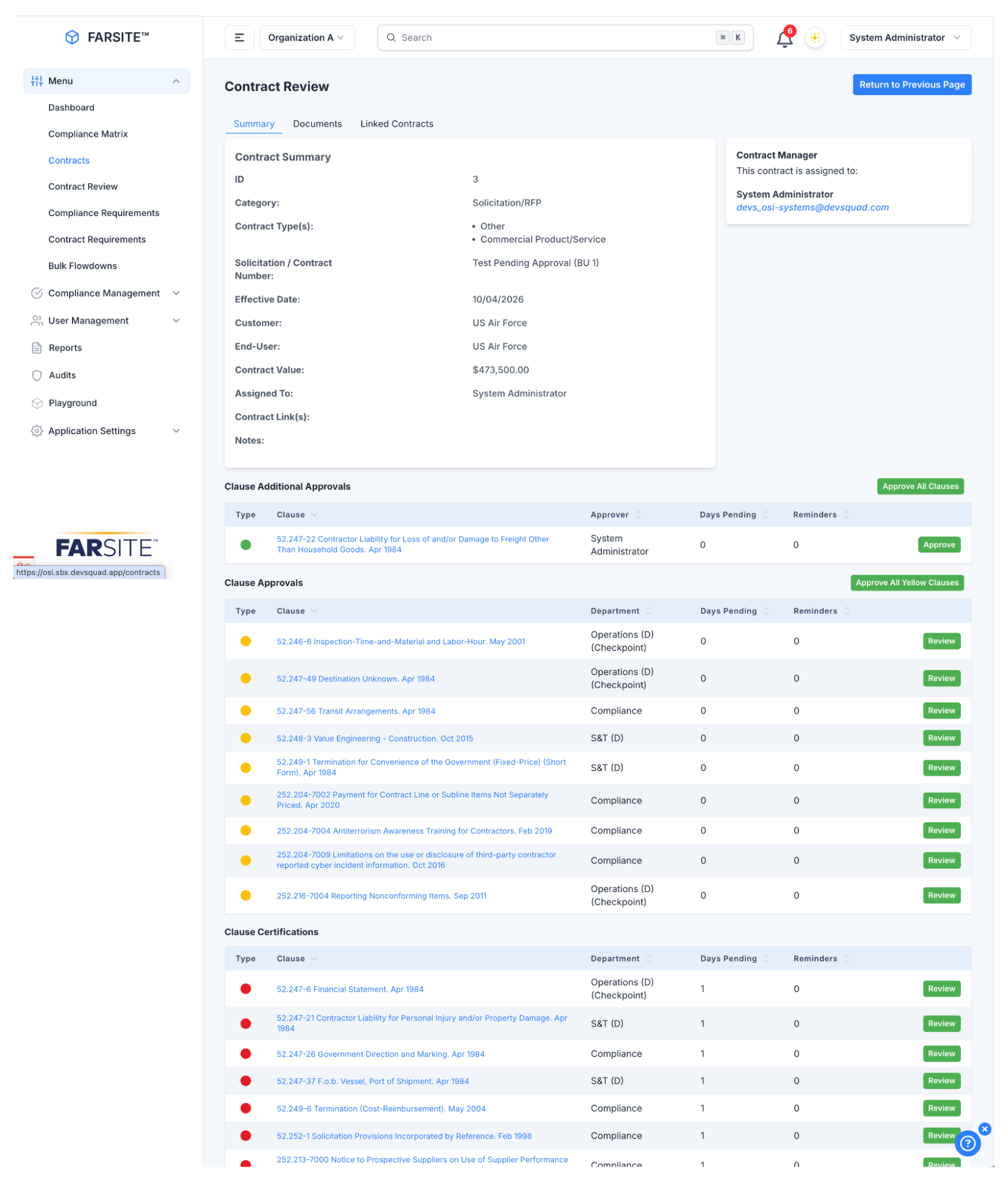
OSI Systems makes electronic systems for homeland security, healthcare, defense and aerospace. Before its build with DevSquad, federal contract compliance depended on attorneys who knew the rules, and contracts moved around as PDF files. DevSquad built FarSite, a compliance platform that pulls the relevant clauses out of an uploaded contract PDF and skips any clauses already on file. It also uses text recognition (software that turns an image of text into readable text) on scanned documents, so a contract that exists only as an image can still be processed. After each upload, the platform reports what it imported, what it couldn't find and how many pages it read. That report tells staff exactly what to check by hand.
What AI can do once your data is ready
Once your data is ready, AI can work from records you trust. For example, it can draft a document using data that's already in your system, and a person only needs to review the draft instead of rewriting it.
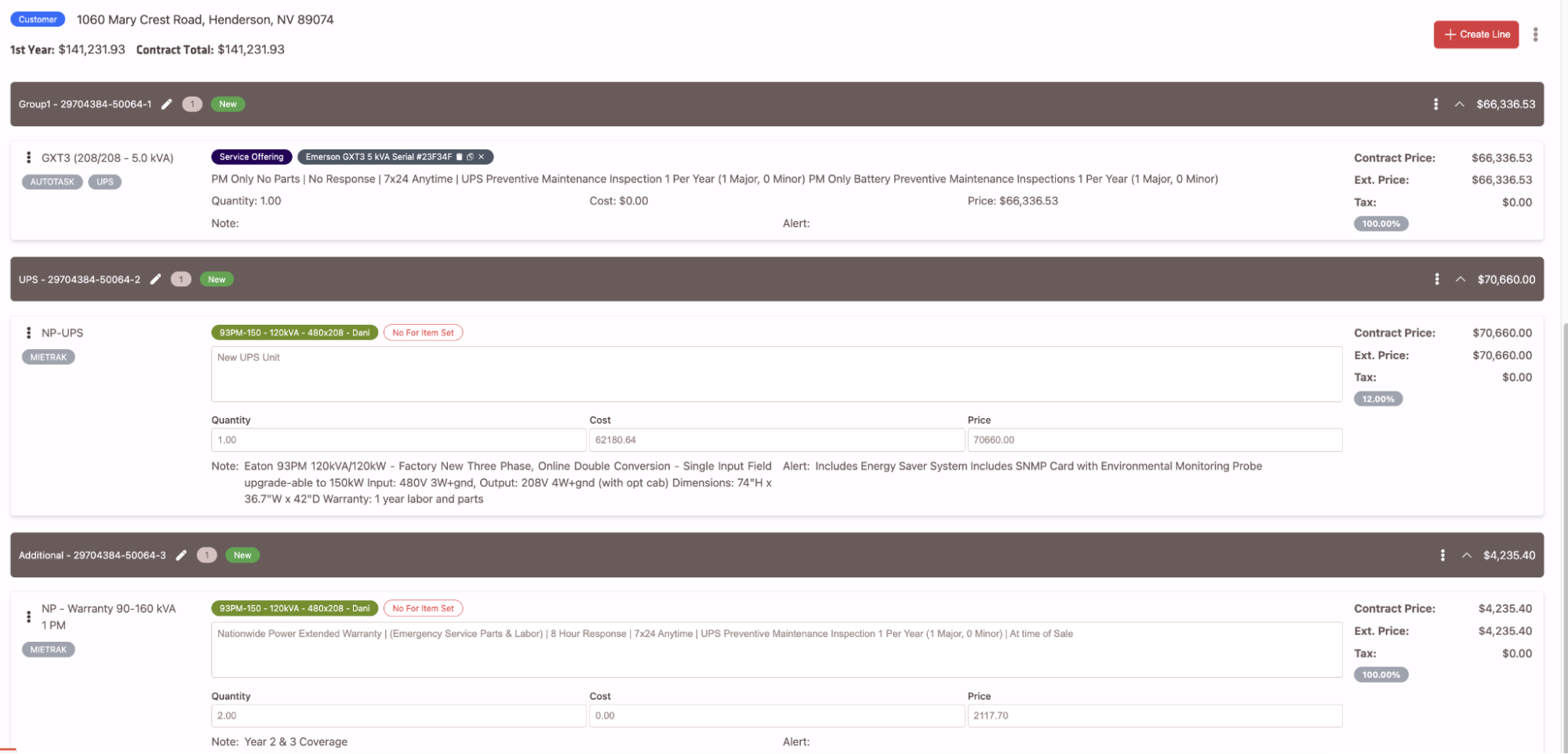
Nationwide Power sells and maintains battery systems that keep large energy sites running across the US. It used to track its work in spreadsheets, printed PDFs and an older software platform. DevSquad moved its operations into one custom system, so quotes and past agreements are now stored together. AI uses the details in a quote and the agreements already in the system to assemble a draft contract. The salesperson then adjusts the contract by selecting or removing terms. Contract creation went from roughly a week to about an hour.
AI can help with smaller tasks too. HiBeam's platform, for example, uses AI to help draft replies to customer reviews.
When the data for a workflow is ready, you can also consider AI agent development. An AI agent can complete steps in a workflow, such as updating a record or sending a follow-up message, using the same trusted data.
When does AI-ready data need custom software?
AI-ready data needs custom software when your current tools can't capture, match or share the data an AI task needs. Watch for these signs:
A spreadsheet is the main record for an important workflow.
Two or more subscriptions each hold part of the same customer's or order's information.
A vendor charges you for every data request, or won't give you full access to your own data.
Your workflow is so specific that no off-the-shelf product records it correctly.
If you can set up your current tools to require fields, use dropdown lists and share IDs, start there. If you can't, a custom software build or a focused internal tool lets you control how data is recorded from the first field.
I'm replacing several SaaS tools on my own team with one internal tool right now. For me, the biggest change is control: I now decide exactly how our data is structured.
Before DevSquad builds anything, its Sprint Zero process maps the workflow and the data behind it.
If AI projects keep stalling because your data is spread across systems, DevSquad's data modernization team can help you choose the first workflow to fix.
AI-ready data FAQs
Clean data is one part of AI-ready data, but it isn't enough by itself. Clean data has no errors or duplicates. AI-ready data must also be connected across systems, reachable by software and suited to the task you want AI to do. A customer list with no errors can still fail if the order history the AI needs is stored in another system.
The timeline depends on how much you try to fix at once. Making one workflow's data AI-ready has a clear finish line, because you only fix the data that one task needs. An effort to make all of your company's data AI-ready at once has no clear end point, so it tends to drag on. Start with one workflow, get it working, and then repeat the process for the next one.
Usually not for your first AI task. A data warehouse is a central database that combines large amounts of data for analysis. Many AI tasks in a growing company don't need one, because the data can be entered correctly, matched across systems and retrieved through an API. Base the decision on what your first AI task requires, not on what a large company's data team would build.
Analytics-ready data supports reports that people read and interpret. If a number looks wrong, the person reading the report can question it. AI-ready data has to be reliable enough for a system to act on directly, without a person checking first. Gaps or inconsistencies that a person would have caught go straight into the AI's output, so AI-ready data needs stricter checks.
AI agents can't reliably fix messy data on their own. In the 2026 Cloudera and Harvard Business Review Analytic Services study, 47% of respondents said their organization believes agentic AI (AI that can take actions on its own) can solve its data quality issues. AI can help find duplicates and suggest corrections. However, an agent that works from conflicting records will make decisions based on those conflicts. Fix data entry first, and then use AI to help clean up the remaining problems.

Rafael Lunardelli is the CTO at DevSquad and founder of Pinguim Academy. With nearly two decades in software development, he specializes in scalable systems, DevOps, QA, and modern PHP development. Rafael has led enterprise projects at KPMG and now teaches thousands of developers through his Laravel-focused courses, conference talks, and online content.