
Are your teams tired of working around rigid software tools? Does your tech stack (and cost) keep expanding to meet your dynamic workflows? If you are here then the answer is most likely yes.
Your buyers make decisions while the job is running. Your draws release on a lender's schedule rather than yours, and your warranty work starts the day you hand over the keys.
Custom home builder software replaces disconnected CRMs, spreadsheets, and generic construction apps with one platform built around how you actually sell and build homes. Custom solutions establish workflows for estimating, contractor scheduling, project management, and home builder CRM that match your communities, options, and standards.
In this guide, you will see when custom home builder software makes sense, what to include, how discovery works, which frameworks to use, plus which agencies can help you build it. If you run commercial or trade work instead, start with our guide to custom construction software development.
What is custom home builder software?
Custom home builder software is a tailored digital system that supports how your building company actually works, instead of forcing your team to fit into a generic construction tool. It brings estimating, project management, scheduling, communication, and client tracking into one platform that is built around your processes, neighborhoods, and product types.
Residential building differs from commercial work in one structural way. Your buyer sits inside the process, choosing finishes and approving changes while the crew is still framing. A commercial client reviews milestones and signs off between them.
Where off-the-shelf construction management software is designed for “all of construction,” custom home builder software is designed around:
The way you sell and price semi-custom or fully custom homes
The way your superintendents and project managers schedule trades and inspections
The way your buyers make design selections and approve change orders
The way your back office tracks budgets, purchase orders, and draws
In practice, a custom platform often combines capabilities you might otherwise try to patch together with separate tools, including:
Builder management systems for overseeing communities, lots, plans, and elevations
Contractor scheduling software for coordinating trades and inspections across multiple jobs
Project management software for tracking tasks, milestones, and critical path
Home builder CRM software or a custom construction CRM for managing leads, buyers, and realtor relationships
Estimating software for home builders for creating and updating cost-accurate bids and budgets
Construction management software for overseeing jobs from contract to warranty
Because it is custom built, the software can mirror your terminology, approval steps, and integrations with accounting, BIM, takeoff tools, or ERP. That is very different from trying to bend a generic system to support complex option pricing, community-specific standards, or lender documentation.
For most builders, the goal is not just “having software.” The goal is to:
Reduce mistakes in selections, change orders, and budgets
Shorten cycle times without burning out field teams
Give sales, office, and field staff a single source of truth
Provide a modern experience to buyers who expect online access to their home and paperwork
Custom home builder software is the backbone that supports those outcomes by aligning technology with your real-world workflows, rather than asking your team to rework how they build in order to match the limitations of a prebuilt tool.
Top reasons home builders invest in custom software
Before you evaluate vendors or platforms, it helps to be clear on why custom home builder software might be worth the investment. The value is less about having a shiny product and more about how well it supports the way your teams sell, build, and manage every home.
Here are eight reasons home builders invest in custom software.
Align with your exact workflows: Custom home builder software lets you design processes, fields, and approvals around how your teams really sell, estimate, and build, instead of forcing everyone into generic project management software.
Unify everything in one builder management system: A tailored platform brings jobs, communities, lots, trades, and buyers into a single source of truth, turning fragmented tools into a cohesive builder management system.
Improve scheduling and reduce chaos in the field: Purpose-built contractor scheduling software coordinates trades, inspections, and dependencies in a way that matches your regions, crews, and typical build calendars.
Give buyers a modern, connected CRM experience: A custom construction CRM or home builder CRM software can link contacts directly to selections, change orders, and milestones so your sales and operations teams always see the same information.
Protect margins with accurate estimating: Custom estimating software for home builders uses your cost codes, options, and vendor rules so estimates, budgets, and purchase orders stay aligned from contract through close.
Tighten control with integrated construction management software: When your construction management software is custom built, it can integrate cleanly with accounting, field apps, and dashboards instead of relying on brittle, one-size-fits-all connectors.
Create a competitive advantage others cannot buy off the shelf: Custom home builder software and builder management systems tuned to your business become part of your differentiation, not a commodity tool your competitors can license tomorrow.
Affordability of custom builds: With AI assisted development, businesses can build software more affordably than ever and spend less than they do for subscriptions.
The workflows only residential builders have
Your buyer picks tile in month four and asks about a change order in month five. A commercial client reviews the job at milestones and stays out of it in between. That difference produces five workflows generic construction software handles badly.
Selections and options. Every upgrade moves the price and the schedule.
Draw schedules. Your lender decides when money moves.
Buyer portals. Buyers check their home's status without calling you.
Warranty and punch lists. The work keeps going after closing.
Lot and land tracking. Communities, lots, plans, and elevations are inventory.
DevSquad has built two of them.
Coastal Pools sold six-figure projects from a printed budget and a salesperson doing arithmetic in front of the customer. DevSquad replaced that with an in-showroom app in three months. Customers now scan the samples themselves and watch each choice move against the budget they approved.
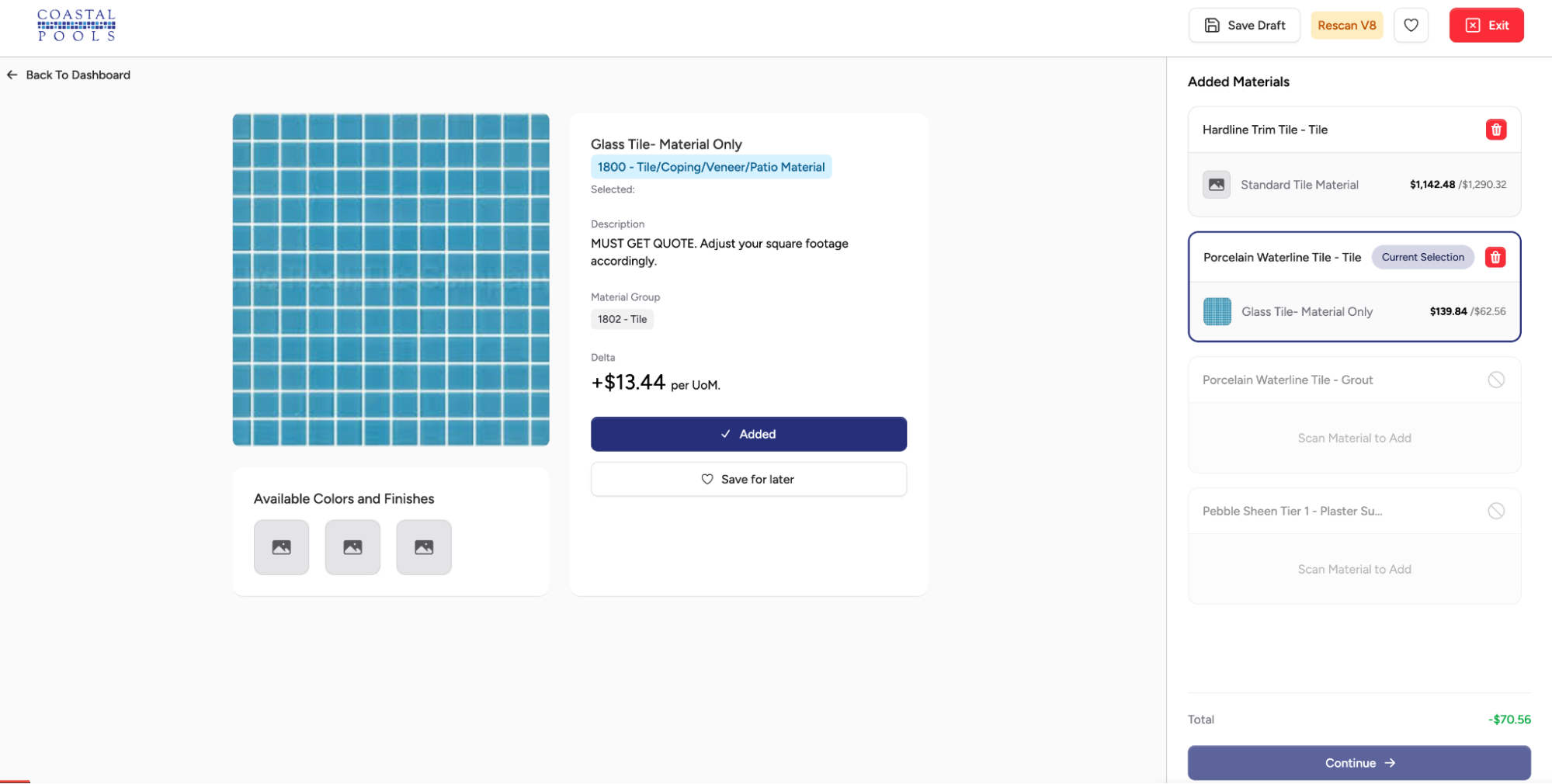
"You take human error out of the equation. If a customer picks a material above the tier they already approved, someone has to work out the difference and explain it on the spot. Software runs that calculation the same way every time and shows the customer exactly how far they have moved from the budget they signed off on." — Antônio Salla, Product Manager, DevSquad
Creative Cabinets and Fine Finishes ran about 75 remodels at once, each one on a spreadsheet anyone could edit. DevSquad built a specification form that generates its own questions from the trades selected on the job. Add countertops, and it raises the plumbing disconnect. No job reaches the measuring stage until every required answer is filled in.
Two more builds illustrate the remaining items on our list of workflows. Transparent Maintenance runs service work orders with photo evidence attached to each job. Crew 360 puts schedules and jobsite photos on the crew's phones.
None of these four builds started with a feature list. Each one started with the process, which is the subject of the discovery section below.
Common software use cases for supporting home builders
Custom home builder software is not just “a portal” or “a CRM.” It is usually a set of tightly connected workflows that support the full lifecycle of a build, from first inquiry through warranty. Below are common categories of use cases, broken out so you can see where construction software development can have the biggest impact.
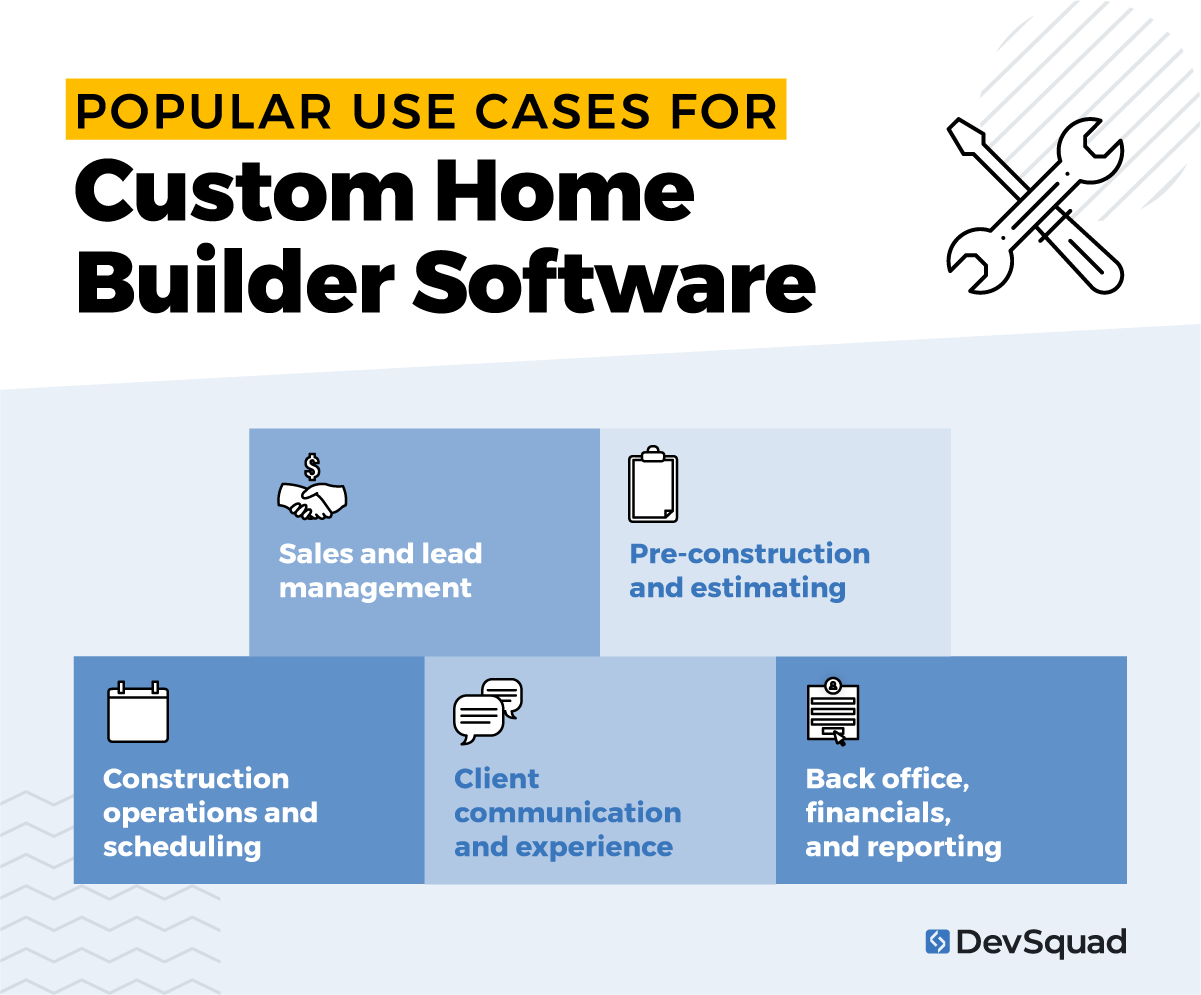
Sales and lead management
A strong front end of the system often centers on a custom construction CRM or home builder CRM software. This is where your team captures leads, qualifies prospects, tracks realtor relationships, and connects sales activity directly to communities, lots, and plans.
Centralized lead and prospect tracking
Automated follow-up tasks for sales teams
Realtor relationship and referral tracking
Online registration for model homes and events
Pre-construction and estimating
Before construction starts, estimating software for home builders and configuration workflows help your team price homes accurately and communicate that pricing clearly to buyers. This is where you connect plans, options, upgrades, and vendor pricing into a consistent process.
Lot, plan, and elevation configuration
Option and upgrade pricing management
Digital proposal and contract generation
Centralized estimating database for vendors and trades
Construction operations and scheduling
Once a job is set, construction management software and contractor scheduling software support the day to day work of building. These use cases are often at the core of builder management systems and project management software for the field.
Master construction schedules by community and lot
Trade scheduling and rescheduling automation
Jobsite task tracking and punch lists
Inspection and compliance tracking
Client communication and experience
Home buyers expect transparency, simple communication, and digital access. Custom home builder software often includes buyer-facing tools that connect directly to your internal data, instead of relying on separate portals that get out of sync.
Buyer portal for selections and approvals
Online change order requests and approvals
Build status updates and milestone notifications
Back office, financials, and reporting
Behind the scenes, construction management software ties together budgets, costs, draws, and reporting. This is where leadership gets visibility across all communities and projects, and where builder management systems integrate with accounting and ERP.
Budget versus actual cost tracking
Draw schedule and lender documentation management
Integration with accounting and ERP systems
Executive dashboards and performance reporting
7-step discovery process for custom home builder software development
Discovery is where custom home builder software either sets you up for long-term success or bakes in the same problems you already have. For builders, this phase has to reflect how you actually sell, estimate, build, and close, not a generic view of construction.
Here is a straightforward 7 step discovery process that works well for construction software development in this space.
Step 1. Stakeholder alignment and goals
Discovery starts by getting the right people in the room and agreeing on outcomes. For a typical builder, that usually includes ownership, operations, sales, estimating, superintendents, warranty, and accounting.
In this step, the team defines:
Business goals for the custom home builder software
Pain points with current tools or builder management systems
Clear success metrics and constraints
Step 2. Process mapping across the full build lifecycle
Next, the team documents how work actually flows today, from first inquiry through warranty. The focus is on what happens in the field and office, not what is written in a policy manual.
This often includes:
Lead capture, follow-up, and sales workflows in your current CRM
Estimating, options, and contract creation
Construction scheduling and use of project management software
Variance, change order, and budget control
Closing steps, warranty, and service requests
Step 3. Use case and requirement definition
Once the workflows are clear, they are translated into concrete use cases. For custom home builder software, this user-centered design usually means separate sets of use cases for:
A custom construction CRM or home builder CRM software
Estimating software for home builders
Construction management software and contractor scheduling software
Each use case then becomes user stories and functional requirements that guide design and development.
Step 4. Data model and integration planning
With use cases in place, discovery moves into data and integrations. The team identifies the core records the system needs to manage and how they relate to each other.
Typical decisions in this step:
Defining entities such as communities, lots, plans, options, trades, buyers, and budgets
Understanding how existing systems structure and store those records
Deciding where integrations are required with accounting, ERP, and field tools
This is where you design how new builder management systems will share and sync data across your stack.
Step 5. UX and workflow design
At this point, the focus shifts to how people will actually use the system day to day. The goal is to keep complex construction workflows straightforward for busy teams.
This usually includes:
Wireframes for key screens like schedules, selections, and dashboards
Workflow diagrams for approvals, notifications, and handoffs
Role-based views for sales, construction managers, superintendents, and executives
Here, your discovery team validates that construction management software and CRM flows match how your staff thinks and talks about the work.
Step 6. Prioritization and phased roadmap
Not everything belongs in version one. This step is about sequencing features so you can deliver value quickly and still support long-term goals.
The roadmap defines:
Must-have features for an initial release
High-impact enhancements for follow-up phases
Technical groundwork that future modules will build on
This roadmap keeps the construction software development effort focused while still planning for ongoing improvements to CRM, estimating, and project management software.
Step 7. Validation with real users and final sign-off
Before development starts, the proposed workflows, high-fidelity prototypes, and roadmap are reviewed with real users across departments. The goal is to catch gaps early, not after launch.
In this step, the team:
Walks through day-in-the-life scenarios with sales, field, and back office teams
Confirms terminology, approval paths, and responsibilities
Adjusts requirements where real-world feedback exposes missing steps
Once stakeholders sign off, you have a shared, practical blueprint for custom home builder software that supports daily operations.
Common software features that support builder management systems
When you look at custom home builder software, you are really talking about a set of builder management systems that work together: sales, estimating, scheduling, construction management software, and financials. The features below are the ones most builders expect to see in a modern platform built through focused construction software development.
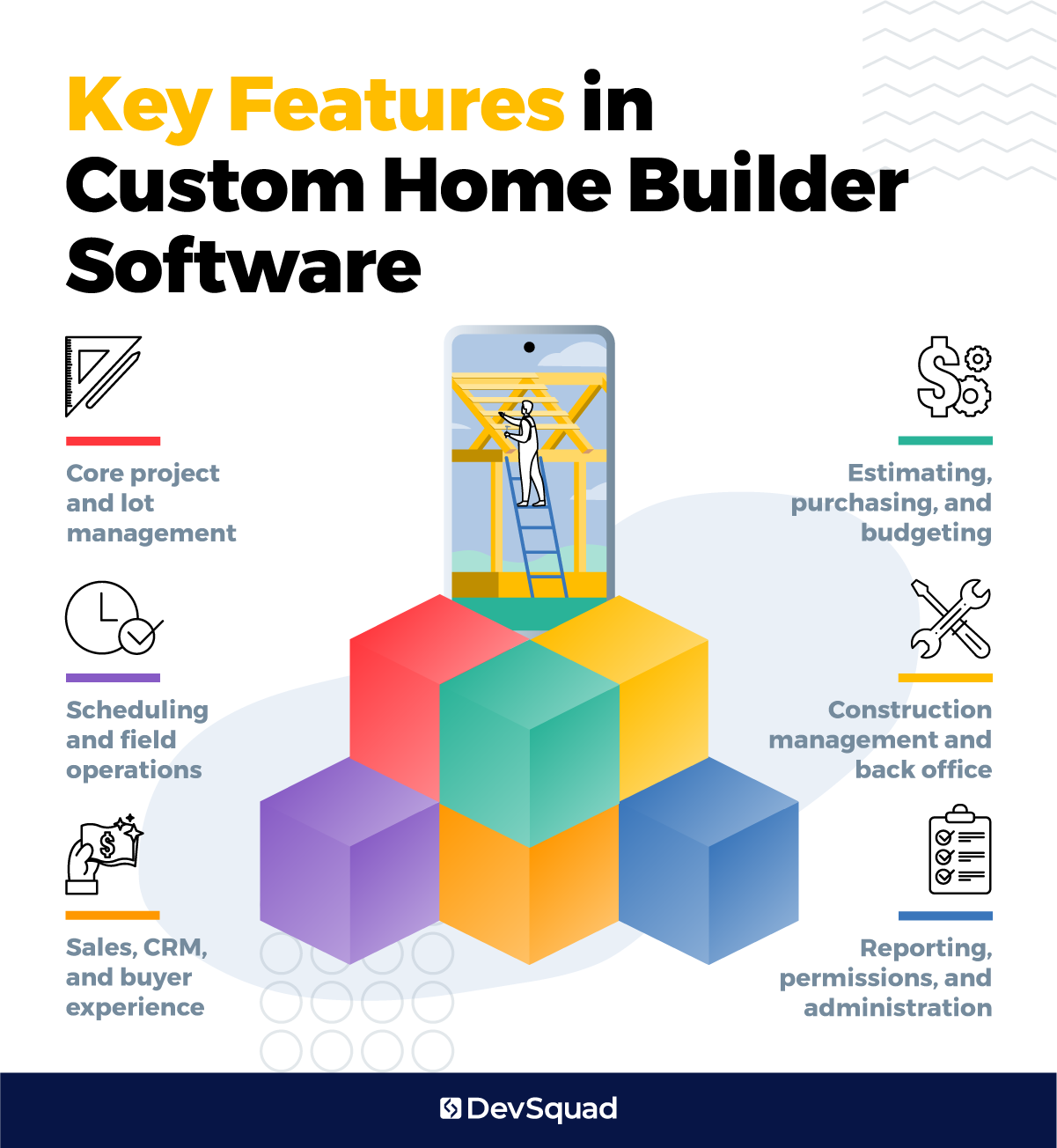
Core project and lot management
These features sit at the center of the system and tie everything else together.
Community and lot inventory management
Plan, elevation, and option libraries
Project templates for common build types
Job creation from approved contracts
Status tracking for each lot from lead to warranty
Address, permit, and utility information on each job
Scheduling and field operations
This is where contractor scheduling software and project management software support day-to-day work in the field.
Master construction schedules by community and lot
Trade scheduling, rescheduling, and capacity views
Task lists for superintendents and field teams
Mobile access to schedules, drawings, and documents
Jobsite photo capture and progress tracking
Punch list and deficiency management
Inspection and compliance tracking
Daily logs and notes tied to each job
Sales, CRM, and buyer experience
On the front end, a custom construction CRM or home builder CRM software connects sales activities directly to lots and builds.
Lead and prospect tracking with source attribution
Pipeline views and sales forecasting
Buyer record tied to community, lot, and plan
Online or in-office selection workflows
Change order initiation from the sales side
E-signatures for contracts and change orders
Buyer portal for status updates and documents
Communication history across email, calls, and meetings
Estimating, purchasing, and budgeting
Estimating software for home builders supports margin control and purchasing accuracy.
Central item and cost code catalog
Template estimates for standard plans and options
Vendor and trade pricing management
Automated estimate generation from configured homes
Budget creation and revision control for each job
Purchase order creation from approved budgets
Budget versus actual cost tracking at job and category level
Variance management and approval workflows
Construction management and back office
Construction management software needs to support both field execution and office control.
Central job overview pages with key metrics
RFI tracking and resolution
Change order workflows tied to schedule and budget impact
Document storage for permits, plans, and specs
Draw schedule management and lender documentation
Integration points for accounting and ERP systems
Warranty claim intake and tracking
Service work orders and scheduling for warranty teams
Reporting, permissions, and administration
Finally, builder management systems need a solid administrative layer so leaders can manage risk and performance.
Executive dashboards for starts, closings, and backlog
Margin, cost, and variance reports by community and lot
Cycle time reporting and bottleneck analysis
Trade performance and reliability reporting
Role-based permissions for sales, field, and back office
Audit trails for key approvals and data changes
Configuration settings for communities, options, and fees
These feature groups give you a practical checklist as you plan construction software development. You can decide what belongs in your initial release and what can wait for later phases, while still aiming for a connected platform that supports the full lifecycle of every build.
5 best frameworks for developing custom home builder software
Technology choices should support your business model, not the other way around. Here are five frameworks that work well for construction software development, especially for custom home builder software and builder management systems.
Laravel (PHP): Laravel is a modern PHP framework focused on rapid development of complex business applications. It is a strong fit for custom home builder software because it makes it straightforward to model entities like lots, communities, options, trades, and budgets, plus it has a mature ecosystem for authentication, APIs, and integrations that construction management software often needs.
ASP.NET Core (.NET): ASP.NET Core is a Microsoft framework for building high-performance, enterprise-grade web applications and APIs. It is a good choice when your organization is already on Microsoft stacks, needs tight integration with existing ERP or accounting, and wants a robust foundation for long-lived project management software and internal platforms.
Node.js with NestJS: NestJS is a Node.js framework that brings structure and convention to backend development. It works well for scalable builder management systems that require real-time updates for schedules, contractor scheduling software, and integrations with multiple front ends or mobile apps.
Django (Python): Django is a batteries-included Python framework that accelerates building secure, data-heavy applications. It is useful when your custom construction CRM or estimating software for home builders needs strong reporting, admin capabilities, and connections to analytics or data science workloads already running in Python.
React (JavaScript, front end): React is a front-end framework (library) used to build responsive, interactive user interfaces. Pairing React with one of the backend frameworks above gives sales, field teams, and buyers a modern, app-like experience for portals, dashboards, and daily use of construction management software.
5 great development agencies to support your builder software solution
Most home builders do not want to manage an in-house software team, and rightly so. Instead, they look for a product development partner that understands complex business workflows and can deliver reliable custom home builder software. Below are five development agencies that can support construction software development.
1. DevSquad
DevSquad is a product-focused development agency that builds and scales complex web platforms, including custom home builder software. Their squads combine product strategy, UX, and engineering so you get a clear roadmap before writing code. DevSquad emphasizes lean discovery, frequent releases, and no long-term contacts so builders maintain ownership of their budget and product.
What makes DevSquad stand out is their extensive discovery process. They take the time to truly understand your work and your processes. Development only begins after a sound tailored strategy is in place.
That approach has shipped residential work. Coastal Pools received its showroom selection app in three months. Creative Cabinets and Fine Finishes received a specification and materials platform in four months, built beside the CRM its team already used. See how DevSquad approaches internal software development.
2. Itransition
Itransition is a broad custom software development firm with a construction offering that spans consulting, implementation, integration, and legacy modernization. They build construction project management software, equipment and bid management, and ERP/CRM extensions, plus apply AI/ML and IoT in some solutions. They tend to be a fit for larger, enterprise-style AEC organizations.
3. Chetu

Chetu is a large custom software company with a construction-focused practice that covers accounting, estimating, scheduling, and field apps. They emphasize AI-driven tools for automation, analytics, and safety. With sizable global teams, they tend to fit organizations looking for staff augmentation–style development capacity rather than a small, product-led squad driving long-term roadmap decisions.
4. Ascendix Tech
Ascendix Tech focuses on real estate and construction, offering custom construction software for estimating, bidding, budgeting, and project management. They also build all-in-one construction CRM solutions and BIM-related tools. Their strengths lean toward firms that want CRM-centric workflows and incremental improvements through audits, cloud migration, and automation, rather than a ground-up product strategy partner.
5. COAX Software
COAX Software focuses on custom construction software for workflow, field visibility, and equipment management. They emphasize practical tools such as ERP-style systems, customer and partner portals, timesheet apps, and analytics, with some AI and IoT options. They are a reasonable option for builders that want a flexible nearshore dev team to digitize existing processes instead of a full product organization.
Ready for your own custom home builder software solution? Learn more about our custom software development services.

Dayana Mayfield is a SaaS copywriter and content marketer specializing in SaaS marketing, positioning, and go-to-market strategy. She has consulted for over 195 SaaS companies, focusing on both traffic and conversions. She has been featured in Entrepreneur, Forbes, and Business Insider. Outside of work, Dayana writes SciFi novels and spends her evenings surviving auditions, rehearsals, and tech week as a proud theater mom.