
Should you add AI to your app? A strategic guide for founders
AI is quickly becoming part of modern software development. But most founders and product teams are asking the wrong question.
The question isn’t “How do we add AI to our app?”
You should be asking “Will AI actually improve the experience, workflow, or outcome for our users?”
In some cases, AI can create massive value. It can:
Automate repetitive work
Surface insights faster
Improve decision-making
Help users accomplish tasks more efficiently.
In other cases, AI simply adds operational complexity, higher costs, and unnecessary features that users never fully adopt.
We’ve seen companies rush to add chatbots and generative AI features because competitors are doing it or because investors expect it. But AI is not automatically a competitive advantage. If the feature doesn’t solve a meaningful problem or improve an important workflow, it quickly becomes noise.
The best AI-powered apps aren’t the ones with the flashiest demos. They’re the ones that thoughtfully integrate AI into workflows where automation, prediction, or intelligent assistance genuinely improves the product experience.
Before incorporating AI into your app, it’s important to evaluate whether it will create measurable value for your business and your users.
The AI hype problem: why many software products are adding the wrong features

There’s no question that AI is changing software products. The problem is that many companies are adding AI features for marketing reasons instead of user reasons.
Right now, there’s enormous pressure to incorporate AI into apps simply because competitors are doing it. Investors expect it. Customers ask about it. Product teams feel like they’re falling behind if they don’t launch something AI-powered quickly.
But adding AI to your app doesn’t automatically make the product better.
In fact, many AI-powered apps introduce unnecessary complexity into workflows that were already working perfectly fine. We’ve seen products replace simple, intuitive interfaces with clunky chatbot experiences that slow users down instead of helping them move faster.
One of the biggest mistakes software companies make is building features based on assumptions instead of validated user needs. Great software products are built by understanding what users are actually trying to accomplish and removing friction from that process.
That’s especially important with AI product strategy. A flashy demo might generate attention early on, but if the feature doesn’t create measurable value, users eventually stop using it.
We’ve seen teams spend months building AI features before validating whether users even wanted the workflow automated.
The operational complexity can also grow quickly. AI features often require:
Ongoing prompt management
Monitoring and testing
Human review processes
Higher infrastructure costs
New privacy and governance considerations
That doesn’t mean you shouldn’t build AI-powered apps. It simply means AI should support your product strategy, not replace it.
The best AI integrations are usually the ones that feel natural inside the product experience. Instead of forcing users into entirely new behaviors, the AI improves an existing workflow by making it faster, smarter, or easier to complete.
When AI actually makes sense in software products
The strongest AI-powered apps don’t use artificial intelligence everywhere. They use it very selectively in areas where it can improve speed, accuracy, decision-making, or operational efficiency.
In most cases, AI works best when users are dealing with repetitive decisions, large amounts of information, or manual workflows that take too much time.
AI works best when there’s repetitive decision-making or large amounts of data
This is where AI workflow automation and predictive analytics can create measurable value inside both SaaS products and custom software platforms.
Some of the best use cases include:
Summarizing large amounts of content or support conversations
Recommending next actions or relevant content
Detecting anomalies or operational risks
Improving internal search experiences
Automating repetitive workflows
Assisting support or operations teams with AI copilots
For example, an internal operations platform might use AI to summarize service tickets and prioritize urgent requests automatically. A SaaS product could use AI-powered recommendations to help users discover relevant reports, content, or actions faster. Customer support teams may benefit from AI copilots that draft responses or surface knowledge base content in real time.
These aren't blanket responses to unidentified problems, but strategic applications to the operational flow.
The best software products remove friction and help users accomplish their goals more efficiently. Technology should simplify workflows, not complicate them.
AI can also be extremely valuable in custom software environments where businesses have unique operational complexity, proprietary workflows, or large internal datasets that standard SaaS tools can’t easily support.
AI often fails when it’s added as a novelty feature
Not every product needs conversational AI or generative features.
One of the most common mistakes companies make when adding AI to their app is replacing already-efficient workflows with slower, more complicated interfaces. This is the consequence of skipping the discovery and barreling ahead on assumptions and hype.
Examples include:
Unnecessary chatbots that hide simple actions behind conversations
Forced conversational interfaces for tasks that work better with buttons or dashboards
AI-generated outputs that still require extensive manual correction
Automations that remove visibility or user control
In these situations, AI becomes friction instead of value.
We’ve also seen SaaS companies add AI features simply because competitors launched them first. But copying AI SaaS features without a clear product strategy usually creates more operational overhead than competitive advantage.
The best AI integrations are often the least disruptive. They quietly improve the workflow behind the scenes by helping users move faster, make better decisions, or reduce repetitive work. It’s a transitional evolution that doesn’t force them to completely change how they use the product.
A simple framework for deciding if your app needs AI
Not every software product needs AI. In many cases, a simpler workflow, cleaner UX, or better automation can create more value than adding another AI-powered feature.
Before incorporating AI into your app, it’s important to evaluate whether it actually improves the product experience or business outcome in a meaningful way.
The best software products are built around solving real user problems—not around chasing trends or adding unnecessary complexity.
Here are a few questions worth asking before moving forward with AI development.
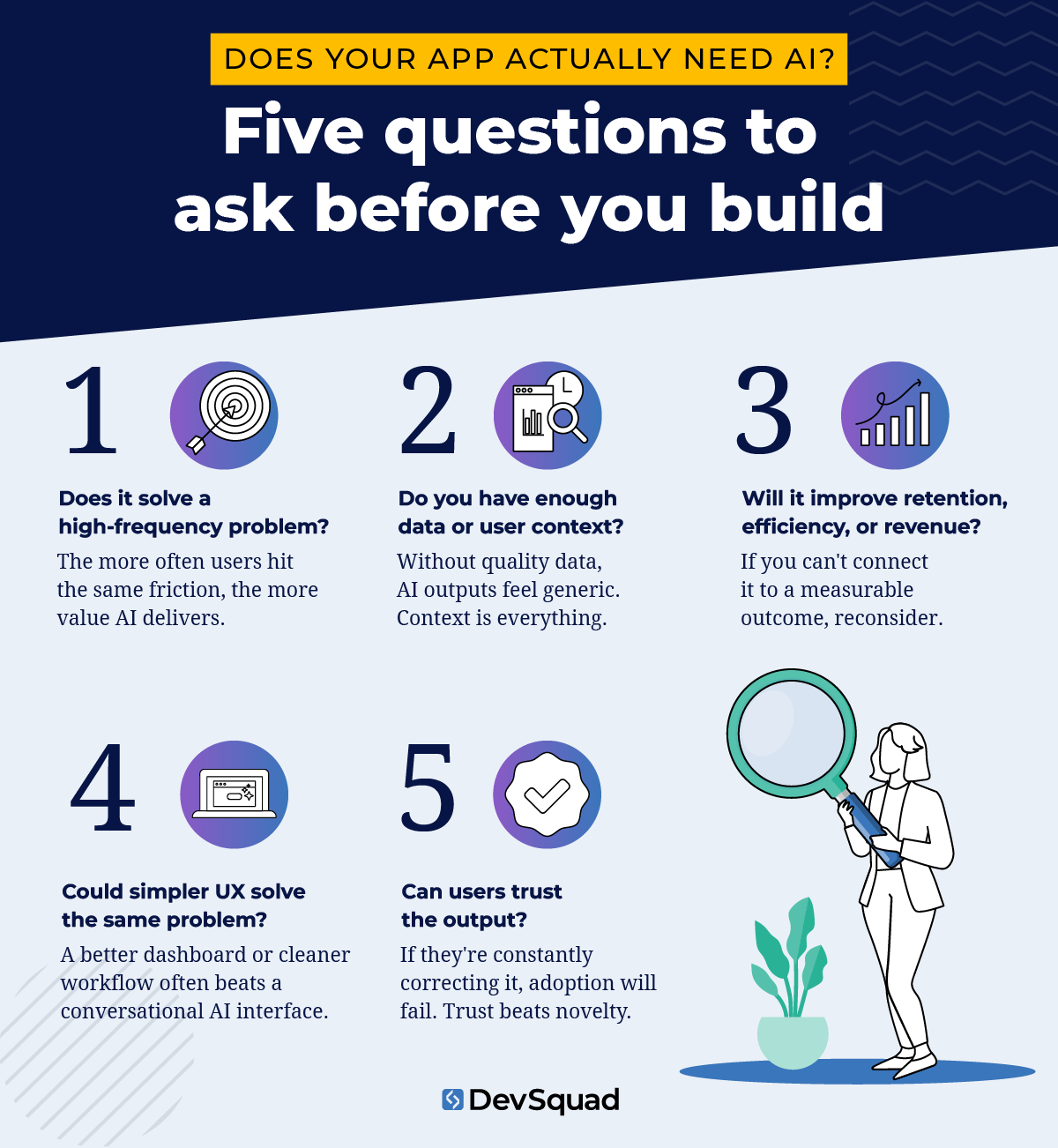
Does AI solve a high-frequency problem?
AI tends to create the most value when users encounter the same friction repeatedly.
For example:
Manually reviewing large amounts of information
Searching through complex datasets
Responding to repetitive support requests
Summarizing conversations or reports
Making operational decisions quickly
The more often the problem occurs, the more valuable AI workflow automation becomes.
Do you have enough proprietary data or user context?
Many AI-powered apps rely on context to generate useful outputs. Without quality data, even advanced AI models struggle to deliver accurate or relevant results.
Custom software platforms have an advantage here because businesses already possess unique operational data, workflows, and internal processes that public AI tools don’t understand.
If your product lacks meaningful context or reliable data, AI outputs may feel generic or inconsistent.
Will AI improve retention, efficiency, or revenue?
AI features should support measurable business goals.
That could mean:
Helping users complete tasks faster
Reducing operational workload
Improving decision-making
Increasing customer retention
Creating a better user experience
If the AI feature doesn’t clearly improve efficiency, engagement, or revenue potential, it may not justify the additional operational complexity.
Could a simpler workflow solve the same problem?
This is one of the most overlooked questions in AI product strategy.
We’ve seen teams spend significant time building conversational AI interfaces for workflows that worked better with simple dashboards, filters, or automations.
Sometimes the right answer isn’t AI. Sometimes it’s better UX, clearer information architecture, or improved product design.
Technology should remove friction from the user experience, not create new layers of complexity.
Can users trust the output?
Trust matters more than novelty.
Users need confidence that AI-generated outputs are accurate, consistent, and useful. If users constantly need to verify, rewrite, or correct the results, adoption will suffer quickly.
The best AI-powered apps combine intelligent automation with transparency, user control, and clear workflows.
Start with minimum viable AI (MVAI)
One of the biggest mistakes companies make is trying to rebuild their entire product around AI too early.
A better approach is to start with one workflow where AI can create immediate value. That might include:
Summarization
AI-assisted workflows
Internal copilots
Automation for repetitive tasks
From there, validate whether users actually adopt and benefit from the feature before expanding AI deeper into the product.
The best software products evolve through continuous feedback and iteration rather than large assumptions made upfront.
The strongest AI implementations are often the least disruptive. Instead of forcing users into completely new behaviors, the AI quietly improves speed, efficiency, or decision-making within an existing workflow.
In many cases, users don’t need more AI features. They need fewer manual steps and less operational friction.
Buy vs build: most companies should start with APIs
For most software products, API-based AI tools are more than enough.
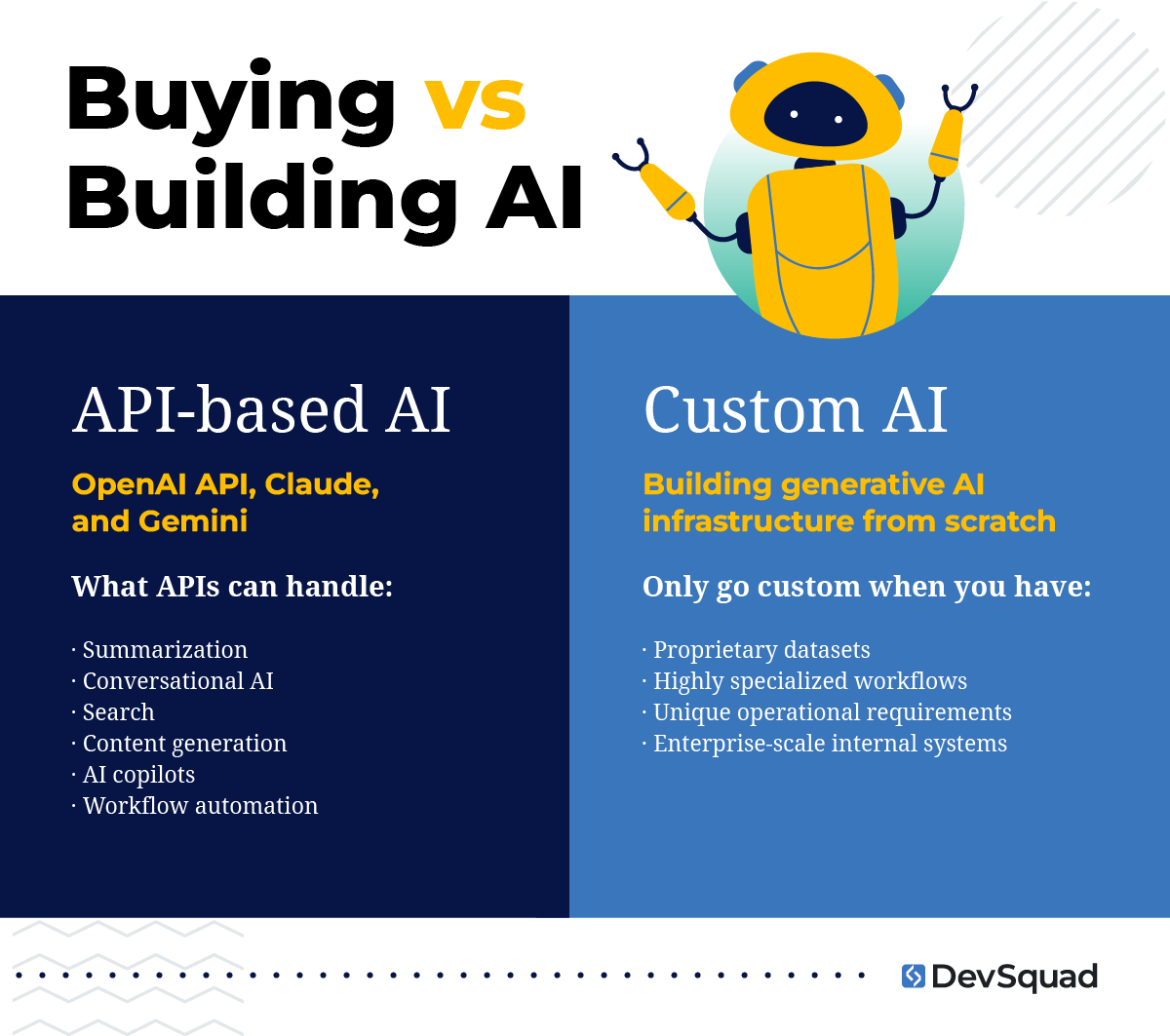
API-based AI tools are enough for most apps
Platforms like the OpenAI API, Claude, and Gemini make it possible to add generative AI features without building custom AI infrastructure from scratch.
This approach allows teams to move faster, test ideas earlier, and validate whether AI features actually improve the product experience before making larger investments in AI app development.
For many SaaS product developments and internal business tools, API-based integrations can support:
Summarization
Conversational AI
Search
Content generation
AI copilots
Workflow automation
The faster you can test and validate product decisions, the faster you can improve the final product.
Custom AI development only makes sense in specific cases
Custom AI models typically only make sense when companies have:
Proprietary datasets
Highly specialized workflows
Unique operational requirements
Enterprise-scale internal systems
In those environments, custom development can create competitive advantages that generic AI APIs cannot.
But for most businesses, the priority should be solving the right problem first—not building unnecessary AI infrastructure too early.
The hidden operational costs of AI features
AI features don’t just add capabilities. They add operational overhead.
Many companies underestimate the long-term costs of maintaining AI-powered apps after launch. Beyond the initial development work, teams often need to manage:
API costs
Monitoring and testing
Hallucinations and inaccurate outputs
Prompt drift over time
Support and moderation workflows
Privacy and governance concerns
As AI usage scales, these operational costs can grow quickly, especially in products with large user bases or high-volume workflows.
The more complex a system becomes, the more important it is to build processes that keep the product reliable and maintainable over time.
That doesn’t mean AI isn’t worth implementing. It simply means product teams should evaluate AI features the same way they evaluate any other operational investment: based on measurable business value, long-term maintainability, and user impact.
AI should improve workflows, not interrupt them
The best AI-powered apps feel natural to use. They improve the workflow without forcing users to completely change how they work.
That’s why conversational UI isn’t always the best solution. In some cases, users can complete tasks faster with dashboards, filters, shortcuts, or structured workflows than they can through chat interfaces.
The foundation of every successful user experience is a well-defined and clearly communicated strategy.
Users still need clarity, visibility, and control. This doesn't change when AI is involved in decision-making or automation.
In many business applications, human-in-the-loop systems are often smarter than full automation. AI can assist with summarization, recommendations, or drafting actions while still allowing users to review and approve important decisions before execution.
The goal is to remove friction and help users accomplish tasks more efficiently.
Conclusion: prioritize value over novelty
AI is quickly becoming part of modern software infrastructure. That alone won’t create a competitive advantage.
The companies that benefit most from AI will be the ones that integrate it thoughtfully into real workflows and real operational challenges.
The best software products are built by understanding what users are actually trying to accomplish and removing friction from that process.
Start small. Validate fast. Focus on user outcomes before expanding AI deeper into the product.
In many cases, the most effective AI implementations are the ones users barely notice.
If you’re evaluating AI-powered features, custom software strategy, or operational automation opportunities, start with discovery and planning before committing to development. The right strategy upfront can prevent months of unnecessary complexity later.
Want an expert opinion on incorporating AI into your app? Learn more about our custom software development services and how we use discovery to determine what’s worth building.
Frequently asked questions (FAQs)
Startups should only add AI if it solves a meaningful user or operational problem. In many cases, validating product-market fit and improving core workflows are more important than adding AI features early on.
Yes. Many companies add AI to existing applications through APIs like OpenAI, Claude, or Gemini. Common additions include summarization, automation, search, recommendations, and AI-assisted workflows.
AI integration costs vary depending on the complexity of the feature, API usage volume, infrastructure requirements, and ongoing monitoring needs. Beyond development costs, teams should also consider operational expenses like testing, governance, and support.
Common risks include inaccurate outputs, privacy concerns, operational overhead, hallucinations, and increased support requirements. AI features should be monitored and tested carefully over time.
AI creates feature bloat when it adds unnecessary complexity without improving the user experience or business outcome. If a simpler workflow solves the same problem more effectively, AI may not be the right solution.

Phil Alves is the CEO and Founder of DevSquad and DevStats. He’s built and launched 100+ software products for bootstrapped founders, fast-growing startups, and enterprises. Phil writes about SaaS, product strategy, operational complexity, and building scalable development processes. He enjoys aviation, investing, and learning from other SaaS founders.